

Why Choose Workboard?
Workboard helps organizations execute their strategy with precision and speed. Unlike typical task or project management tools, it’s built to drive results through strategic goal alignment. It fosters a results-driven culture by making objectives transparent, measurable, and actionable across teams. With built-in OKR management, executive dashboards, and weekly business reviews, leaders can monitor progress without micromanaging. It also reduces reliance on manual updates and spreadsheets by offering automation and integrations. Whether you’re leading a digital transformation or scaling performance across departments, Workboard makes execution smarter, faster, and more collaborative, positioning your organization for sustained success.
Benefits of Workboard:
- Strategic Focus: Aligns daily work with broader company goals.
- Increased Visibility: Provides real-time progress on key results.
- Enhanced Accountability: Assigns ownership of goals and outcomes.
- Execution Speed: Reduces lag time in decision-making.
- Better Collaboration: Connects teams through integrated tools.
- Data-Driven Decisions: Offers insights via analytics and dashboards.
- Reduced Manual Work: Automates weekly updates and reports.
- Goal Transparency: Makes strategic priorities visible to all levels.
How to Use Workboard?
Start by defining your company’s objectives and breaking them into key results (OKRs) within Workboard. Assign these OKRs to teams or individuals, ensuring accountability. Users can then update progress weekly through automated reminders and reports. Action items and initiatives can be created and tracked directly in the platform, keeping execution aligned with strategy. Use real-time dashboards to review progress and make quick decisions. Run business review meetings with Workboard’s integrated tools to stay focused on results. Integration with Slack, Jira, and Teams helps bring updates into your existing workflow for a seamless experience.
Features of Workboard:
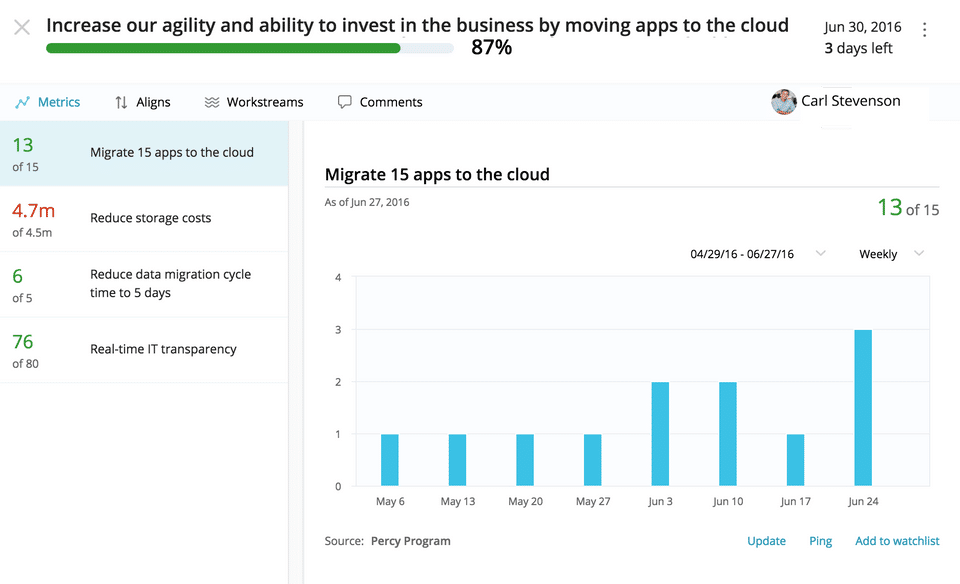
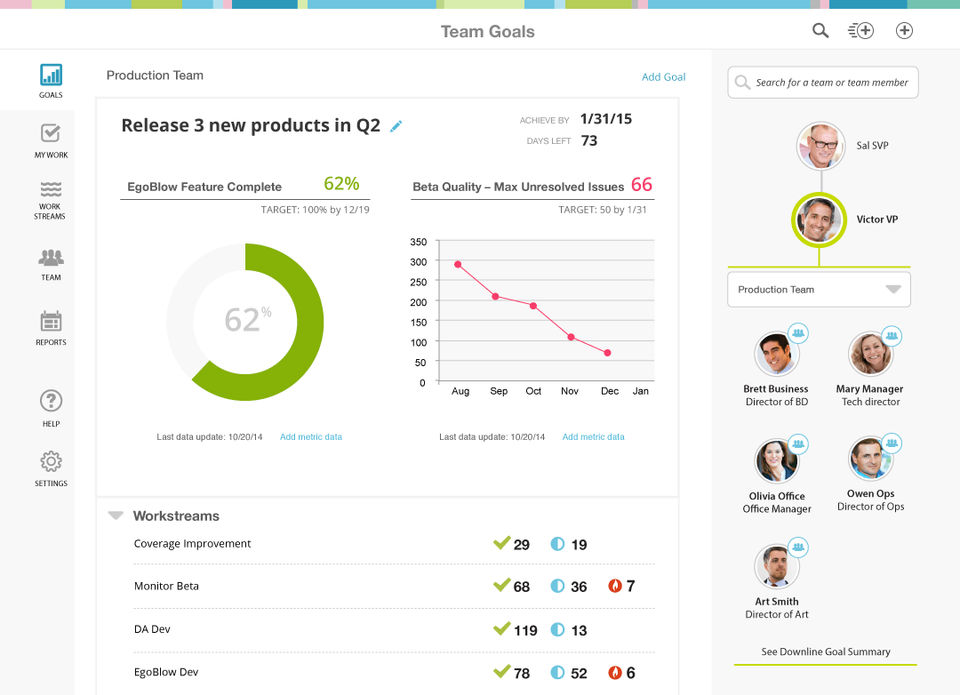
- OKR Management: Create and track objectives and key results.
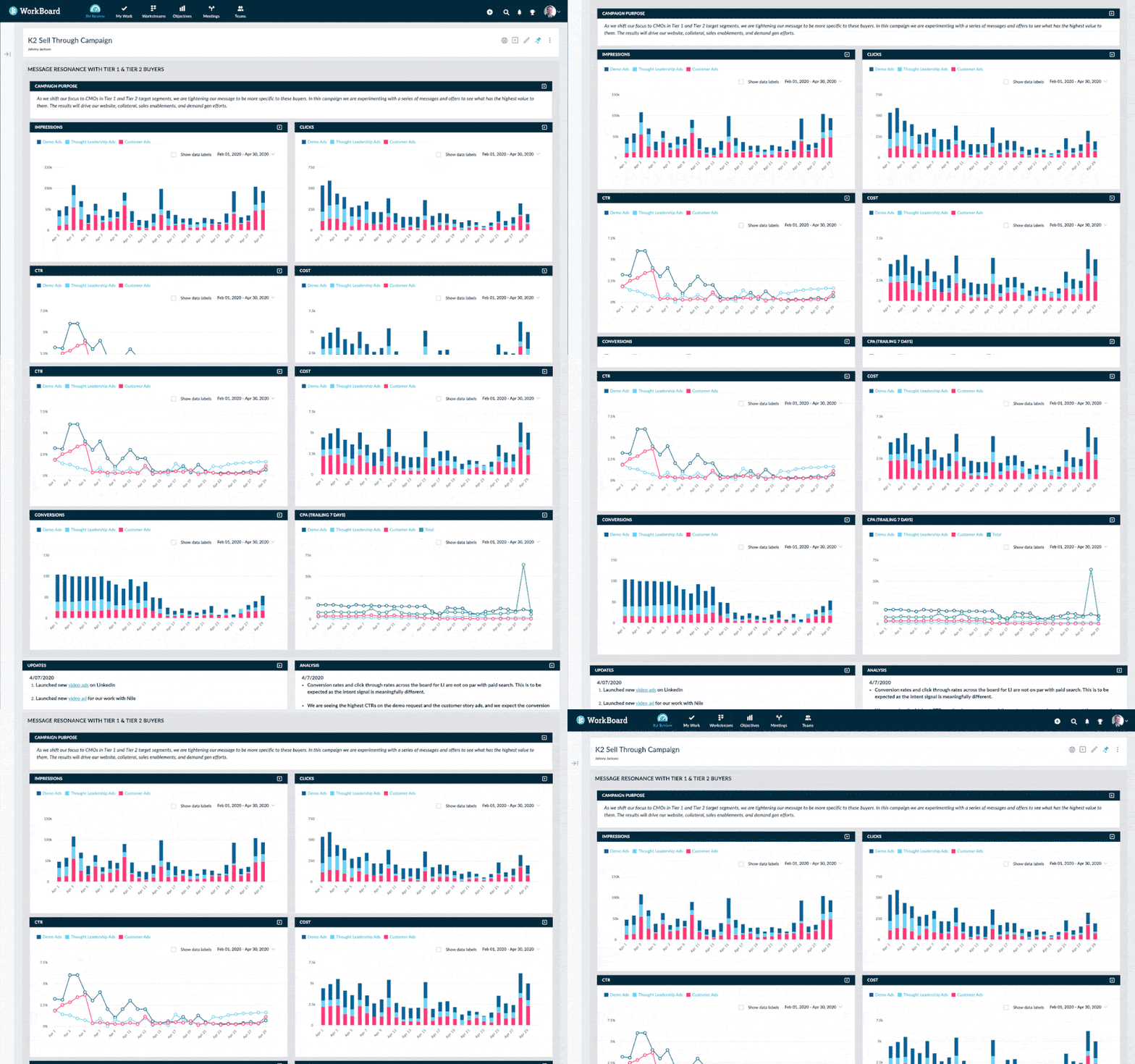
- Real-Time Dashboards: Visualize progress instantly.
- Automated Status Reports: Weekly updates without manual input.
- Meeting Workspaces: Organize and manage goal-focused meetings.
- Cross-Team Alignment Tools: Ensure unified direction across departments.
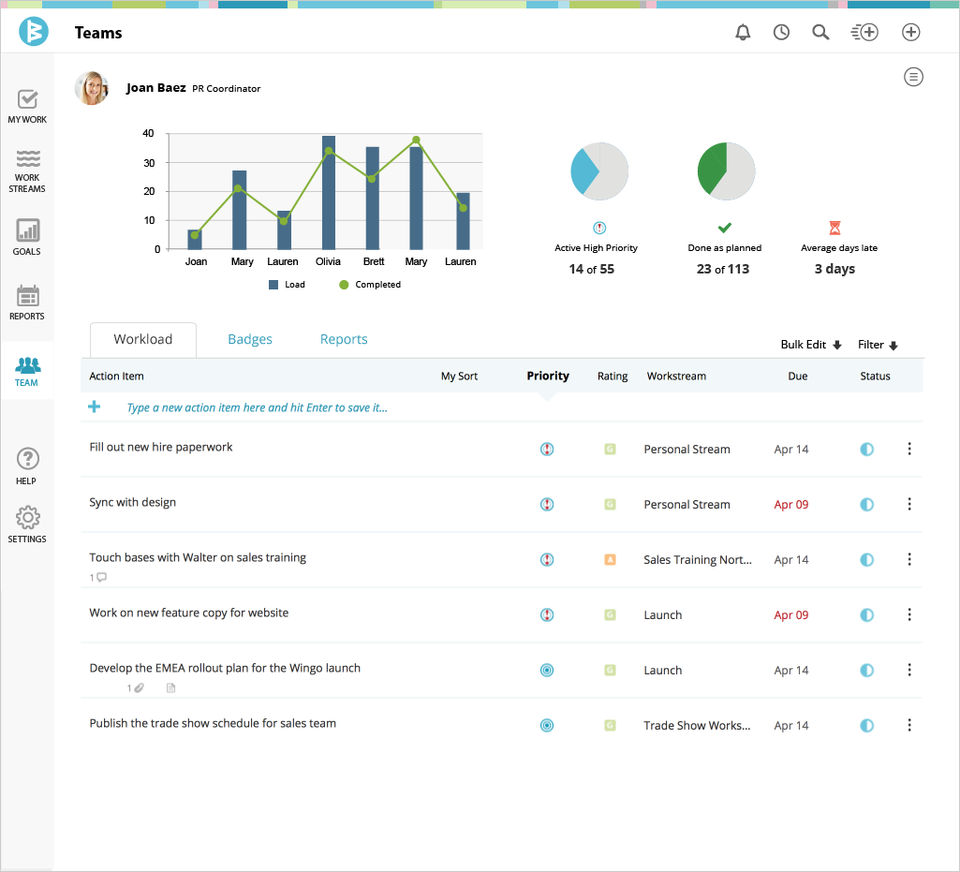
- Action Item Tracking: Monitor and assign tasks related to key results.
- Integrations: Compatible with Microsoft Teams, Slack, Jira, and more.
- Data Analytics: Drive performance reviews with execution insights.
What Makes Workboard Different?
Workboard stands out because it’s not just one of the best task management software options—it’s a complete strategy execution platform. While it offers robust task and project tracking features, it’s built specifically for enterprise leaders who need to align multiple teams around strategic goals. Its foundation in OKRs helps organizations focus on outcomes, not just activities. The platform’s weekly business review automation, real-time dashboards, and meeting management tools foster a habit of continuous execution. Workboard also provides strategic coaching to help clients implement best practices, adding value far beyond traditional software. This unique combination of execution tools, expert services, and a sharp focus on strategic outcomes makes Workboard exceptionally powerful for performance-driven organizations.
Who Can Benefit from Workboard?
Workboard is ideal for executives, strategy and transformation leaders, team managers, and enterprise-level organizations. It’s especially beneficial for:
- Chief Strategy Officers aligning goals across departments.
- Operations leaders monitoring cross-functional execution.
- HR and performance teams managing OKRs and accountability.
- Project managers needing visibility into results.
- Digital transformation leaders ensuring initiatives stay on track.
Any company seeking to align work with strategic goals, improve execution velocity, and foster a culture of accountability will benefit from Workboard.
Is Workboard Easy to Use?
Yes, Workboard is designed to be user-friendly while offering enterprise-grade power. The interface is intuitive, with clear navigation for creating OKRs, updating progress, and viewing dashboards. It includes guided setup, templates, and onboarding tools to simplify adoption. Users can automate status reports and integrate with familiar platforms like Microsoft Teams, Slack, and Jira to minimize disruption. The platform supports role-based views, so users see what’s most relevant to them. Whether you're an executive or a frontline contributor, Workboard makes staying aligned and productive straightforward, even in large, complex organizations.
What Support Does Workboard Offer?
Workboard provides extensive support for users at every level, including:
- Strategic Coaching: Guidance on implementing and managing OKRs.
- Customer Success Managers: Dedicated support for enterprise clients.
- Live Training & Webinars: Regular sessions to improve platform use.
- Help Center: A robust knowledge base with articles and how-tos.
- Email & Chat Support: Responsive assistance for day-to-day issues.
- Product Tours & Onboarding Tools: Built-in guides for new users.
- Quarterly Business Reviews: Strategy alignment check-ins for enterprises.
This combination of technical support and strategic advisory makes Workboard highly effective in delivering lasting value.
- ✓ Individual OKR
- ✓ Team OKR
- ✓ Goal Management
- ✓ Reporting (Analytics)
- ✓ Feedback Management
- ✓ Dashboard
- ✓ Confidence Levels
- ✓ Single Sign-On (SSO)
- ✓ Onboarding Tools
- ✓ Weight Assignment
- ✓ Strategic Alignment
- ✓ KPI Management
- ✓ Progress Tracking
- ✓ Alerts
- ✓ Predefined Templates
- ✓ Strategic Planning
- ✓ Access Control
- ✓ HRIS Integration
- ✓ File Sharing
Contact us to get detailed pricing as per your requirements.
What do you like best? Nothing I can think of. OKRs are a very good thing for a company but if you want acceptance and adoption, you must spoil your employees with something that's easy to use and provides value. What do you dislike? UI...
What do you like best? Focus on alignment, tracking and achieving goals, fantastic support response time. Other tools can do similar things, but lack the focus. What do you dislike? Lots of bugs, slow webapp, lackluster mobile app. ...
What do you like best? I recently put a new team together - 7 people who report to me but each person does VERY different work. We decided we needed a tool to help each team member stay organized with their own work and I needed a quick view into t...
What do you like best? Workstream - allowing me complete visibility to each departments' requests, as well as company wide priorities. What do you dislike? I know the calender feature was recently rolled out and features "this weeks" ta...
What do you like best? Tracking work tasks is very easy on mobile app. Daily email of 'what's due today'. Helps me keep track of my daily , weekly and outstanding tasks. What do you dislike? Currently trying to add additional department...
Workboard is a OKR Software solution. Top features include:
- Individual OKR
- Team OKR
- Goal Management
- Reporting (Analytics)
- Feedback Management
Workboard does not currently offer a free trial.
Workboard provides Online (Ticket) support.
Workboard is Cloud Hosted software.
Workboard provides Help Guides,Video Guides,Blogs for training.


