

Why Choose Useberry?
Useberry offers an all-in-one UX software solution for teams looking to build user-focused digital experiences. Whether you're a designer, researcher, or product manager, Useberry makes it easy to test prototypes in real time and understand how users truly interact with your designs. The platform integrates seamlessly with your existing tools and supports multiple testing methods—including usability testing, surveys, and card sorting—without requiring technical skills. With fast results, insightful visual analytics, and flexible recruitment options, this UX software reduces development risk and improves product quality. It’s an ideal choice for teams that want to base decisions on data, not assumptions.
Benefits of Useberry
- Rapid Design Feedback – Gather insights quickly to validate ideas before launch.
- Improved User Satisfaction – Identify friction points and optimize user journeys.
- Lower Development Costs – Catch issues early to reduce rework later.
- Remote Testing – Reach global users without on-site sessions or interviews.
- Stronger Collaboration – Share findings across teams for better decision-making.
- Data-Driven Improvements – Act on real user behavior with accurate analytics.
How to Use Useberry
Getting started with Useberry is straightforward. Begin by connecting your design from tools like Figma, Adobe XD, or Sketch. Choose the type of test you want to run—such as a usability test or survey—and set up tasks or questions. You can then invite participants via a shared link or recruit from Useberry’s panel. As users complete the test, Useberry captures their actions, generating visuals like heatmaps, click paths, and performance stats. These insights highlight usability issues and guide design improvements. Finally, share results with your team to iterate faster and launch confidently.
Features of Useberry
- Seamless Prototype Integration – Import from Figma, Sketch, Adobe XD.
- Multiple Testing Methods – Usability tests, first-click tests, 5-second tests, and more.
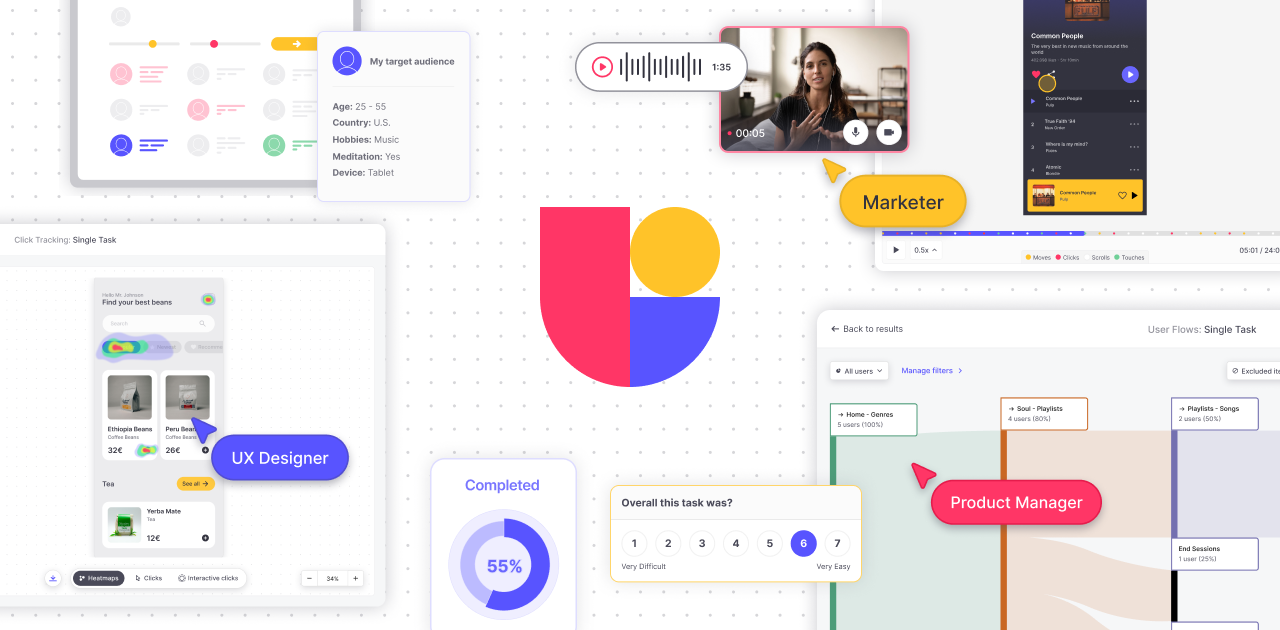
- Advanced Analytics – View heatmaps, session paths, and success rates.
- Live Session Replays – Watch exactly how users interact with your design.
- Custom Task Metrics – Track user engagement and completion time.
- Participant Management – Use your own users or tap into Useberry’s tester pool.
- Collaborative Dashboards – Share results and comments with your team.
What Makes Useberry Different?
Useberry stands out by combining simplicity with powerful UX research features. Unlike complex tools that require coding or advanced setup, Useberry allows anyone—designer or non-designer—to run tests in minutes. Its direct integration with design tools saves time and avoids redundant work. It also supports a variety of test types under one roof, from preference testing to first-click analysis. Real-time insights, presented in clear visuals, make findings easy to understand and apply. With its user-friendly interface, global participant access, and focus on privacy, Useberry delivers a professional testing experience tailored to modern product teams.
Who Can Benefit from Useberry?
Useberry is designed for professionals across the digital product lifecycle. UX designers use it to refine interfaces and flows. Product managers leverage it to prioritize features based on user behavior. Researchers gain structured insights to back design decisions. Startups use it to test MVPs efficiently, while enterprise teams rely on it for scalable design validation. Even marketers and content strategists can test page layouts or messaging. Whether you’re creating a new product or improving an existing one, Useberry helps you stay aligned with what your users really need.
Is Useberry Easy to Use?
Absolutely. Useberry is built with ease of use at its core. You don’t need coding skills or a research background to get started. Its intuitive interface guides you through importing prototypes, setting up tasks, and launching tests effortlessly. You can use pre-designed templates or create your own flow from scratch. The visual reports—including heatmaps, user paths, and session videos—make it easy to interpret results. Teams can collaborate, comment, and share results directly from the dashboard. Whether you're a beginner or experienced in UX research, Useberry helps you work faster and smarter without technical complexity.
What Support Does Useberry Offer?
Useberry offers robust support to ensure users get the most value from the platform. Their Help Center features detailed guides, FAQs, and step-by-step instructions to navigate the platform with ease. New users benefit from onboarding walkthroughs and video tutorials to get started quickly. For more specific issues, the support team is available via email, providing timely assistance. Useberry also maintains a user community for shared tips, updates, and discussions. The team listens to feedback and regularly rolls out new features, ensuring the platform evolves with your needs.
- ✓ User Research
- ✓ User Journeys
- ✓ Usability Testing
- ✓ Prototyping
- ✓ For Websites
- ✓ For Mobile
- ✓ Animation
- ✓ Unmoderated Testing
- ✓ Screen Activity Recording
- ✓ Heatmaps
- Growth includes:
- 300 responses / month (buy up to 2
- 1 seat (buy up to 20)
- Unlimited projects & versions
- Randomization
- Logic Jumps
- Custom Templates
- Comments
- Screening Questions
- Legal Screen
- SAML-based SSO
- All Growth features
- plus:
- From 50
- 000 responses / year
- From 5 seats
- AI features add-on
- Customization
- Enhanced Support
- Custom legal terms
- Enterprise Security
No reviews yet. Be the first to review!
Useberry offers 3 pricing plan(s):
- Free — USD0.00
- Growth — USD66.99 Month/Customize plan
- Enterprise/Custom — USD0.00 Billed yearly
Useberry is a UX Software solution. Top features include:
- User Research
- User Journeys
- Usability Testing
- Prototyping
- For Websites
Useberry does not currently offer a free trial.
Useberry provides Phone,Live Chat,Online (Ticket) support.
Useberry is Cloud Hosted software.
Useberry provides Help Guides,Video Guides,Blogs for training.


