
Trello

Capture, organize, and tackle your to-dos from anywhere.
What is Trello?
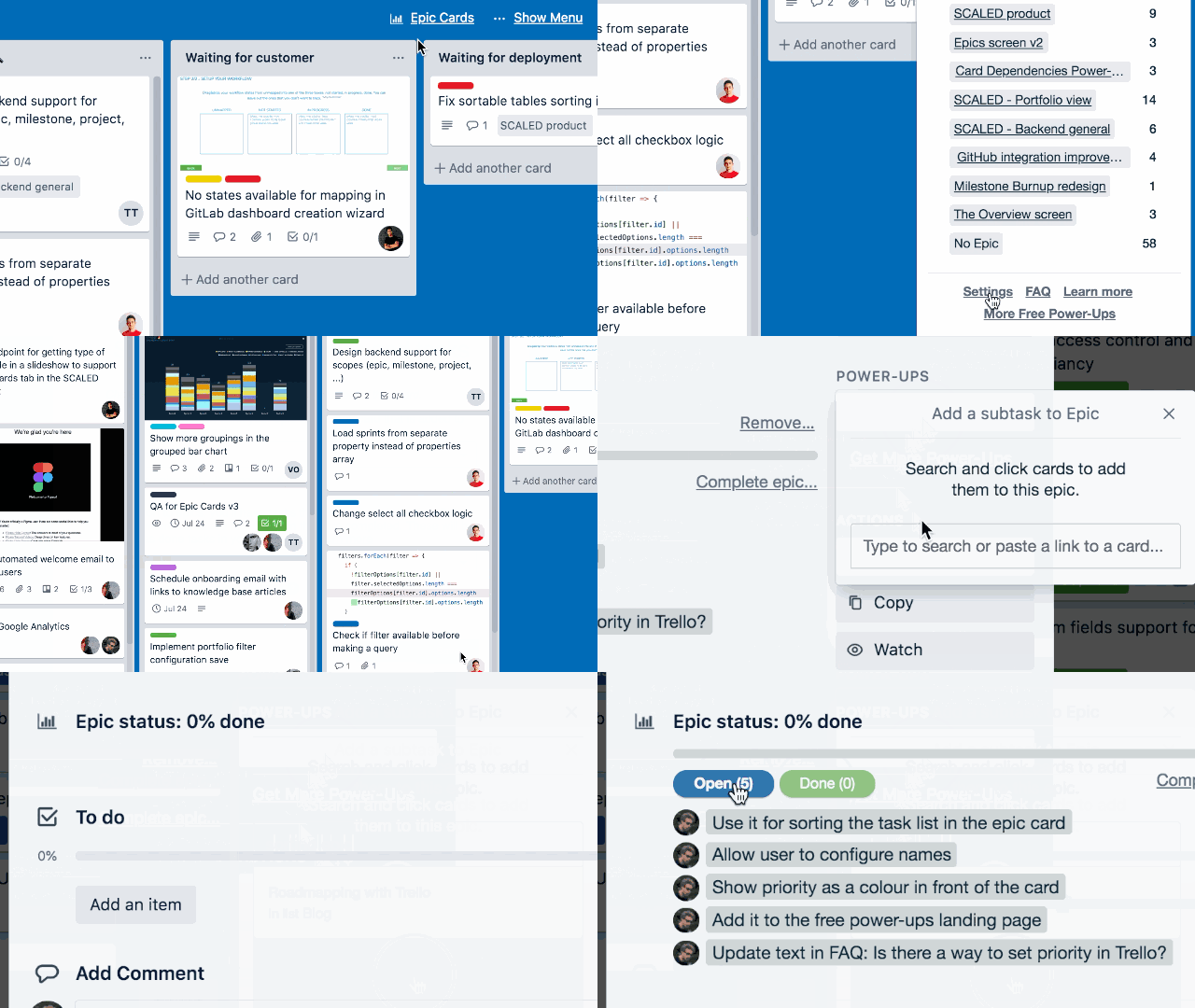
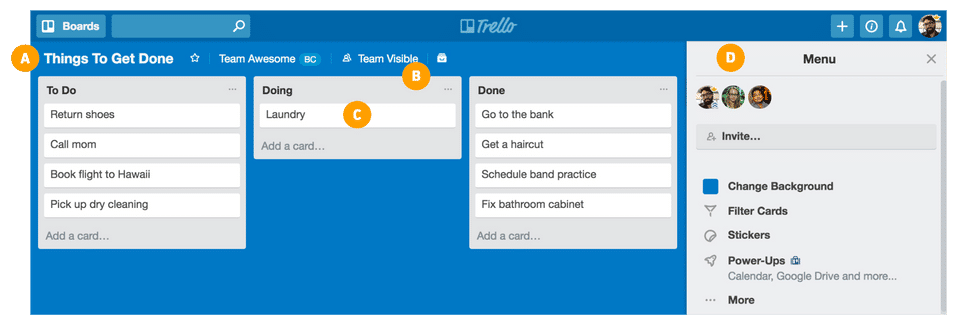
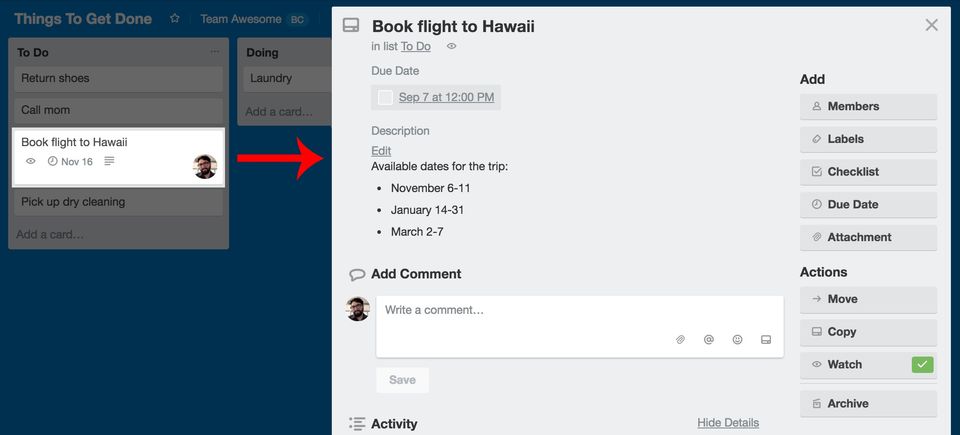
Trello is a flexible, web-based project management tool that helps individuals and teams organize their tasks visually. Based on the Kanban method, Trello uses boards, lists, and cards to represent projects and their associated tasks. Users can add descriptions, checklists, due dates, attachments, and comments to each card, making task management interactive and organized. Trello supports collaboration in real time, allowing teams to track progress and stay aligned across multiple projects. It is cloud-based, mobile-friendly, and easily customizable, making it ideal for both personal and professional use. Whether managing daily tasks or complex workflows, Trello provides a simple yet powerful way to stay productive and on track.
Why Choose Trello?
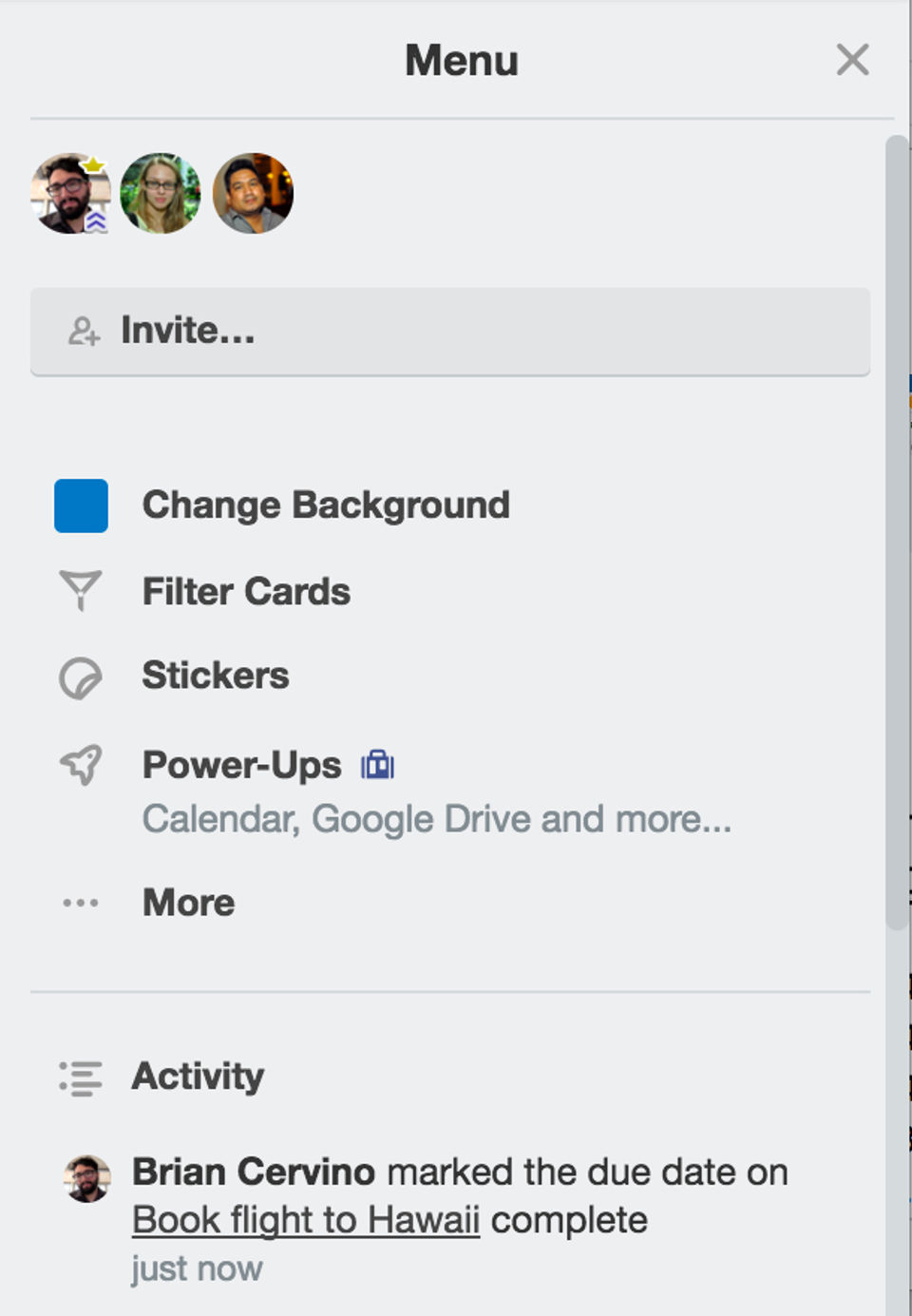
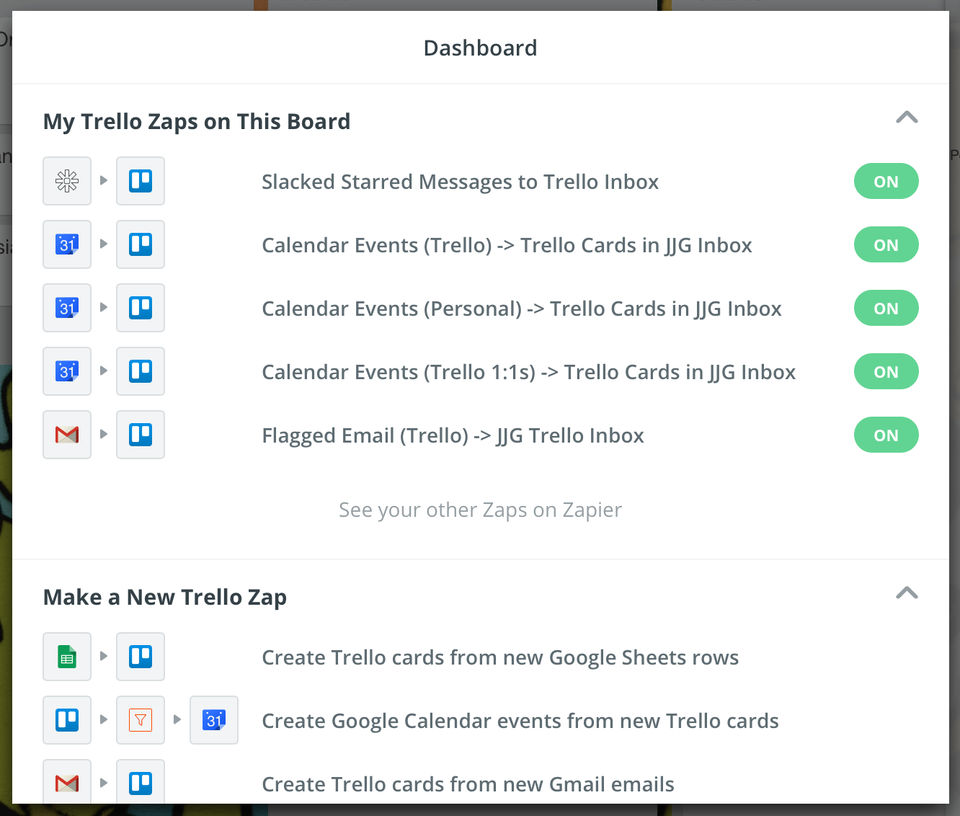
Trello offers an intuitive, drag-and-drop interface that makes project management straightforward, even for beginners. Its visual layout helps teams quickly grasp project status and workflow stages. Trello's flexibility allows users to tailor boards for any use—marketing campaigns, development sprints, event planning, or personal goals. The tool integrates with popular apps like Slack, Google Drive, and Jira through Power-Ups, enhancing functionality. Trello also includes automation tools via Butler, reducing repetitive tasks and saving time. Its scalable pricing—from free to enterprise-level plans—makes it suitable for all team sizes. With cross-platform access and strong community support, Trello remains a top choice for efficient, collaborative project management.
Benefits of Trello
- Simplified Project Visualization through boards, lists, and cards.
- Enhanced Team Collaboration with real-time updates and comments.
- Customizable Workflows to suit any industry or task.
- Time-Saving Automation with no-code Butler rules.
- Accessible Anywhere with mobile and desktop apps.
- Integrates Easily with popular work tools via Power-Ups.
- Boosted Accountability through task assignments and deadlines.
- Flexible Plans for individuals, teams, and enterprises alike.
How to Use Trello
To use Trello, start by creating a board for your project. Within each board, set up lists to represent workflow stages such as “To Do,” “In Progress,” and “Done.” Add tasks as cards under each list, then customize them with due dates, attachments, comments, and checklists. Assign team members to specific cards for collaboration. As work progresses, simply drag cards between lists to update status. You can activate Power-Ups for extra features like calendar views or Gantt charts, and use Butler to automate actions such as sending reminders or moving cards. Trello also supports templates, making it easy to replicate workflows across projects.
Features of Trello
- Boards, Lists, and Cards for organizing projects visually
- Drag-and-Drop Interface for seamless task updates
- Custom Checklists and Labels for categorization
- Butler Automation to streamline repetitive tasks
- Power-Ups to integrate tools like Google Drive, Slack, and Jira
- Calendar, Timeline, and Table Views for various project perspectives
- Task Assignments and Due Dates for accountability
- Real-Time Team Collaboration with comments and mentions
- Cross-Platform Support via web, iOS, and Android apps
What Makes Trello Different?
Trello stands out for its visual-first, user-centric approach to project management. Unlike tools with steep learning curves, Trello’s interface is simple, intuitive, and engaging. It supports a wide range of workflows without requiring technical expertise, making it accessible to both individuals and teams. The built-in Butler automation system enables no-code workflow improvements, while Power-Ups extend Trello’s core functionality for specialized needs. Trello also integrates effortlessly with other popular apps, enhancing its versatility. Its real-time collaboration, mobile accessibility, and customizable features make it not only efficient but also enjoyable to use—setting it apart as one of the best project management software tools available today.
Who Can Benefit from Trello?
Trello is designed for anyone looking to organize work visually and collaboratively. It’s ideal for project managers, team leads, developers, marketers, and HR professionals. Startups and SMEs use it for agile planning, while enterprise teams adopt it for cross-functional collaboration. Educators plan lessons, freelancers track client work, and individuals organize personal tasks like vacations or study schedules. Trello’s customizable layout means it adapts easily to any industry or use case. Whether you're working solo or as part of a large distributed team, Trello provides a streamlined, transparent way to manage tasks and drive productivity.
Is Trello Easy to Use?
Yes, Trello is exceptionally easy to use, even for those new to project management tools. Its visual layout is intuitive, allowing users to manage tasks by simply dragging cards across workflow stages. Getting started requires no training—just create a board and begin organizing your work. The interface is clean and distraction-free, while helpful templates and onboarding tips make setup effortless. Automation features and integrations are accessible through user-friendly menus, eliminating complexity. With mobile and desktop apps, users can manage projects on the go. Trello’s simplicity and usability make it a favorite for teams and individuals alike.
What Support Does Trello Offer?
Trello offers comprehensive support to assist users at every level. Its Help Center provides detailed guides, FAQs, and video tutorials covering all major features. Users can access community forums to get insights and tips from other Trello users. Standard users can contact support via the Trello website, while Business Class and Enterprise customers enjoy prioritized support and access to dedicated customer success teams. Trello also provides in-app guidance, product tours, and regular feature updates. With extensive documentation, responsive assistance, and a vibrant user community, Trello ensures users can solve issues quickly and continue working without disruption.


Contact us to get detailed pricing as per your requirements.
PROS & CONS What are the best aspects of this product? easy to learn easy to use easy to move work around lots of customization ability What aspects are problematic or could work better? search feature notification system What specific pr...
PROS & CONS What are the best aspects of this product? With Trello you can take the most complicated and contentious project and break it down to small pieces and stakeholders. I even use it for personal needs such as my daughter’s college plann...
PROS & CONS What are the best aspects of this product? I love their drag-and-drop functionality, inclduing people in certain tasks, labellinh, ability to comment... just about everything Trello can offer. What aspects are problematic or could ...
PROS & CONS What are the best aspects of this product? Trello is a fantastic tool for organising and collaborating on ongoing tasks. The Kanban tab is exactly where you need it, and it is simple to use while remaining intuitive. What aspects a...
PROS & CONS What are the best aspects of this product? Trello is a fantastic tool for organising and collaborating on ongoing tasks. The Kanban tab is exactly where you need it, and it is simple to use while remaining intuitive. What aspects a...
Yes, Trello offers a 0-day free trial.
Trello provides Phone,Email,Online (Ticket) support.
Trello is Cloud Hosted software.
Trello provides Help Guides,Video Guides,Blogs for training.


