

Time Tracking App & Software
Onetime(Perpetual License)
About
Time is a precious commodity, and many companies are looking for ways to boost their revenue in the shortest amount of time possible. One way to do this is by using timr, a time tracking software that is used by 2000+ companies. With just one click, timr can track a company’s team and provide online solutions that enable them to use it anytime and anywhere. Additionally, there is an integrated centralised dashboard present within timr that offers accurate data from different projects, thereby helping users make the right decisions. With more than 10 years of experience, this time tracking software has been helping companies digitise their workflows. timr also offers an accurate and fast time tracking solution that helps to invoice customers faster for the work they have already done. Furthermore, this software provides stellar consumer support on the go. With an Employee Time Clock tool, timr helps manage all working hours, absences and vacations of a company’s employees. It also ensures users keep a
Key Features
- ✓ Billing and Invoicing
- ✓ Timesheet Management
- ✓ Overtime Calculation
- ✓ Offline Time Tracking
- ✓ Multiple Billing Rates
- ✓ Mobile Time Tracking
- ✓ Billable & Non-billable Hours
- ✓ Automatic Time Capture
- ✓ Employee Database
- ✓ Leave Tracking (Vacation)
Screenshots
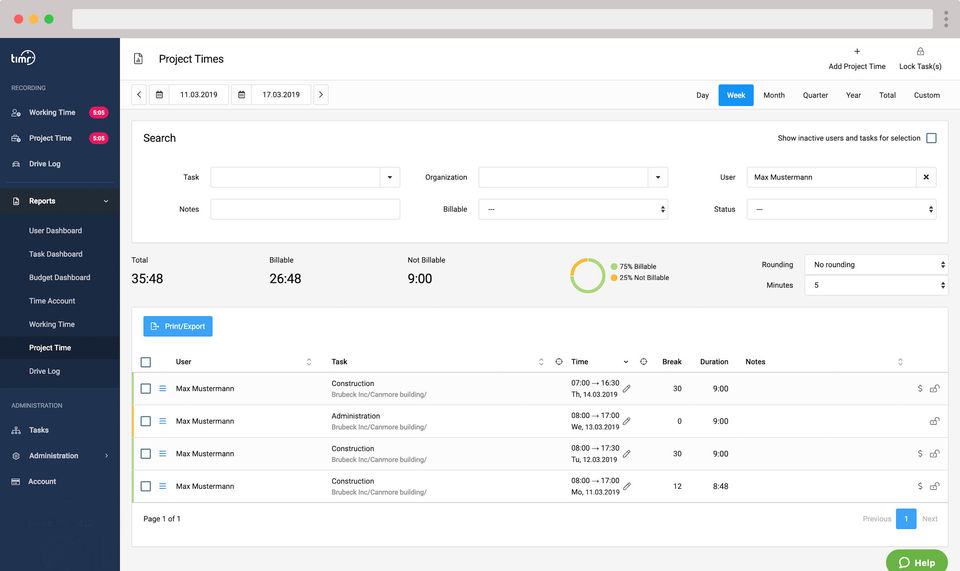
Screenshot 1
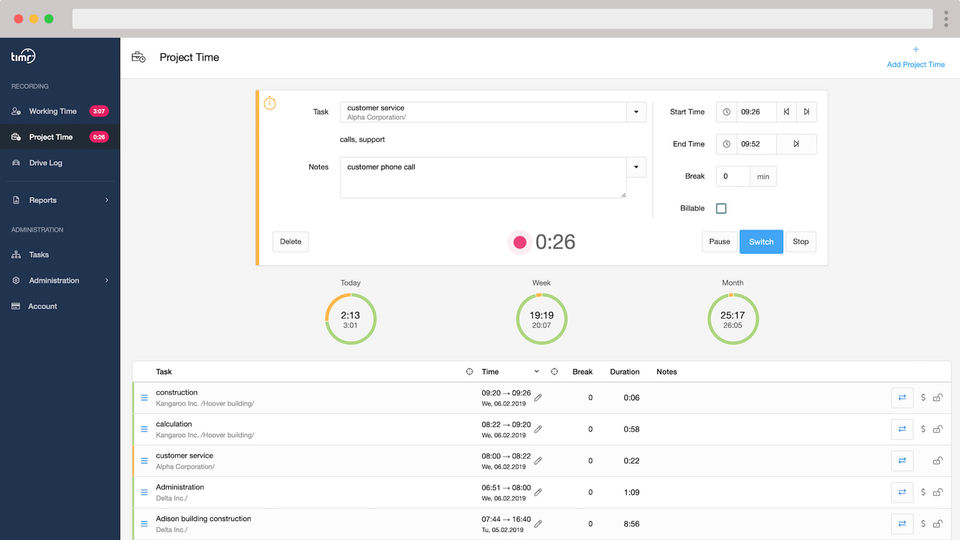
Screenshot 2
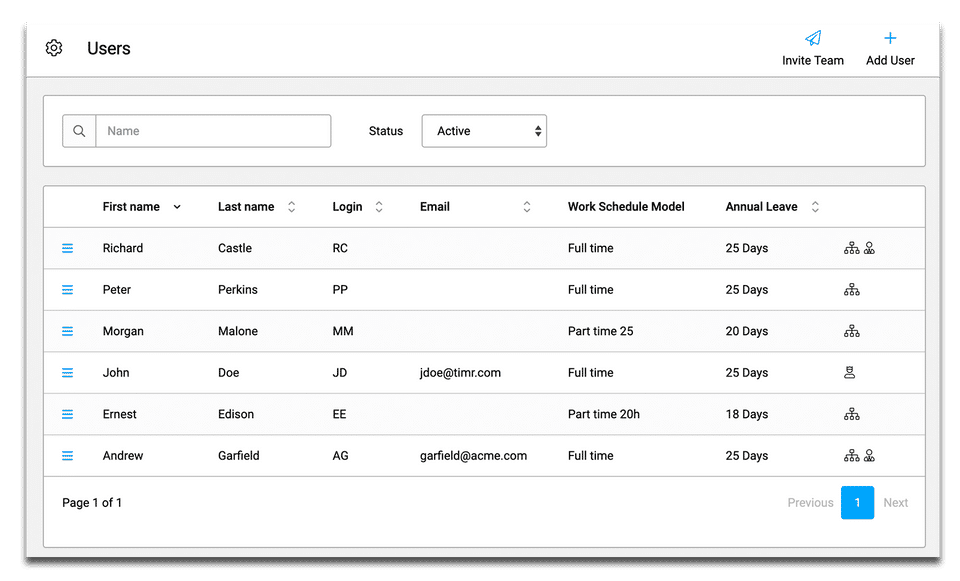
Screenshot 3
Pricing
Regular
USD
0
- Working time measurement Working time & absence Hours & holiday account Timesheet
- Working time & absence
- Hours & holiday account
- Timesheet
- Project Time Tracking Create customers & projects Assign tasks Determine billability
- Create customers & projects
- Assign tasks
- Determine billability
- Logbook Create vehicles Assign employees Tax office compliant
- Create vehicles
- Assign employees
- Tax office compliant
- Vacation Requests Absence calendar Requests via web and app Email notifications
- Absence calendar
Plus
USD
0
- Includes features of Regular Plan
- plus
- Project budgets Hourly
- turnover & cost view
- Hourly
- turnover & cost view
- Set hourly rates Per task & per employee
- Per task & per employee
- Budget warnings Warning Emails for employees & admins
- Warning Emails for employees & admins
- Includes features of Regular Plan
- plus
- Project budgets Hourly
- turnover & cost view
- Hourly
- turnover & cost view
- Set hourly rates Per task & per employee
- Per task & per employee
- Budget warnings Warning Emails for employees & adm
Enterprise
USD
0
- Includes features of Plus Plan
- plus
- Advanced Permission Area manager
- department manager
- team leader
- project manager
- Area manager
- department manager
- team leader
- project manager
- Team registration by foreman Ideal for construction work teams
- Ideal for construction work teams
- Custom fields Expand the entry with your own fields
- for expenses
- material
- etc
- Expand the entry with your own fields
- for expenses
- material
- etc
- Includes features of Plus Plan
- plus
- Advanced Permission Area manager
- d
User Reviews
+ Write a Review
F
Frank
Beste App für Zeiterfassung
Ich verwende Timr jetzt schon fast seit einem Jahr und bin wirklich 100% zufrieden. Das Service ist bestens auf meine Bedürfnisse abgestimmt und es klappt immer einwandfrei. Der Kundenservice reagiert schnell und freundlich. Einfach TOP, ich kann timr wirkl...
Frequently Asked Questions
How much does timr cost?
▼
timr offers 3 pricing plan(s):
- Regular — USD0.00
- Plus — USD0.00
- Enterprise — USD0.00
What is timr used for?
▼
timr is a Time Tracking App & Software solution. Top features include:
- Billing and Invoicing
- Timesheet Management
- Overtime Calculation
- Offline Time Tracking
- Multiple Billing Rates
Does timr offer a free trial?
▼
Yes, timr offers a 0-day free trial.
What support does timr provide?
▼
timr provides Business Hours,Online (Ticket) support.
Is timr cloud-based or on-premise?
▼
timr is Cloud Hosted software.
What training resources does timr offer?
▼
timr provides Help Guides,Blogs for training.


