

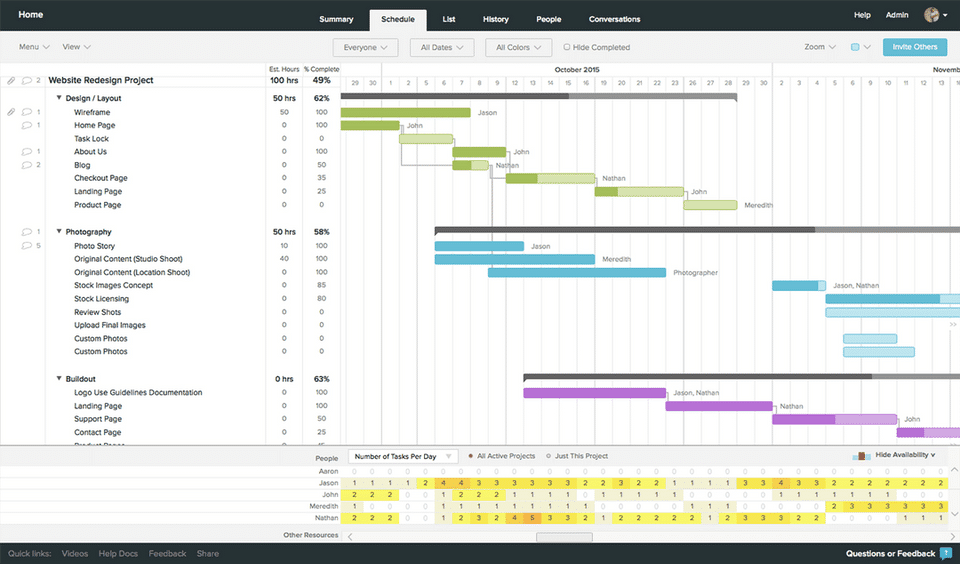
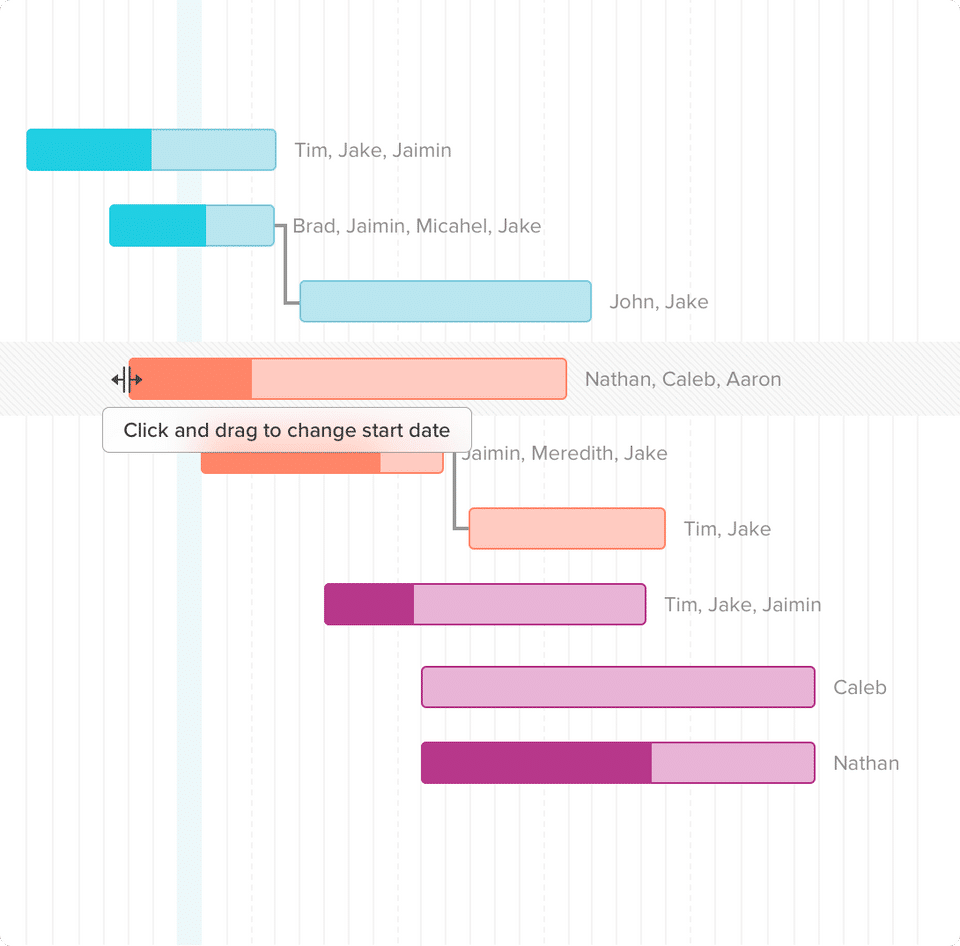
- ✓ Timeline View
- ✓ Project Templates
- ✓ Idea Management
- ✓ Kanban Board
- ✓ Recurring Task Management
- ✓ Time & Expense Tracking
- ✓ Task Management
- ✓ Status Tracking
- ✓ Resource Management
- ✓ Requirement Management
- ✓ Project Planning
- ✓ Portfolio Management
- ✓ Percent-Complete Tracking
- ✓ Milestone Tracking
- ✓ IT Project Management
- ✓ Issue Management
- ✓ Budget Management
- 1 manager (plus 2 collaborators)
- 1 Project
- 60 task limit
- 1 manager (plus 2 collaborators)
- 1 Project
- 60 task limit
- 5 projects per manager
- 150 tasks per project
- 5 collaborators
- Core gantt features
- Boards
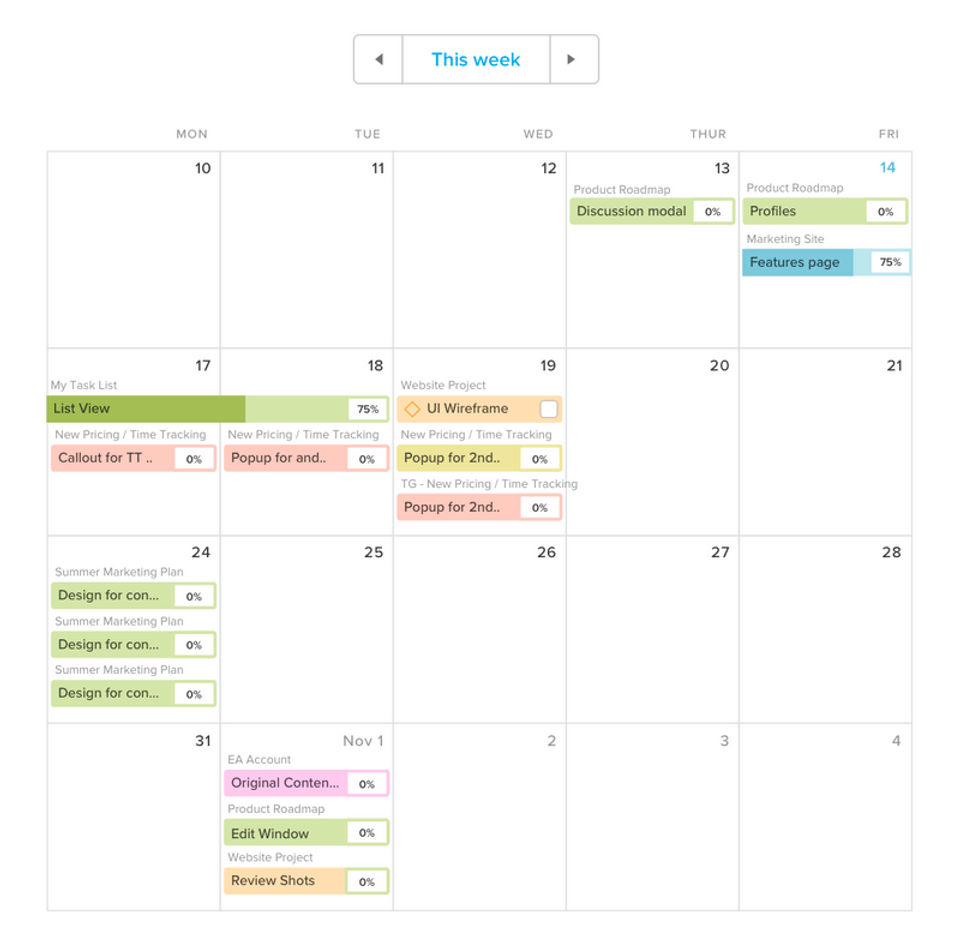
- Calendar
- List
- Integrations
- 5 projects per manager
- 150 tasks per project
- 5 collaborators
- Core gantt features
- Boards
- Calendar
- List
- Integrations
- 20 projects per manager
- Unlimited tasks
- Unlimited collaborators
- Core gantt features
- Boards
- Calendar
- List
- Integrations
- Priority support
- Workloads
- Baselines
- Time tracking
- Hourly estimating
- Portfolio management
- Teams
- 20 projects per manager
- Unlimited tasks
- Unlimited collaborators
- Core gantt features
- Boards
- Calendar
- List
- Integrations
- Priority support
- Workloads
- Baselines
- Time tracking
- Hourly estimating
- Portfolio management
- Teams
- Unlimited projects
- Unlimited tasks
- Unlimited collaborators
- Core gantt features
- Boards
- Calendar
- List
- Integrations
- Priority support
- Workloads
- Baselines
- Time tracking
- Hourly estimating
- Portfolio management
- Teams
- Dedicated account manager
- Customized training
- Security review
- Uptime SLA
- Unlimited projects
- Unlimited tasks
- Unlimited collaborators
- Core gantt features
- Boards
- Calendar
- List
- Integrations
- Priority support
- Workloads
- Baselines
- Time tracking
- Hourly estimating
- Portfolio management
- Teams
- Dedicated
What do you like best? It's a concise system that allows for a team to congregate and work in one place. It allows for many users and for those users to cross reference based on different projects. What do you dislike? The organization of the sys...
What do you like best? Being able to export to excel to catch up while in the air, and quickly uploading. What do you dislike? There is no app, which would make working off-line much easier. Recommendations to others considering the product ...
What do you like best? I like the UI of TeamGantt, particularly when it comes to collaboration/communication. I've use quite a few other project management softwares in the past and, in a lot of them, reading comments and reviews from other team members...
What do you like best? I love that the columns on the gantt chart are easily moveable so you can widen them if you need to see more of the chart. I also love that you can toggle between the Gantt view and the List view. I use the gantt view when I want ...
What do you like best? The drag and drop interface makes creating and editing project Gantt charts an absolute breeze. What do you dislike? The synchronisation with Basecamp is very good but can be difficult to get the sync to work both ways. ...
TeamGantt offers 4 pricing plan(s):
- Free — USD0.00
- Lite — USD24.00 /Month
- Pro — USD59.00 /Month
- Enterprise — USD99.00 /Month
TeamGantt is a Project Management Software With Slack Integration solution. Top features include:
- Timeline View
- Project Templates
- Idea Management
- Kanban Board
- Recurring Task Management
Yes, TeamGantt offers a 0-day free trial.
TeamGantt provides Business Hours,Online (Ticket) support.
TeamGantt is Cloud Hosted software.
TeamGantt provides Help Guides,Blogs,Video Guides for training.


