Sibme

By Sibme
Virtual Classroom Software
Monthly,Yearly
About
Sibme is an advanced learning management system that makes video lectures available to educational institutions and corporate entities on a centralized platform. It is utilized to produce time-stamped annotations and track assessment completion, among other things.
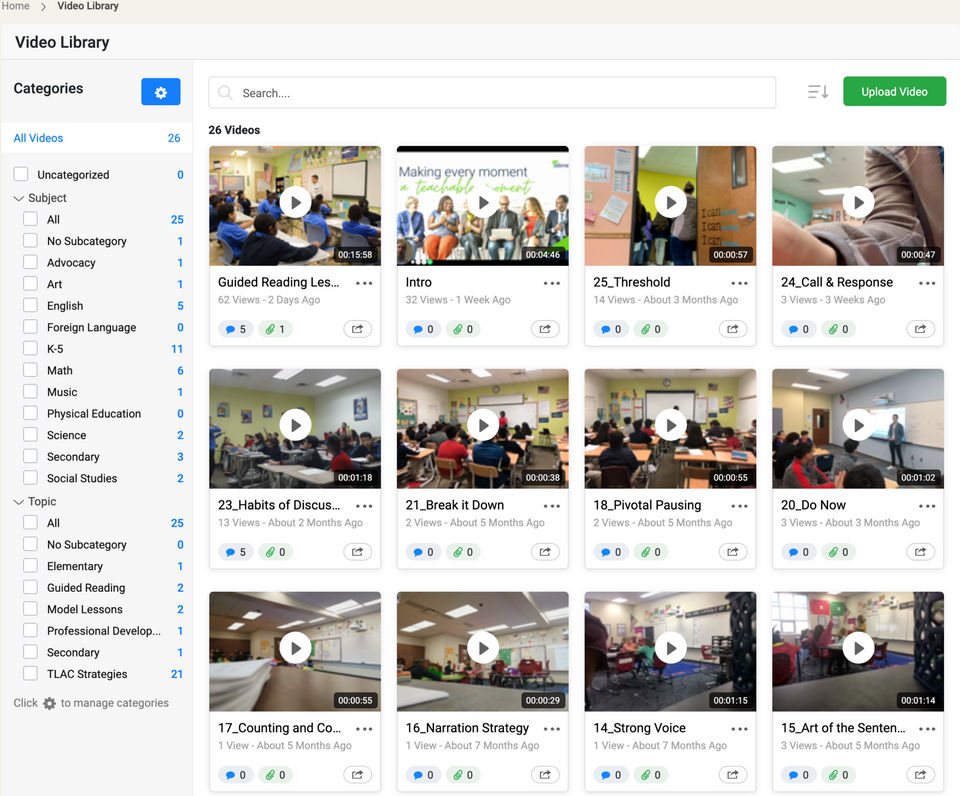
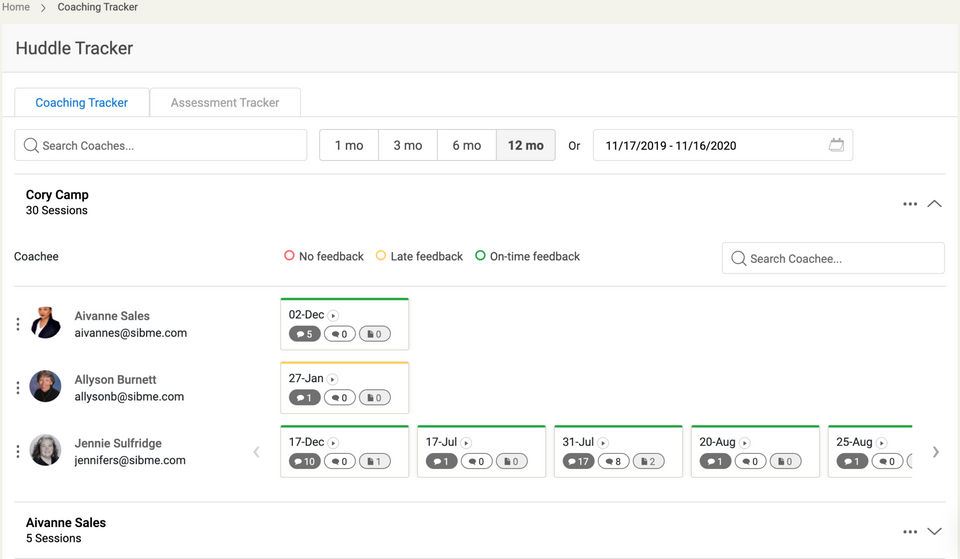
The video library allows learners to search, access, and filter video courses based on certain themes and topics, bringing out the best in your team. Sibme offers a huddle feature that allows supervisors to create a collaborative environment where one may debate video material, examine resources, share best practices, and mentor one another.
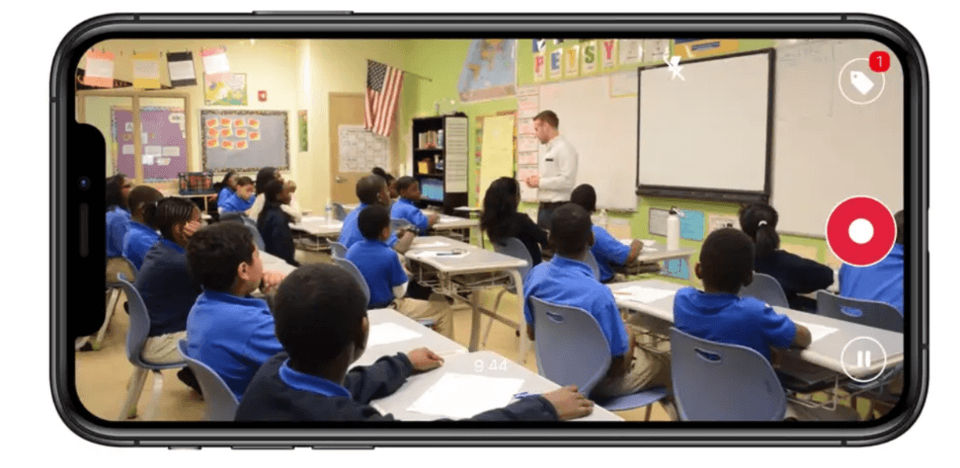
Teachers may trim, preview, and share particular sections of a video lecture with students using the built-in video editing tool. Sibme integrates with a variety of third-party services, including Canvas, edTPA, Dropbox, OneDrive, and Google Drive. To guarantee a safe user experience, administrators can customize branding, create user profiles, and define authorization permissions.
Sibme provides a free trial
Key Features
- ✓ LMS Integration
- ✓ Virtual Whiteboard
- ✓ Breakout Rooms
- ✓ Assignments
- ✓ Payment Gateway
- ✓ File Sharing
- ✓ Session Recording
- ✓ Class Scheduling
- ✓ Students Portal
- ✓ Student Information (Records)
- ✓ Attendance Tracking
- ✓ Collaboration Tools
- ✓ Cloud Storage
Screenshots
Screenshot 1
Screenshot 2
Screenshot 3
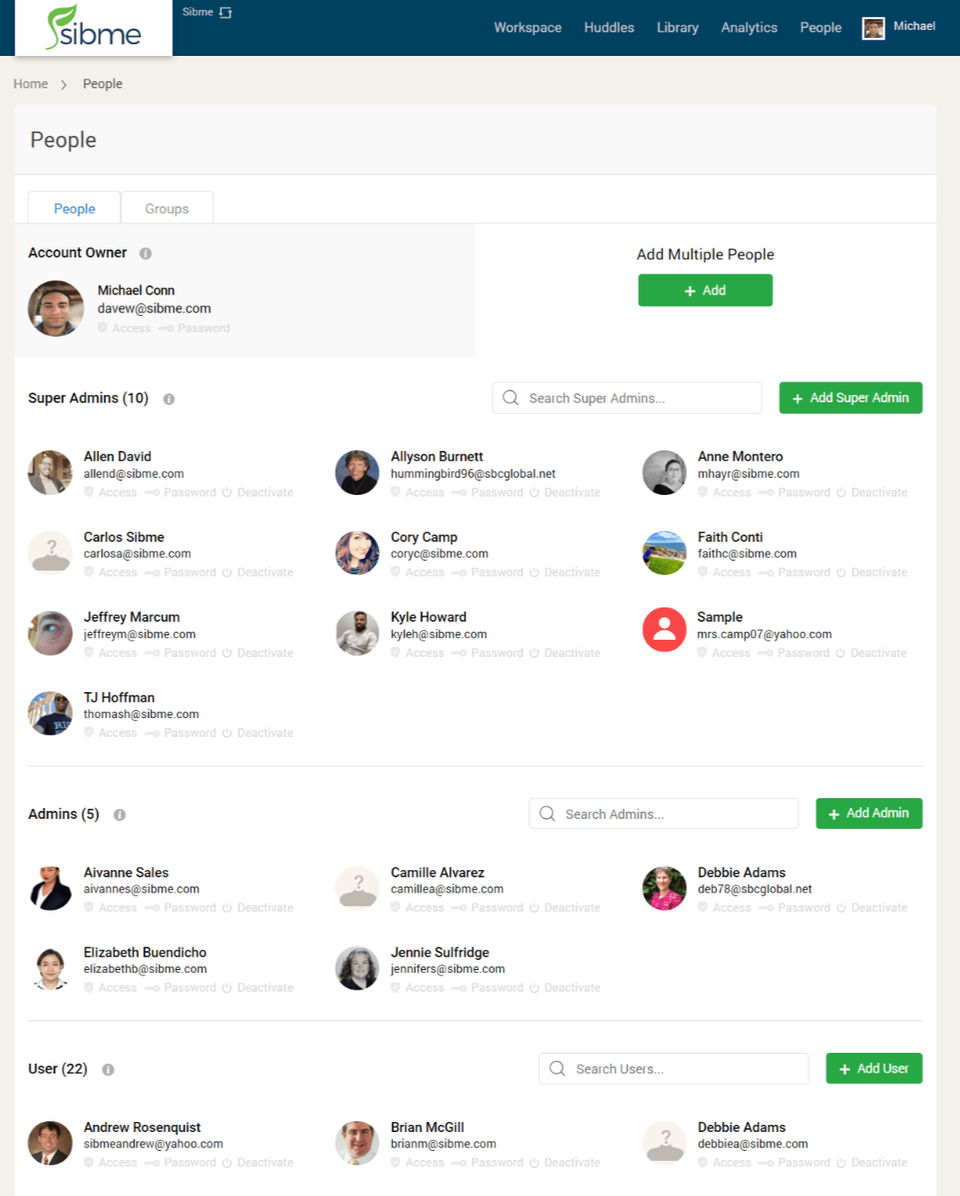
Screenshot 4
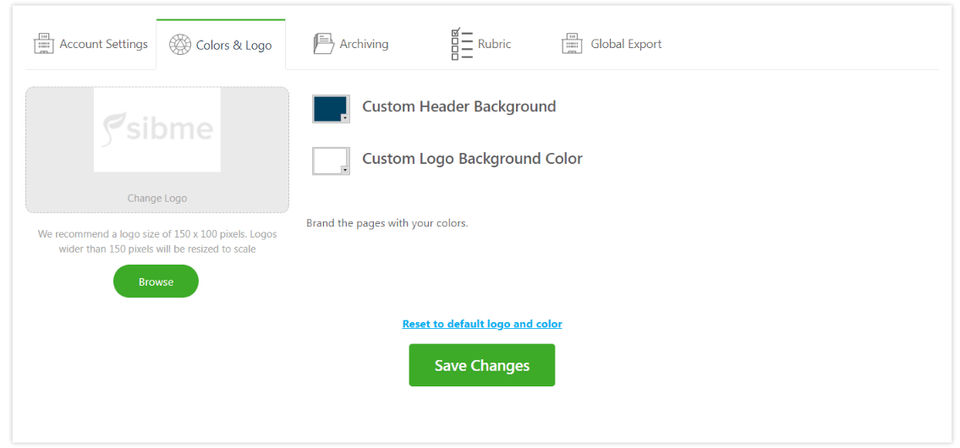
Screenshot 5
Pricing
Basic (Education)
USD0
- User Licenses : Up to 99
- Shared File Storage : 50 GB/User/Year
- Video Uploads : Unlimited
- Resource file sharing
- Private user workspace
- Coaching and Collaboration Huddles
- Huddle Discussions
- Time-stamped video annotations
- Time-stamped audio annotations
- Video tags
- Custom video comment categories
- Video editing
- iOS (iPhone
- iPad
- iPod Touch)
- Android
- Dropbox
- Google Drive
- OneDrive
- Box integration
- Custom Branding
- Visible observation notes
- Administrative management
- Google Sign In
- Support : Help desk
- E
PRO (Education)
USD0
- User Licenses : Up to 99
- Shared File Storage : Up to 100 GB/User/Year
- Video Uploads : Unlimited
- Resource file sharing
- Private user workspace
- Coaching and Collaboration Huddles
- Huddle Discussions
- Time-stamped video annotations
- Time-stamped audio annotations
- Video tags
- Custom video comment categories
- Video editing
- iOS (iPhone
- iPad
- iPod Touch)
- Android
- Dropbox
- Google Drive
- OneDrive
- Box integration
- Custom Branding
- Visible observation notes
- Administrative management
- Google Sign In
- Livestreaming
- G
District/ESC/Insitution (Education)
USD0
- User Licenses : 100+
- Shared File Storage : Unlimited
- Video Uploads : Unlimited
- Resource file sharing
- Private user workspace
- Coaching and Collaboration Huddles
- Huddle Discussions
- Time-stamped video annotations
- Time-stamped audio annotations
- Video tags
- Custom video comment categories
- Video editing
- iOS (iPhone
- iPad
- iPod Touch)
- Android
- Dropbox
- Google Drive
- OneDrive
- Box integration
- Custom Branding
- Visible observation notes
- Administrative management
- Google Sign In
- Livestreaming
- Goal Management
- Vi
Basic (Business)
USD10/User/Month
- User Licenses : Up to 99
- Shared File Storage : 100 GB/User/Year
- Video Uploads : Unlimited
- Resource file sharing
- Private user workspace
- Coaching and Collaboration Huddles
- Huddle Discussions
- Time-stamped video annotations
- Time-stamped audio annotations
- Video tags
- Custom video comment categories
- Video editing
- iOS (iPhone
- iPad
- iPod Touch)
- Android
- Dropbox
- Google Drive
- OneDrive
- Box integration
- Custom Branding
- Visible observation notes
- Administrative management
- Google Sign In
- Support : Help desk
PRO (Business)
USD15/User/Month
- User Licenses : Up to 99
- Shared File Storage : 200 GB User/Year
- Video Uploads : Unlimited
- Resource file sharing
- Private user workspace
- Coaching and Collaboration Huddles
- Huddle Discussions
- Time-stamped video annotations
- Time-stamped audio annotations
- Video tags
- Custom video comment categories
- Video editing
- iOS (iPhone
- iPad
- iPod Touch)
- Android
- Dropbox
- Google Drive
- OneDrive
- Box integration
- Custom Branding
- Visible observation notes
- Administrative management
- Google Sign In
- Livestreaming
- Goal Ma
Enterprise (Business)
USD0
- User Licenses : 100+
- Shared File Storage : Unlimited
- Video Uploads : Unlimited
- Resource file sharing
- Private user workspace
- Coaching and Collaboration Huddles
- Huddle Discussions
- Time-stamped video annotations
- Time-stamped audio annotations
- Video tags
- Custom video comment categories
- Video editing
- iOS (iPhone
- iPad
- iPod Touch)
- Android
- Dropbox
- Google Drive
- OneDrive
- Box integration
- Custom Branding
- Visible observation notes
- Administrative management
- Google Sign In
- Livestreaming
- Goal Management
- Vi
User Reviews
+ Write a Review
No reviews yet. Be the first to review!
Frequently Asked Questions
How much does Sibme cost?
▼
Sibme offers 6 pricing plan(s):
- Basic (Education) — USD0.00
- PRO (Education) — USD0.00
- District/ESC/Insitution (Education) — USD0.00
- Basic (Business) — USD10.00 /User/Month
- PRO (Business) — USD15.00 /User/Month
- Enterprise (Business) — USD0.00
What is Sibme used for?
▼
Sibme is a Virtual Classroom Software solution. Top features include:
- LMS Integration
- Virtual Whiteboard
- Breakout Rooms
- Assignments
- Payment Gateway
Does Sibme offer a free trial?
▼
Yes, Sibme offers a 0-day free trial.
What support does Sibme provide?
▼
Sibme provides Business Hours,Online (Ticket) support.
Is Sibme cloud-based or on-premise?
▼
Sibme is Cloud Hosted software.
What training resources does Sibme offer?
▼
Sibme provides Help Guides,Blogs,Video Guides for training.


