
Quickmark Barcode Scanner

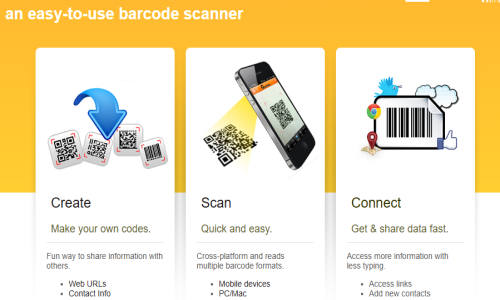
Quickmark an easy-to-use barcode scanner
QuickMark is available for Windows PCs, Android, iOS, and macOS, making it an ideal tool for mixed-device environments. The software also provides plug-ins and APIs, allowing for easy integration into custom software and business systems. In addition to basic scanning capabilities, QuickMark offers batch scanning, clipboard auto-paste, shortcut key support, and the ability to export data to Excel—making it a valuable tool for inventory and database tasks. QuickMark can also be used offline, offering users flexibility in areas without internet access. With support for multiple languages, the software appeals to a global audience.
Key Features & Specifications
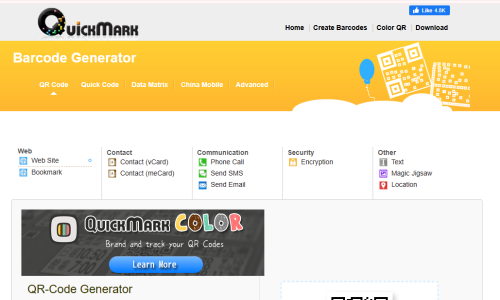
Supported Barcode Formats: QR Code, Data Matrix, Quick Code, Code 39, Code 128, EAN-13, and more
Cross-Platform Support: Windows, macOS, iOS, Android
Scanning Modes: Webcam, file image, clipboard image, mobile camera
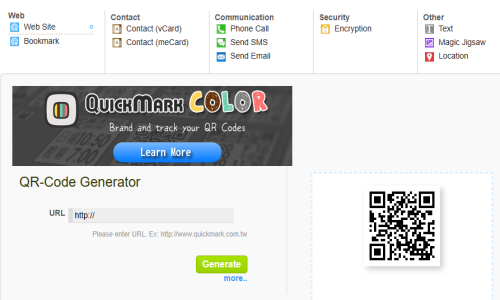
Output Options: URL opening, contact save, text display, location viewing
Batch Scanning: Yes
Export Capability: CSV, Excel
Languages: Multilingual interface
Integration: API & plug-in support
Offline Use: Supported
Usability: Simple UI, customizable hotkeys
Contact us to get detailed pricing as per your requirements.
No reviews yet. Be the first to review!
Quickmark Barcode Scanner does not currently offer a free trial.
Quickmark Barcode Scanner provides Phone,Email,Live Chat support.
Quickmark Barcode Scanner is Cloud Hosted,Hybrid,Any software.
Quickmark Barcode Scanner provides Help Guides,Video Guides,Blogs,Webinars,Case Studies,Whitepapers for training.


