

Document Management Software
Onetime(Perpetual License)
About
PDF Reader Pro is an app for reading, editing, annotating, signing, Form Fill, Converting, Creating, OCR, Link, Encrypt, TTS, Bates Numbers, Header, Footer, Page Number, Stamp, Presentation, Table and Compress PDFs.
Screenshots
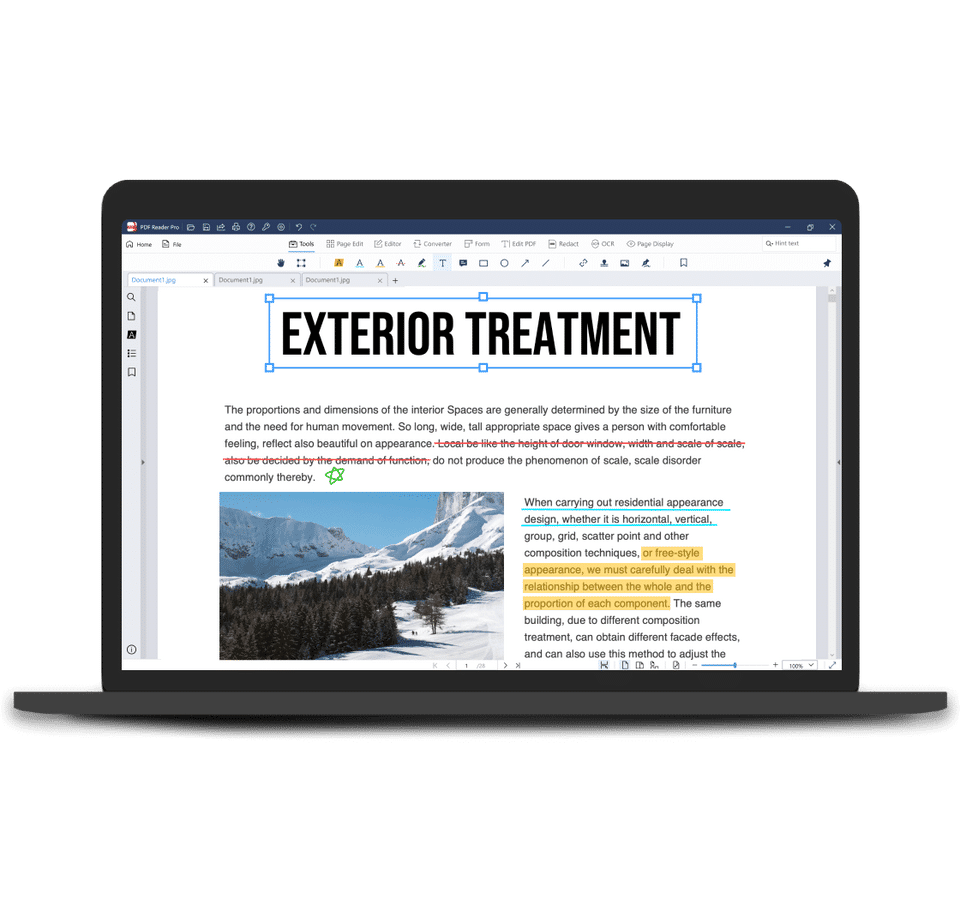
Screenshot 1
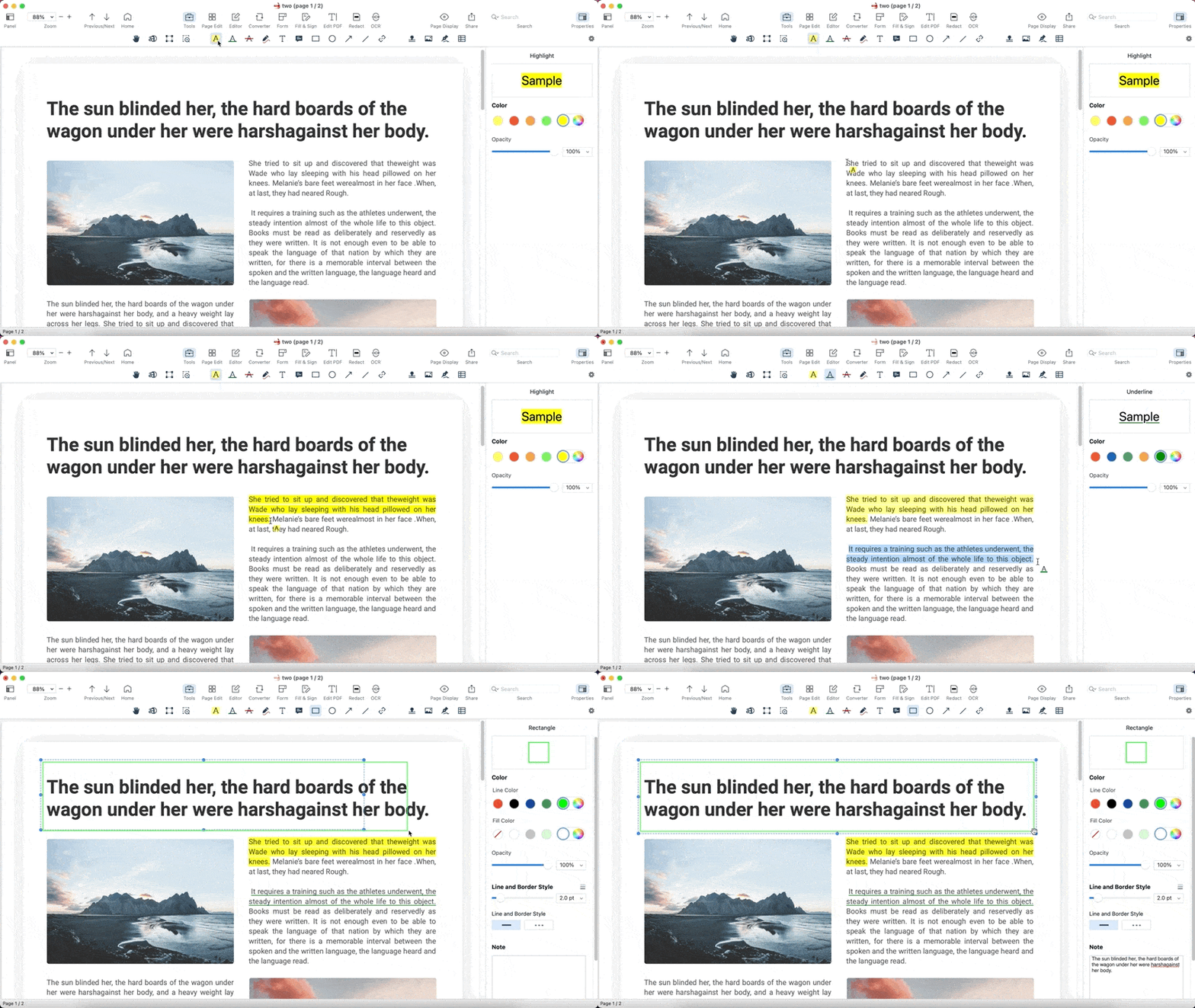
Screenshot 2
Pricing
Individual
USD
0
- Convert PDFs to Word
- HTML
- Text
- JPEG or PNG files - Only first 10 pages
- Convert PDF to PowerPoint
- Excel
- RTF
- CSV and more Offline - Only first 10 pages
- Convert PDF to TIFF
- BMP
- GIF or TGA files - Only first 10 pages
- Sync files via Dropbox - Up to 10 files per day
- Combine multiple documents into a new PDF
- or borrow individual pages - Up to 2 files or 20 MB
- Hyperlink - Page Number
- Signature - Standard
- Convert PDFs to Word
- HTML
- Text
- JPEG or PNG files - Only first 10 pages
- Convert PDF to Po
Individual Premium
USD
60
/Month
- Convert PDF to Microsoft Word
- PowerPoint
- Excel
- Text
- Image and more Offline - Only first 10 pages
- Batch convert multiple PDF files simultaneously
- AD-free
- Extract images
- Redact sensitive information
- Recognize texts from image-based or scanned PDF with OCR
- Multi-tab Viewer
- Split View to compare file
- SlideShow Mode enables to present your PDF file as PowerPoint
- Customize theme colors: Light Mode
- Dark Mode
- Sepia
- Reseda Mode and more
- Compress PDF to reduce file size
- Create PDFs from Microsoft W
Individual Permanent License
USD
80
/Month
- Convert PDF to Microsoft Word
- PowerPoint
- Excel
- Text
- Image and more Offline
- Batch convert multiple PDF files simultaneously
- AD-free
- Extract images
- Redact sensitive information
- Recognize texts from image-based or scanned PDF with OCR
- Multi-tab Viewer
- Split View to compare file
- SlideShow Mode enables to present your PDF file as PowerPoint
- Customize theme colors: Light Mode
- Dark Mode
- Sepia
- Reseda Mode and more
- Compress PDF to reduce file size
- Create PDFs from Microsoft Word
- PowerPoint
- Excel
Team
USD
0
- Annoatate
- Scanning
- Converting
- Editing
- Create & Manage PDF
- OCR
- Watermark
- Annoatate
- Scanning
- Converting
- Editing
- Create & Manage PDF
- OCR
- Watermark
Education Premium
USD
30
/Month
- Convert PDF to Microsoft Word
- PowerPoint
- Excel
- Text
- Image and more Offline - Only first 10 pages
- Batch convert multiple PDF files simultaneously
- AD-free
- Extract images
- Redact sensitive information
- Recognize texts from image-based or scanned PDF with OCR
- Multi-tab Viewer
- Split View to compare file
- SlideShow Mode enables to present your PDF file as PowerPoint
- Customize theme colors: Light Mode
- Dark Mode
- Sepia
- Reseda Mode and more
- Compress PDF to reduce file size
- Create PDFs from Microsoft W
Education Permanent License
USD
40
/Month
- Convert PDF to Microsoft Word
- PowerPoint
- Excel
- Text
- Image and more Offline
- Batch convert multiple PDF files simultaneously
- AD-free
- Extract images
- Redact sensitive information
- Recognize texts from image-based or scanned PDF with OCR
- Multi-tab Viewer
- Split View to compare file
- SlideShow Mode enables to present your PDF file as PowerPoint
- Customize theme colors: Light Mode
- Dark Mode
- Sepia
- Reseda Mode and more
- Compress PDF to reduce file size
- Create PDFs from Microsoft Word
- PowerPoint
- Excel
User Reviews
+ Write a Review
No reviews yet. Be the first to review!
Frequently Asked Questions
How much does PDF Reader Pro cost?
▼
PDF Reader Pro offers 6 pricing plan(s):
- Individual — USD0.00
- Individual Premium — USD59.99 /Month
- Individual Permanent License — USD79.99 /Month
- Team — USD0.00
- Education Premium — USD29.99 /Month
- Education Permanent License — USD39.99 /Month
Does PDF Reader Pro offer a free trial?
▼
PDF Reader Pro does not currently offer a free trial.
What support does PDF Reader Pro provide?
▼
PDF Reader Pro provides Phone,Online (Ticket) support.
What training resources does PDF Reader Pro offer?
▼
PDF Reader Pro provides Help Guides,Blogs for training.


