
What is PaintTool SAI?
-
A lightweight yet powerful digital painting program for Windows.
-
Created by Systemax (Japan), widely used by U.S.-based artists.
-
Popular among anime, manga, and digital illustration communities.
-
Delivers smooth brush strokes and pressure-sensitive input for tablets.
-
Offers a minimal, easy-to-navigate interface with low system requirements.
-
Supports multiple layers, color editing, and vector-based tools.
-
Known for its stability, speed, and professional-grade output
Why Choose PaintTool SAI?
-
Built with digital illustrators and painters in mind.
-
Clean interface without the clutter of overly complex features.
-
Offers fluid pen pressure and real-time brush response.
-
Ideal for drawing comics, anime, concept art, or character designs.
-
Runs efficiently on older laptops or budget-friendly PCs.
-
A cost-effective alternative to Photoshop or other expensive suites.
Benefits of PaintTool SAI
-
Lag-free drawing experience with excellent tablet responsiveness.
-
Fully customizable brushes for sketching, coloring, or blending.
-
Simple for beginners; powerful enough for advanced users.
-
Vector layers allow clean, scalable line art with no quality loss.
-
Extremely low CPU usage and small installation size.
-
Improves your creative workflow with fast and intuitive tools.
How to Use PaintTool SAI
-
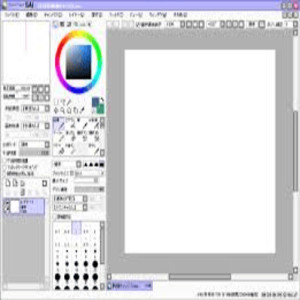
Open the software to access your canvas, tools, and layers panel.
-
Select your brush or pen and adjust settings like size and pressure.
-
Use a drawing tablet for natural-feeling strokes and control.
-
Organize your artwork using separate layers for sketching, inking, and coloring.
-
Save files in .SAI format or export as .PSD for use in Photoshop or other tools.
Features of PaintTool SAI
-
Brushes, airbrushes, pencils, erasers—all customizable.
-
Responsive pen pressure for natural drawing flow.
-
Vector layer support for clean, editable lines.
-
Multiple layers with blending modes, transparency, and masking options.
-
Built-in color wheel, zoom tools, and canvas navigation panel.
-
Lightweight, fast, and easy to run on nearly any Windows device.
What Makes PaintTool SAI Different?
-
Prioritizes what matters most to digital artists: smooth lines and low-lag performance.
-
Exceptionally responsive brush engine—perfect for clean inking.
-
Minimal, distraction-free design ideal for focused drawing sessions.
-
Works well on older or entry-level PCs.
-
Preferred by anime and comic creators for its simplicity and effectiveness.
-
Reliable and highly efficient—even without a long list of extra features.
Who Can Benefit from PaintTool SAI?
-
Perfect for hobby artists, students, and seasoned illustrators alike.
-
Especially useful for anime/manga artists, concept artists, and designers.
-
Great for educators, freelancers, and small creative studios.
-
Works well on low-end systems—no expensive hardware required.
-
Accessible and budget-friendly for anyone getting started in digital art.
Is PaintTool SAI Easy to Use?
-
Very beginner-friendly and quick to learn.
-
All essential tools are visible and easy to access.
-
Simple vector drawing tools with intuitive settings.
-
Excellent tablet responsiveness—feels natural to draw with.
-
No steep learning curve—ideal for first-time digital artists.
-
Most users become comfortable within just a few practice sessions
What Support Does PaintTool SAI Offer?
-
Official website offers downloads, updates, and license activation.
-
Basic documentation, user manual, and FAQs available online.
-
No live chat or phone support, but rarely needed due to stability.
-
Large global user community with tons of YouTube tutorials and guides.
-
Forums and brush pack resources help solve most user questions.
-
While not U.S.-based, support is adequate for most American users’ needs.
-
- ✓ Image Management
- ✓ Image Exporting
- ✓ 3D Imagery
- ✓ Image Editor
- ✓ Image Editor
- ✓ Image Editor
- ✓ Premium Icons
- ✓ Image Editor
Contact us to get detailed pricing as per your requirements.
No reviews yet. Be the first to review!
PaintTool SAI is a Graphic Design Software solution. Top features include:
- Image Management
- Image Exporting
- 3D Imagery
- Image Editor
- Image Editor
PaintTool SAI does not currently offer a free trial.
PaintTool SAI provides Email support.
PaintTool SAI is On Premise,Any software.


