

Social Media Management Software
Monthly,Yearly
About
OneUp enables you to improve the performance of your social media posts by letting you use the most successful ones again and again.
To use OneUp, all you have to do is add the text, picture, podcast or video you want to post to your social networks, select how often you want to post this update and when, schedule it to appear now or at your chosen dates and times in the future.
OneUp comes with a built-in calendar so you can get an overview of when you have scheduled posts, and see any gaps in your schedule. The OneUp app also has an analytics dashboard, which shows you which networks your posts have been shared on, and which posts have had the most engagement. You can then choose to recycle the most successful posts, and schedule them for the future.
Key Features
- ✓ Content Management
- ✓ Posts Scheduling
- ✓ Multi-User Collaboration
- ✓ Multi-Account Management
- ✓ Customer Engagement
- ✓ Brand Tracking
- ✓ Auto Publishing
- ✓ Analytics (Social Media)
- ✓ Social Media Monitoring
Screenshots
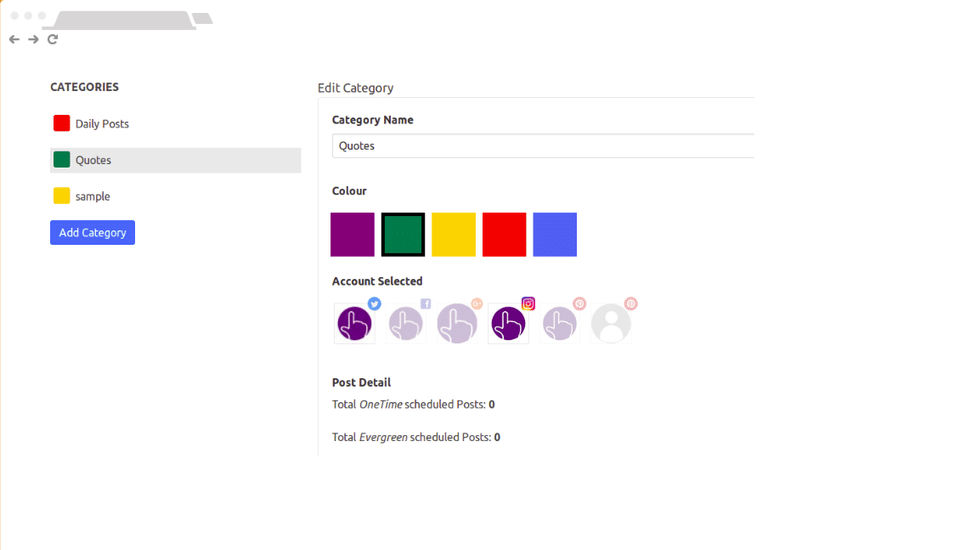
Screenshot 1
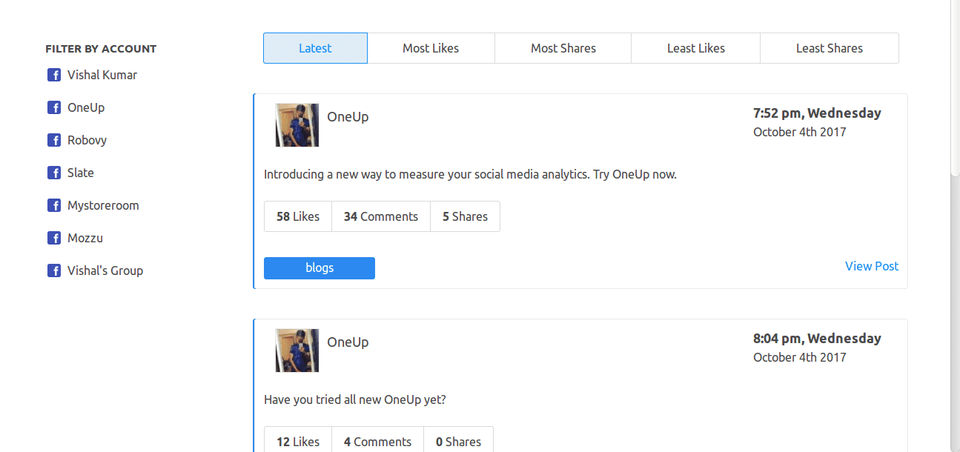
Screenshot 2
Pricing
Free
USD
0
- 2 Social Accounts
- 6 Scheduled Posts
- Google My Business
- and LinkedIn
- Schedule posts to predetermined timeslots
- Analytics and Reporting (add'l subscription required)
- 2 Social Accounts
- 6 Scheduled Posts
- Google My Business
- and LinkedIn
- Schedule posts to predetermined timeslots
- Analytics and Reporting (add'l subscription required)
Starter
USD
18
/Month
- $9 / mo
- $18/mo
- Unlimited Team Members
- 3 Social Accounts
- 150 Scheduled Posts
- Google My Business
- and LinkedIn
- Video posts
- Set posts to repeat automatically
- Chrome extension for easy image scheduling
- Schedule posts to predetermined timeslots
- Analytics and Reporting (add'l subscription required)
- $9 / mo
- $18/mo
- Unlimited Team Members
- 3 Social Accounts
- 150 Scheduled Posts
- Google My Business
- and LinkedIn
- Video posts
- Set
Intermediate
USD
30
/Month
- $24 / mo
- $30 / mo
- Unlimited Team Members
- 10 Social Accounts
- 500 Scheduled Posts
- Google My Business
- and LinkedIn
- Video posts
- Set posts to repeat automatically
- Chrome extension for easy image scheduling
- Bulk uploading
- Import posts via CSV file
- Automate posts from RSS feeds (3 feeds max)
- Schedule posts to predetermined timeslots
- Analytics and Reporting (add'l subscription required)
- $24 / mo
- $30 / mo
- Unlimited Team Members
- 10 Social Accounts
- 500 Scheduled Po
Growth
USD
60
/Month
- $42 / mo
- $60 / mo
- Unlimited Team Members
- 30 Social Accounts
- 2000 Scheduled Posts
- Google My Business
- and LinkedIn
- Video posts
- Set posts to repeat automatically
- Chrome extension for easy image scheduling
- Bulk uploading
- Import posts via CSV file
- Automate posts from RSS feeds (5 feeds max)
- Schedule posts to predetermined timeslots
- Analytics and Reporting (add'l subscription required)
- $42 / mo
- $60 / mo
- Unlimited Team Members
- 30 Social Accounts
- 2000 Scheduled
Business
USD
150
/Month
- $120/month
- $150/month
- Unlimited Team Members
- 100 Social Accounts
- 4000 Scheduled Posts
- Google My Business
- and LinkedIn
- Video posts
- Set posts to repeat automatically
- Chrome extension for easy image scheduling
- Bulk uploading
- Import posts via CSV file
- Automate posts from RSS feeds (7 feeds max)
- Schedule posts to predetermined timeslots
- Analytics and Reporting (add'l subscription required)
- $120/month
- $150/month
- Unlimited Team Members
- 100 Social Accounts
- 4000
Enterprise
USD
999
/Month
- $799/month
- $999/month
- Unlimited Team Members
- 1000 Social Accounts
- Unlimited Scheduled Posts
- Google My Business
- and LinkedIn
- Video posts
- Set posts to repeat automatically
- Chrome extension for easy image scheduling
- Bulk uploading
- Import posts via CSV file
- Automate posts from RSS feeds (unlimited feeds)
- Schedule posts to predetermined timeslots
- Analytics and Reporting (add'l subscription required)
- Priority customer support
- $799/month
- $999/month
- Unlimited Te
User Reviews
+ Write a Review
No reviews yet. Be the first to review!
Frequently Asked Questions
How much does OneUp App cost?
▼
OneUp App offers 6 pricing plan(s):
- Free — USD0.00
- Starter — USD18.00 /Month
- Intermediate — USD30.00 /Month
- Growth — USD60.00 /Month
- Business — USD150.00 /Month
- Enterprise — USD999.00 /Month
What is OneUp App used for?
▼
OneUp App is a Social Media Management Software solution. Top features include:
- Content Management
- Posts Scheduling
- Multi-User Collaboration
- Multi-Account Management
- Customer Engagement
Does OneUp App offer a free trial?
▼
Yes, OneUp App offers a 0-day free trial.
What support does OneUp App provide?
▼
OneUp App provides Online (Ticket) support.
Is OneUp App cloud-based or on-premise?
▼
OneUp App is Cloud Hosted software.
What training resources does OneUp App offer?
▼
OneUp App provides Help Guides,Blogs,Video Guides for training.
.png)


