
Billing And Invoicing Software
Onetime(Perpetual License)
About
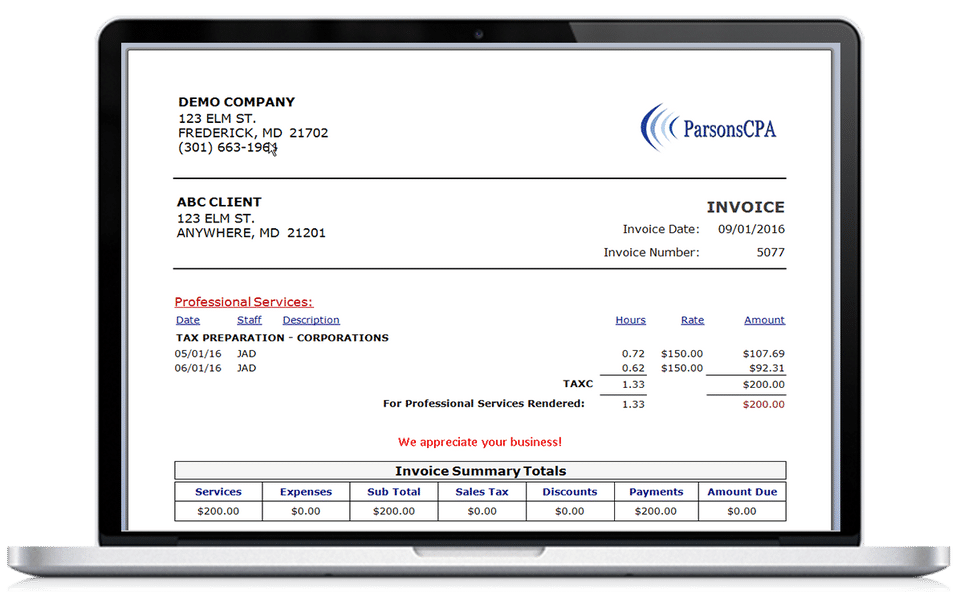
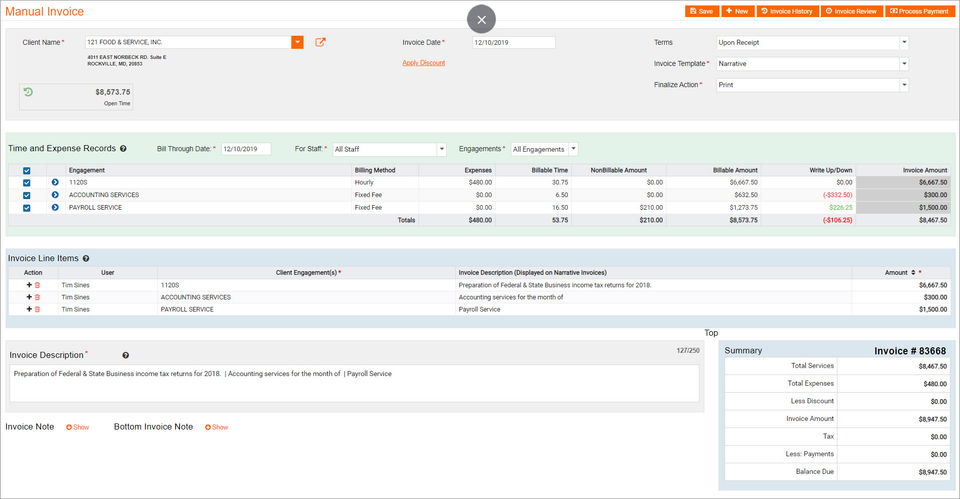
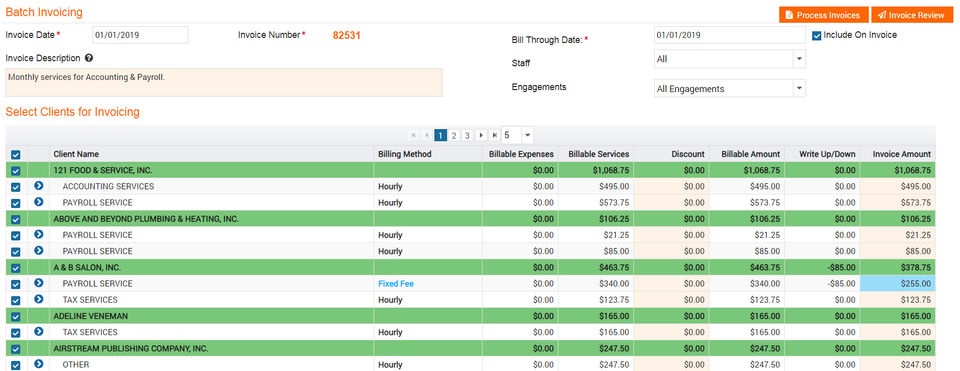
Mango Billing offers time and billing solution with a comprehensive practice management solution along with a plethora of tools and functionalities, including scheduling and calendar, due dates and to-do lists. The software allows its users to track time and expenses from anywhere and giving them access to the system anytime to see their bills, create invoices, manage schedules, prioritise the tasks and delegate assignments to the right people. The system also allows businesses to accept payments through credit cards and with the help of the software, users can improve the collections and hence drive more revenue with a proven billing platform. Mango Billing allows its users to track time and expenses, make to-do lists and dashboards with firm-wide centralised scheduling. This software speeds up the collection process by allowing customers to pay invoices through a customer portal with a credit card and then upload the transaction in Mango Billing automatically. It also allows the user to generate Outlook-style calendars that are well compatible with other systems like Google Calendar, which are optimised for mobile devices.
Key Features
- ✓ Multi-Currency
- ✓ Tax Calculator
- ✓ Payment Reminders
- ✓ Quotes (Estimates)
- ✓ Payment Processing
- ✓ Contact Database
- ✓ Recurring (Subscription Billing)
- ✓ Project Billing
- ✓ Online Payments
- ✓ Online Invoicing
- ✓ Mobile Payments
- ✓ Invoice History
- ✓ Hourly Billing
- ✓ Customizable Invoices
- ✓ Customer Portal
- ✓ Offline Payments
- ✓ Dunning Management
- ✓ Contingency Billing
Screenshots
Screenshot 1
Screenshot 2
Screenshot 3
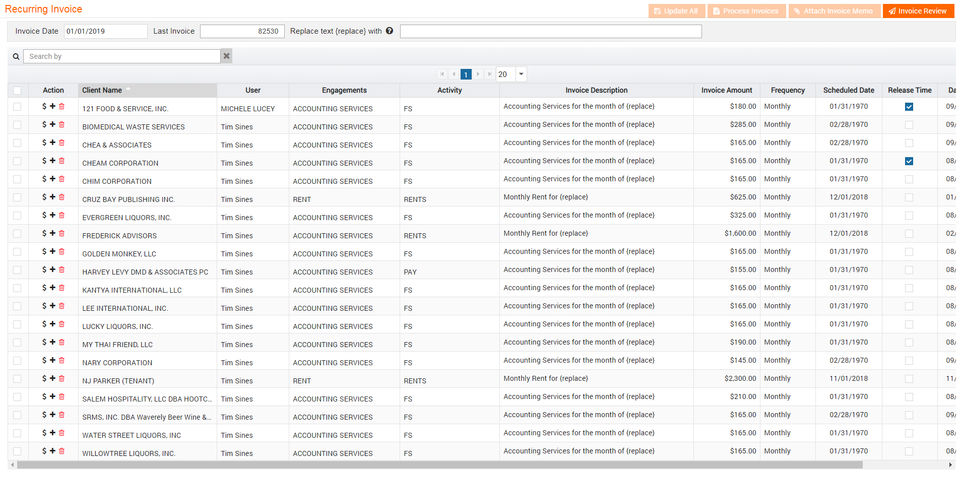
Screenshot 4
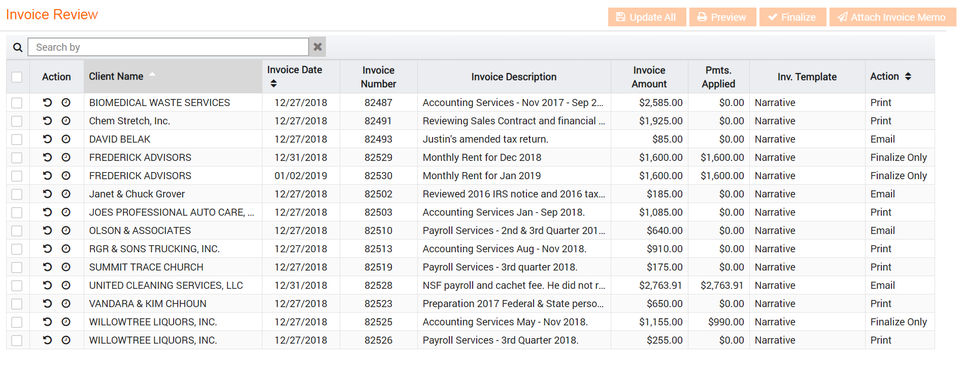
Screenshot 5
Pricing
Solo
USD
15
/Month
- Branded Invoicing
- Reporting
- To-Do Lists
- Credit Card Processing
- User Permissions
- Client Portals
- Scheduling/Appointments
- User Dashboard
- Time Tracking Tools/Timers
- Label Printing
- Education/CPE Tracking
- Shortcut Data Entry Codes
- Sales Tax Management
- Client Note History
- Client Contacts
- Apply Time After Invoicing
- Data Import
- Recurring Invoicing
- Manual Invoicing
- Batch Invoicing
- Free implementation to include Import Assistance and 1-2 hours of training and setup
- Branded Invoicing
- Reporting
- To-Do Lists
- C
Pro
USD
30
/Month
- Includes features of Solo plan
- plus
- Unlimited Cloud Storage
- Company Dashboards
- Due Date Management
- Includes features of Solo plan
- plus
- Unlimited Cloud Storage
- Company Dashboards
- Due Date Management
Enterprise
USD
45
/Month
- Includes features of Pro plan
- plus
- Google Calendar Integration
- Quickbooks Integration
- Email/Marketing Automation
- Advanced Data Import
- Includes features of Pro plan
- plus
- Google Calendar Integration
- Quickbooks Integration
- Email/Marketing Automation
- Advanced Data Import
User Reviews
+ Write a Review
No reviews yet. Be the first to review!
Frequently Asked Questions
How much does Mango Billing cost?
▼
Mango Billing offers 3 pricing plan(s):
- Solo — USD15.00 /Month
- Pro — USD30.00 /Month
- Enterprise — USD45.00 /Month
What is Mango Billing used for?
▼
Mango Billing is a Billing And Invoicing Software solution. Top features include:
- Multi-Currency
- Tax Calculator
- Payment Reminders
- Quotes (Estimates)
- Payment Processing
Does Mango Billing offer a free trial?
▼
Yes, Mango Billing offers a 0-day free trial.
What support does Mango Billing provide?
▼
Mango Billing provides Business Hours,Online (Ticket) support.
Is Mango Billing cloud-based or on-premise?
▼
Mango Billing is Cloud Hosted software.
What training resources does Mango Billing offer?
▼
Mango Billing provides Help Guides,Blogs,Video Guides for training.


