
ManageEngine Desktop Central

By ManageEngine Desktop Central
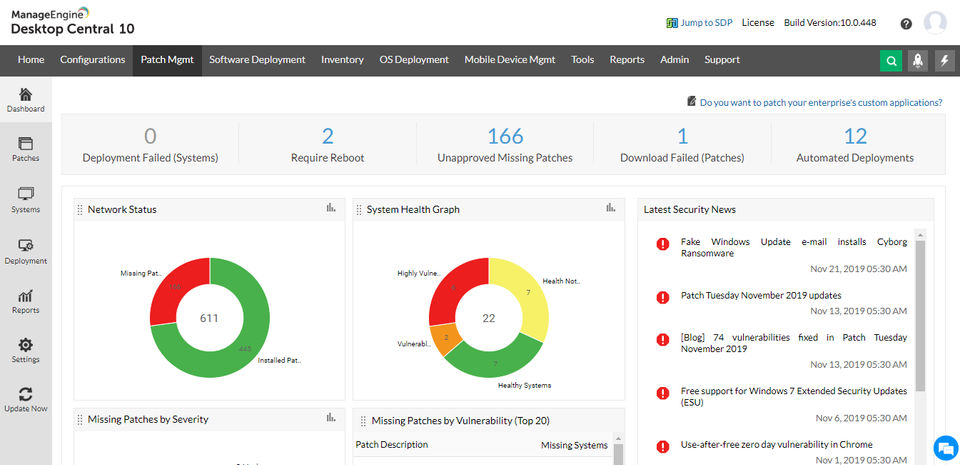
- Manage up to 25 computers & 25 mobile devices
- Patch Management
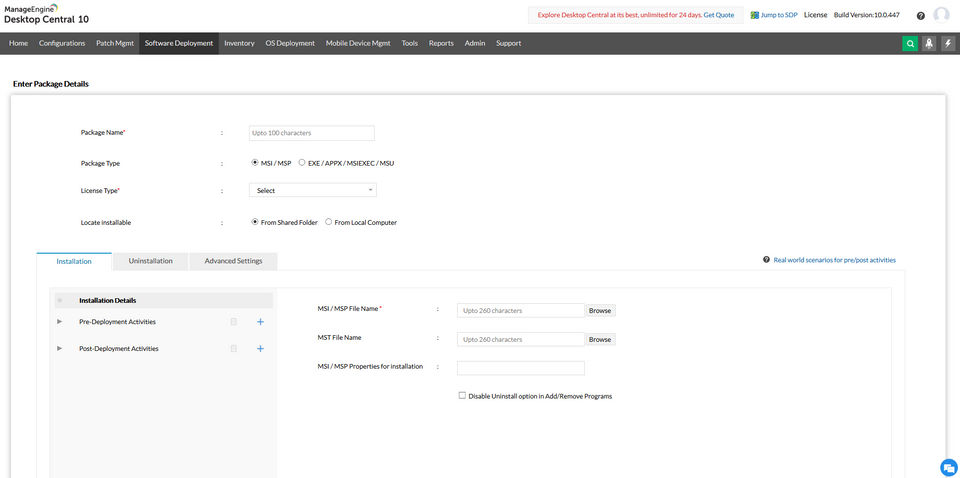
- Software Deployment
- Asset Management
- Configurations
- Windows System Tools
- Remote Control
- OS Deployment for 4 workstations and 1 server
- Endpoint Security (Add-on)
- Manage up to 25 computers & 25 mobile devices
- Patch Management
- Software Deployment
- Asset Management
- Configurations
- Windows System Tools
- Remote Control
- OS Deployment for 4 workstations and 1 server
- Endpoint Security (Add-on)
- 50 Endpoints
- Single User License
- Patch Management
- Software Deployment
- Asset Management
- Configurations
- Windows System Tools
- Remote Control
- AD & User Logon Reports
- Mobile Device Mgmt. (Add-on)
- OS Deployment (Add-on)
- Endpoint Security (Add-on)
- 50 Endpoints
- Single User License
- Patch Management
- Software Deployment
- Asset Management
- Configurations
- Windows System Tools
- Remote Control
- AD & User Logon Reports
- Mobile Device Mgmt. (Add-on)
- OS Deployment (Add-on)
- Endpoint Security (Add-on)
- Includes features of Professional plan
- plus
- WAN Bandwidth Optimization
- Self Service Portal
- Prohibited Software / Block EXE
- Software Metering
- License Management
- Remote Session Recording
- USB Device Management
- Two Factor Authentication
- Mobile Device Mgmt. (Add-on)
- OS Deployment. (Add-on)
- Endpoint Security (Add-on)
- Includes features of Professional plan
- plus
- WAN Bandwidth Optimization
- Self Service Portal
- Prohibited Software / Block EXE
- Software Metering
- License Management
- Remote Session Recording
- Includes features of Enterprise plan
- plus
- Mobile Device Management
- Modern Management for Windows 10 devices
- OS deployment
- Endpoint Security (Add-on)
- Includes features of Enterprise plan
- plus
- Mobile Device Management
- Modern Management for Windows 10 devices
- OS deployment
- Endpoint Security (Add-on)
PROS & CONS What are the best aspects of this product? The multiple tools we get to use when it comes to a mobile device and computer management is what really impressed us with this solution. We especially liked that the Mac device management...
PROS & CONS What are the best aspects of this product? We were really impressed that this solution has a number of varied features. In fact, the sheer number of it can be overwhelming and we probably haven't really used it to its full potentia...
PROS & CONS What are the best aspects of this product? I'm using this now in my current job and I have to commend it for its user-friendliness and efficiency. Tasks and service orders can be created and edited in one ticket, so that makes it s...
PROS & CONS What are the best aspects of this product? The multiple tools we get to use when it comes to a mobile device and computer management is what really impressed us with this solution. We especially liked that the Mac device management o...
PROS & CONS What are the best aspects of this product? I'm using this now in my current job and I have to commend it for its user-friendliness and efficiency. Tasks and service orders can be created and edited in one ticket, so that makes it so ...
ManageEngine Desktop Central offers 4 pricing plan(s):
- Free — USD0.00
- Professional — USD795.00 /Year
- Enterprise — USD945.00 /Year
- UEM — USD1.00 /Year
Yes, ManageEngine Desktop Central offers a 0-day free trial.
ManageEngine Desktop Central provides Business Hours,Online (Ticket) support.
ManageEngine Desktop Central is Cloud Hosted software.
ManageEngine Desktop Central provides Help Guides,Blogs,Video Guides for training.


