

Why Choose Loomly
Organizations choose Loomly for its intuitive content calendar, approval workflows, and post optimization suggestions. It is especially useful for marketing teams looking to improve consistency and collaboration. Loomly Reviews frequently highlight its user-friendly interface and reliable scheduling. Most users explore the Loomly Demo and analyze Loomly Features before deciding on the most suitable Loomly Pricing plan.
Benefits of Loomly
Simplifies multi-platform content scheduling
Enhances collaboration through approval workflows
Optimizes content with automated post suggestions
Increases efficiency with a visual content calendar
Supports consistent branding across social channels
These benefits are commonly mentioned in Loomly Reviews, with many teams testing them through a Loomly Demo and selecting plans based on flexible Loomly Pricing options.
How to use Loomly
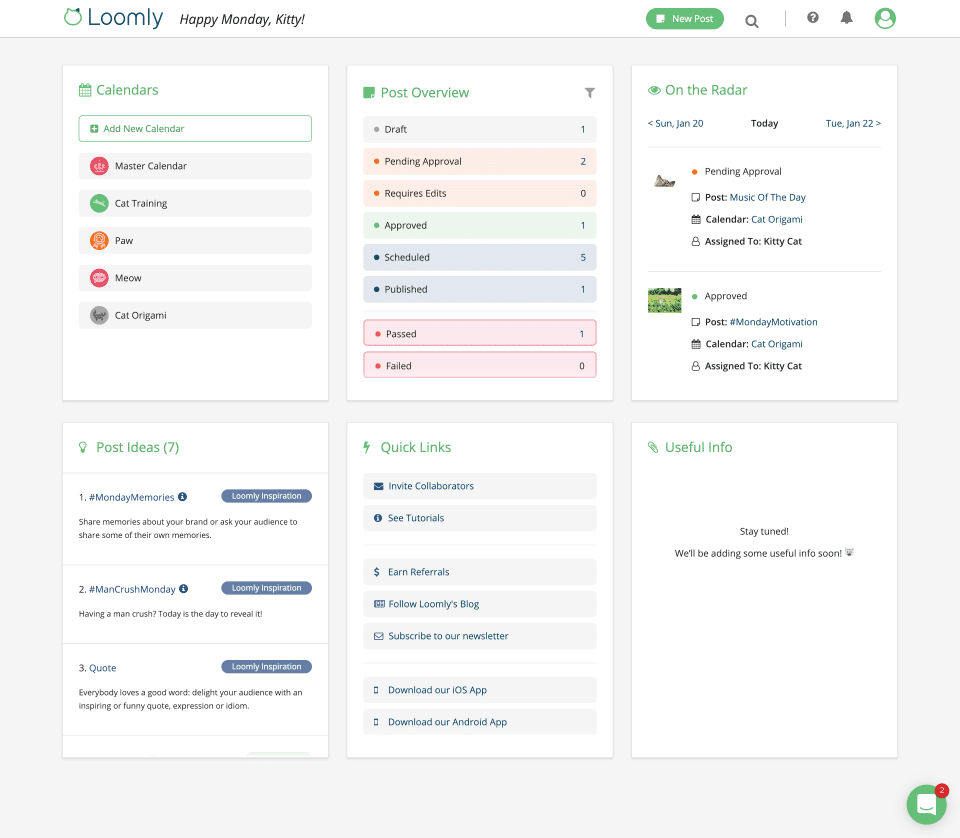
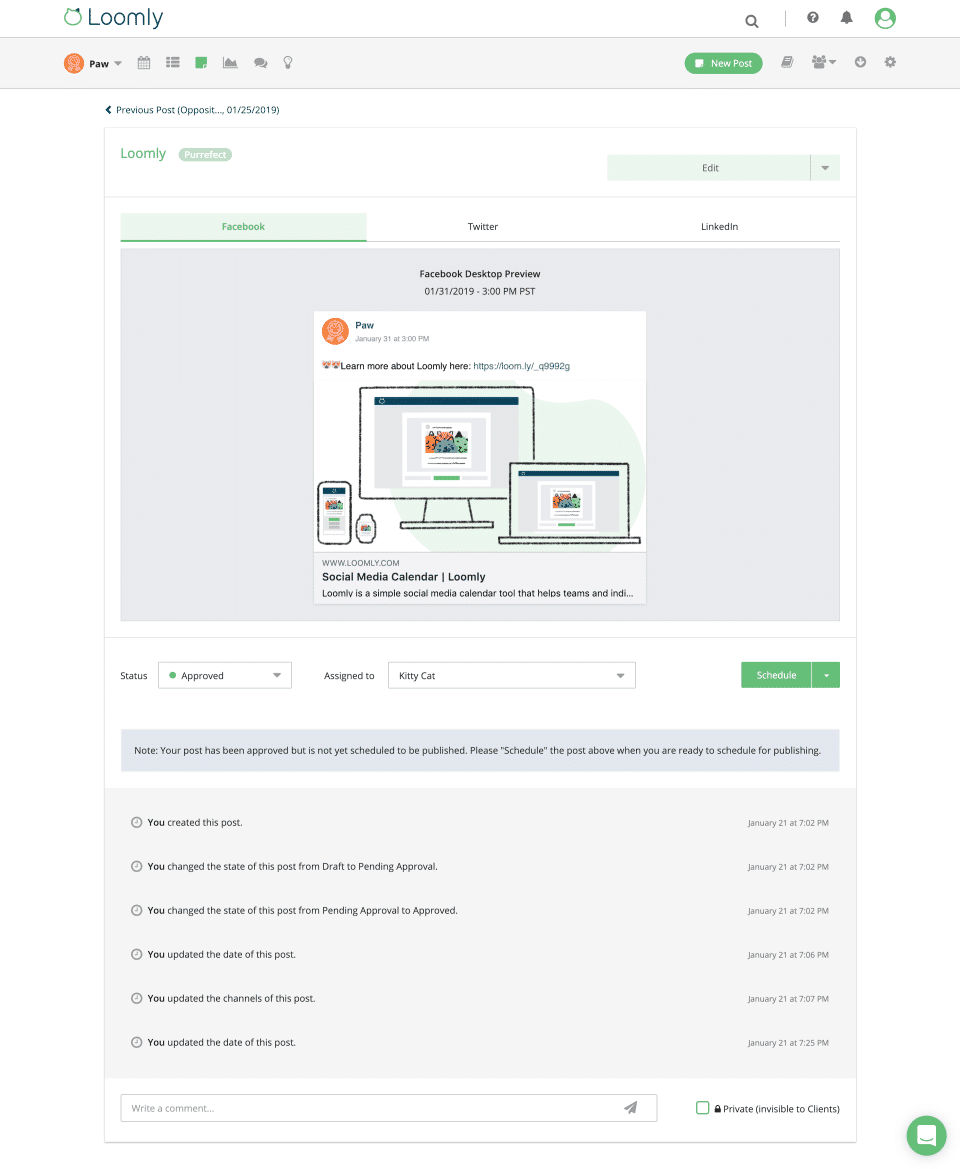
Start using Loomly by setting up your brand calendars and connecting your social media accounts. As a social media management tool, it lets you use the platform’s content calendar to plan and create posts, then collaborate with your team for review and approval. Many businesses first explore the Loomly Demo to understand the user flow, review Loomly Features, and finalize their choice through Loomly Pricing.
Features of Loomly
Content calendar for planning and scheduling
Automated post optimization tips
Approval workflow for collaboration
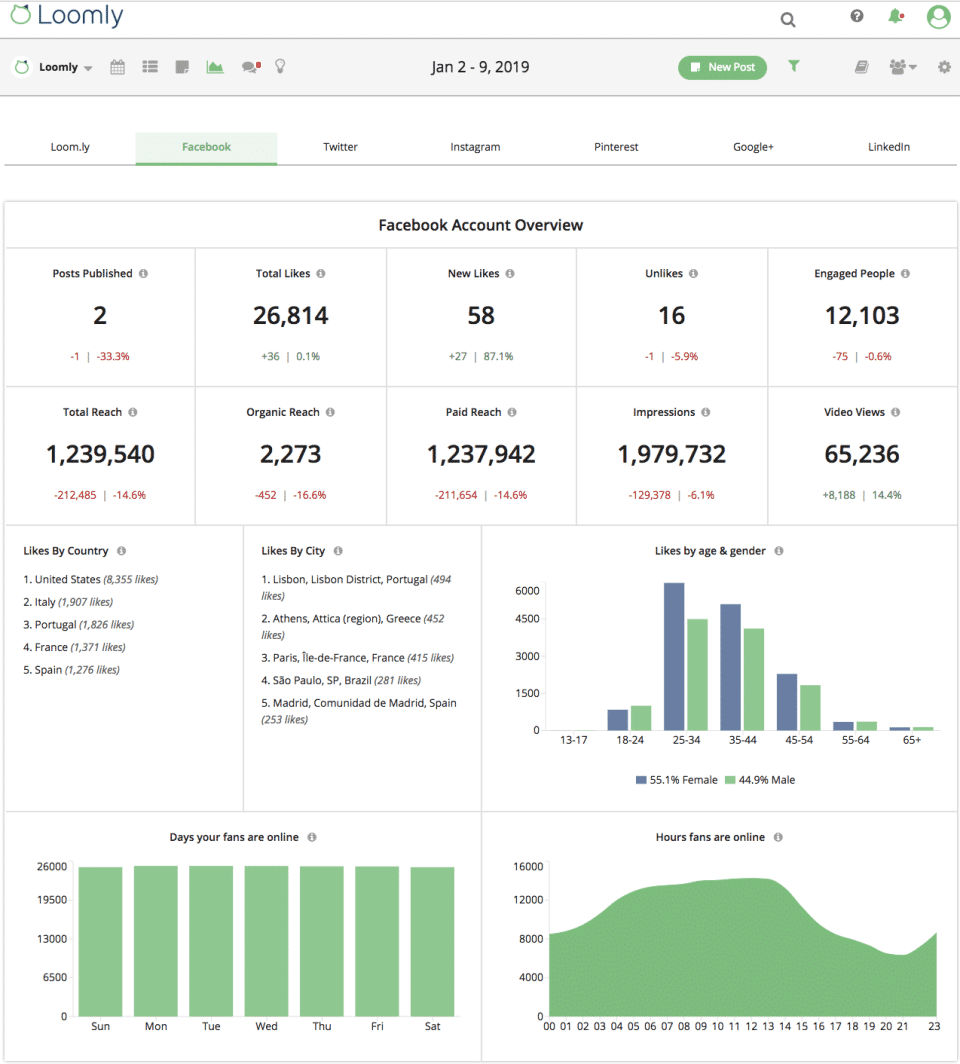
Analytics and performance tracking
Integration with major social media platforms
Loomly Features are often praised in Loomly Reviews for improving workflow and visibility. Teams commonly explore the Loomly Demo to experience these tools before selecting a suitable package from Loomly Pricing options.
- ✓ Content Management
- ✓ Posts Scheduling
- ✓ Multi-User Collaboration
- ✓ Multi-Account Management
- ✓ Customer Engagement
- ✓ Brand Tracking
- ✓ Auto Publishing
- ✓ Analytics (Social Media)
- ✓ Social Media Monitoring
- Social media accounts - 12
- 3 Users
- Unlimited and Bulk Scheduling
- Best time to post
- Approval Workflows and Roles
- Advanced Post Analytics
- Link Shortener
- Social media accounts - 60
- Unlimited Users
- Access to all Starter features plus
- Custom Branding
- Custom Workflow
- Hashtag Manager
- Calendar 2FA Enforcement
What do you like best? It is quite easy to use but when it often presents linkage problems. Very frustrating. What do you dislike? Terrible connections. I have a very frustrating time trying to post to various platforms. There is servic...
What do you like best? Do not spend your money on loomly since it is not good, it has many problems rather than benefits to start on instagram, it does not allow uploading videos only images, in addition, video publications are extremely limited by...
What do you like best? Ease of use, great layout. User friendliness . What do you dislike? There less expensive products out there, not by much but every bit helps as a solopreneuer What business problems are you solving with the product? What...
What do you like best? Scheduling & content suggestions are great What do you dislike? The reporting is difficult to use, and create Recommendations to others considering the product: The reporting needs to be more rob...
What do you like best? I love Loomly because of the monthly preview and color-coded tags—I can organize my social media content postings by brand pillar, thematic medium, and ensure that it all aligns with the social holidays I've marked in the cal...
Loomly offers 2 pricing plan(s):
- Starter — INR0.00 Contact Us
- Beyond — INR0.00 Contact Us
Loomly is a Social Media Management Software solution. Top features include:
- Content Management
- Posts Scheduling
- Multi-User Collaboration
- Multi-Account Management
- Customer Engagement
Yes, Loomly offers a 0-day free trial.
Loomly provides Phone,Online (Ticket) support.
Loomly is Cloud Hosted software.
Loomly provides Help Guides,Video Guides,Blogs for training.
.png)


