
Who Uses Litera Compare?
Litera Compare is the trusted choice for high-stakes industries where a single missed comma can change a contract's meaning:
- Legal Professionals & Law Firms: Used by 99% of the Am Law 100 to review complex contracts and briefs.
- Corporate Legal Teams: Streamlining internal version control and third-party negotiations.
- Government & Regulatory Bodies: Ensuring legislative documents are tracked with absolute precision.
- Life Sciences & Finance: Monitoring changes in highly regulated technical documentation and financial reports.
Why Choose Litera Compare?
Choose Litera Compare because it offers the most reliable comparison engine in the world. While basic track changes can be messy or easily manipulated, Litera Compare provides a "holistic redline" that is immutable and easy to read. It bridges the gap between different formats, allowing you to compare a Word doc to a PDF or even a scanned image via high-quality Optical Character Recognition (OCR). It is the ultimate Workshare Compare evolution, designed to save hours of manual proofreading.
What are the Benefits of Litera Compare?
Litera Compare boosts productivity while mitigating professional risk:
- Eliminate Human Error: Catch even the smallest "hidden" changes in headers, footers, and tables that manual reviews miss.
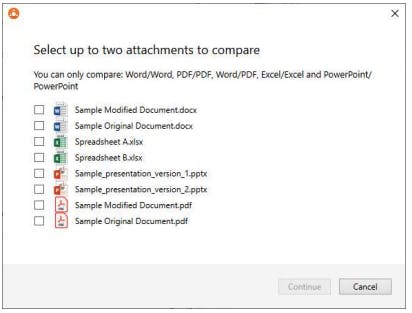
- Cross-Format Versatility: Compare Word vs. Word, Word vs. PDF, or PDF vs. PDF with total confidence.
- Significant Time Savings: Turn hours of manual "side-by-side" checking into a multi-second automated process.
- Flexible Workflows: Access your comparisons through Litera Compare desktop, a web browser, or directly within Microsoft 365.
- Seamless Integration: Works natively with top Document Management Systems (DMS) like iManage, NetDocuments, and SharePoint.
How to Use Litera Compare?
The platform is designed to fit right into your existing drafting workflow:
- Launch & Login: Open the application on your PC or use the Litera Compare login for the online portal.
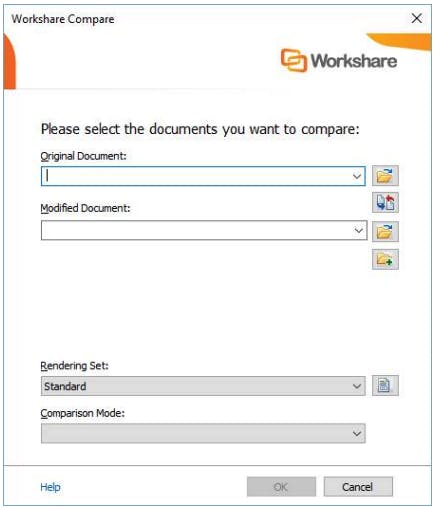
- Select Documents: Choose your "Original" and "Modified" files from your local drive, DMS, or cloud storage.
- Run Comparison: Click "Compare." The software generates a third "Redline" document in seconds.
- Review & Export: Toggle between the original and modified views using synchronized scrolling, then save your redline as a PDF or a Word doc with track changes.
What are the Features of Litera Compare?
Litera Compare is packed with advanced features for deep document analysis:
- Patented Comparison Algorithm: The industry's most accurate engine for detecting changes in text, layout, and styling.
- Advanced OCR: Compare scanned documents and non-searchable PDFs with high-fidelity text recognition.
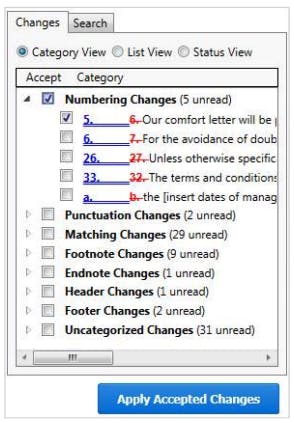
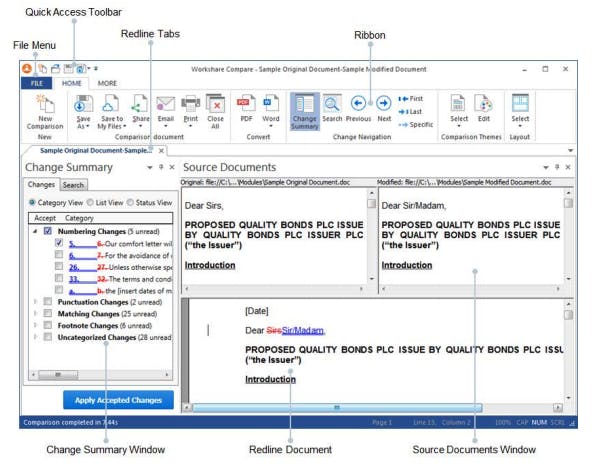
- Change Summary Dashboard: View a categorized list of all changes (additions, deletions, moves) at a glance.
- Multi-Platform Access: Native support for Litera Compare desktop, Litera Compare online, and even Litera Compare Mac via the Microsoft 365 add-in.
- Sync-Scroll Viewing: Three synchronized windows (Original, Modified, Redline) that move together for easy verification.
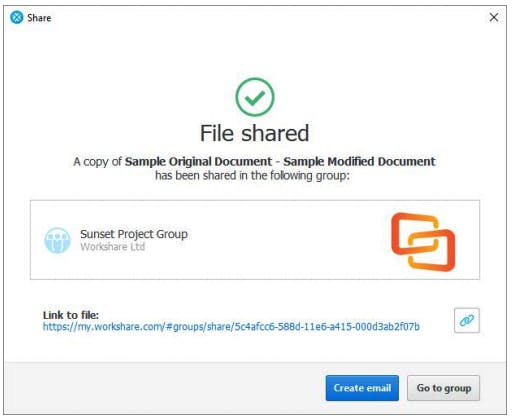
- Email-to-Compare: Send two documents to a secure server and receive the redline back in your inbox instantly.
How to Get Demo of Litera Compare?
Ready to see why 75% of the global legal industry trusts this tool?
- Request a Live Demo: Visit the Litera website to book a personalized walkthrough with a product expert to see the Litera Compare desktop and online features in action.
- Try Litera Compare Free: Look for the "Litera Compare" add-in in the Microsoft AppSource. It is free to download for a limited trial, though a server license is required for full enterprise use.
- Legacy Migration: If you are currently using Workshare Compare, contact their sales team to learn how to transition to the modern Litera platform.
No reviews yet. Be the first to review!
Litera Compare offers 1 pricing plan(s):
- Basic — USD195.00 Per Year
Yes, Litera Compare offers a 0-day free trial.
Litera Compare provides Phone,Email support.
Litera Compare is Cloud Hosted,Hybrid,On Premise,Any software.
Litera Compare provides Help Guides,Video Guides,Blogs,Webinars,On-Site Training for training.


