
Why Choose JioSign?
JioSign is an ideal choice for businesses and professionals looking to digitize document signing while maintaining legal validity and data security. It supports Aadhaar-based e-signatures, ensuring compliance with Indian regulations. JioSign is designed to be simple, affordable, and scalable, suitable for startups, enterprises, and individuals alike. Users can access it from any device, track progress in real time, and manage multiple signers with ease. Backed by the trusted name of Reliance Jio, it ensures high reliability, uptime, and support. Unlike traditional paperwork, JioSign speeds up approvals, reduces manual errors, and cuts down operating costs. Its integration capabilities and API access also make it easy to connect with existing business systems.
Benefits of JioSign
- Enables fully digital, paperless document workflows
- Reduces time spent on approvals and manual signatures
- Ensures legal validity with Aadhaar and digital certificate support
- Cuts printing, courier, and administrative costs
- Provides a complete audit trail for transparency
- Accessible from mobile and desktop devices
- Supports multiple signers and bulk signing
- Reduces environmental impact by eliminating paper usage
- Helps businesses improve document turnaround times
- Offers cloud-based document storage for easy access
How to Use JioSign
Getting started with JioSign is quick and easy:
- Sign Up or Log In to your JioSign account.
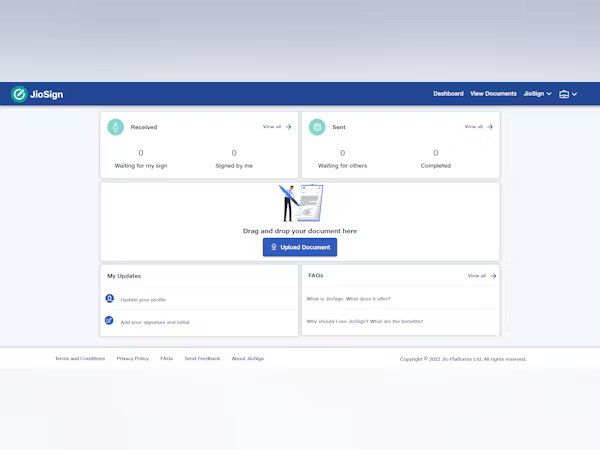
- Upload your document in supported formats like PDF or DOC.
- Add recipients’ emails and define the signing order.
- Drag and drop fields like signatures, dates, and names onto the document.
- Send the document to the signers via email.
- Track the status in real time from your dashboard.
- Download or archive the signed document with full audit logs.
JioSign supports secure e-signing using Aadhaar authentication and digital certificates, ensuring legal compliance for Indian users.
Features of JioSign
- Aadhaar and digital certificate-based e-signature
- Multi-format document upload (PDF, DOCX, etc.)
- Real-time tracking and status alerts
- Drag-and-drop form and signature fields
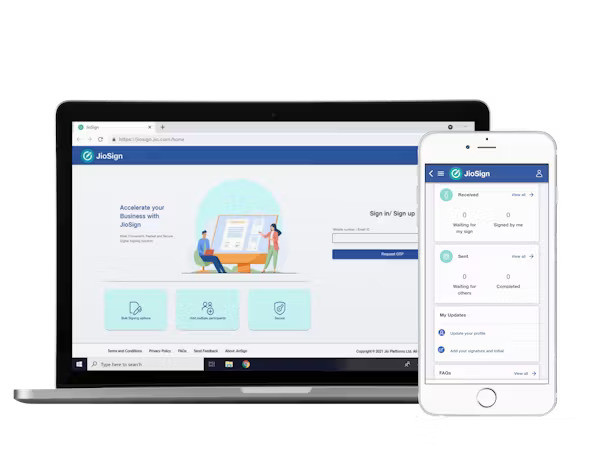
- Multi-device access (web, mobile)
- Legally binding and audit-ready signatures
- Secure cloud storage and encryption
- Templates for recurring document types
- Bulk document signing and multi-party workflows
- API and integration support for business systems
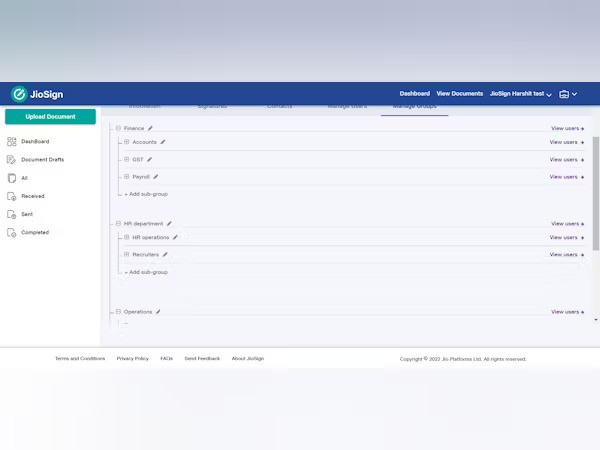
- Role-based permissions and access controls
- Branding options for companies
What Makes JioSign Different?
JioSign sets itself apart with its India-centric compliance features, including Aadhaar-based signing, essential for many official documents. Unlike global tools that may not cater to Indian regulatory standards, JioSign is tailored to meet local legal and digital needs. It’s backed by Reliance Jio, offering strong infrastructure, data security, and customer trust. The interface is clean, intuitive, and designed for users of all technical levels. It also integrates easily with business applications, offers affordable pricing plans, and scales for both small teams and large enterprises. Additionally, JioSign's real-time tracking and audit trails bring transparency and accountability to document processes.
Who Can Benefit from JioSign?
JioSign is beneficial for a wide range of users:
- Businesses & Enterprises – For HR, finance, legal, and procurement needs
- Startups & Freelancers – To handle agreements, contracts, and invoices
- Legal & Consulting Professionals – For secure and compliant contract signing
- Educational Institutions – For admissions, certificates, and approvals
- Healthcare Providers – To manage patient forms and consent digitally
- Government and Public Sector – For secure official documentation
- Remote Teams – To enable paperless operations from any location
Anyone seeking efficient, secure, and paperless workflows can benefit from JioSign.
Is JioSign Easy to Use?
Yes, JioSign is built with simplicity and ease of use in mind. Its interface requires no technical expertise—users can upload, assign, and send documents for signing within minutes. The drag-and-drop tool allows users to place fields like signatures and dates directly on the document. The platform provides step-by-step prompts, and all actions are clearly labeled. Users can sign documents on the go from a mobile device or desktop, making it convenient for remote work. For businesses, templates and bulk options further simplify repetitive tasks. JioSign makes digital Signage Software accessible for everyone—from individuals to enterprise teams—with a minimal learning curve.
What Support Does JioSign Offer?
JioSign offers comprehensive customer support to ensure smooth user experiences:
- Help Center: Guides, FAQs, and documentation
- Email Support: Quick help for technical or account queries
- Live Chat (where available): Instant assistance from support agents
- Onboarding Support: For new users and business teams
- API Support: Documentation and integration help for developers
- Security Resources: Assistance with data protection and compliance
- Regular Updates: Continuous improvements and new features
- Training Resources: Best practices and video tutorials
- ✓ File Sharing
- ✓ Document Storage
- ✓ Electronic Signature
- ✓ Workflow Management
- ✓ Access Controls/Permissions
- ✓ Multi-Party Signing
- ✓ Authentication
- ✓ Data Security
- ✓ Reminders
No reviews yet. Be the first to review!
JioSign offers 4 pricing plan(s):
- 10 DOCUMENTS — USD2.89 year
- 100 DOCUMENTS — USD23.14 year
- 500 DOCUMENTS — USD104.13 year
- 1,000 DOCUMENTS — USD185.13 year
JioSign is a digital signage software solution. Top features include:
- File Sharing
- Document Storage
- Electronic Signature
- Workflow Management
- Access Controls/Permissions
Yes, JioSign offers a 0-day free trial.
JioSign provides Email,Live Chat support.
JioSign is Cloud Hosted software.
JioSign provides Help Guides,Video Guides,Blogs,Webinars,Infographics,Case Studies,Whitepapers,On-Site Training for training.


