
Why Choose Grooper?
Organizations choose Grooper to tackle complex data extraction and document processing challenges that often overwhelm traditional OCR or basic capture solutions. Key reasons include:
- Handling Unstructured and Semi-structured Data: It excels at extracting data from highly variable documents like invoices, contracts, medical records, and legal documents where fixed templates don't work.
- High Accuracy for Challenging Documents: Its sophisticated image processing and layered OCR/AI technologies are designed to achieve high extraction accuracy even on poor-quality scans or complex layouts.
- End-to-End Automation: Grooper provides a single platform to automate the entire document workflow, from ingestion and image cleanup to classification, extraction, validation, and integration with other systems.
- Eliminating Manual Data Entry: By automating data extraction, it drastically reduces or eliminates the need for manual data entry, saving significant time and resources.
- Actionable Insights from Data: It transforms raw, unstructured data into structured, actionable information that can be used for analytics, business intelligence, and process automation.
- Scalability for Large Volumes: Designed for enterprise-level operations, it can handle processing billions of data points daily, making it suitable for organizations with high document volumes.
- Transparency and Control over AI: Unlike "black box" AI solutions, Grooper offers transparency and control over its machine learning models, allowing users to fine-tune settings and understand how data is being extracted.
- Compliance and Data Integrity: Its focus on accurate extraction and data integrity helps organizations meet regulatory compliance requirements.
- Integration with Existing Systems: Grooper is designed to integrate seamlessly with various enterprise content management (ECM) systems, databases, and business applications (e.g., SharePoint, Salesforce, Microsoft Azure, CMIS-compliant systems).
Benefits of Grooper
The benefits of implementing Grooper are substantial:
- Significant Cost Savings: By automating data extraction and reducing manual labor, organizations can achieve substantial cost reductions in data entry and processing.
- Increased Efficiency and Throughput: Automates workflows, allowing faster processing of documents and data, which improves operational efficiency and throughput.
- Improved Data Accuracy: Advanced AI and image processing minimize errors in data extraction, leading to higher data quality and reliability.
- Faster Business Processes: Accelerates processes that rely on document-based information, such as invoice processing, loan origination, or claims processing.
- Enhanced Decision-Making: Provides access to timely and accurate data, enabling better informed business decisions and strategic insights.
- Better Compliance and Risk Management: Helps maintain auditable records and ensures data integrity, supporting regulatory compliance and reducing compliance-related risks.
- Greater Agility and Adaptability: Its flexible and configurable platform allows organizations to adapt to changing document types and business requirements without extensive re-engineering.
- Competitive Advantage: Organizations can gain a competitive edge by leveraging their unstructured data more effectively and automating critical business processes.
- Reduced Human Error and Fatigue: Takes over repetitive, error-prone tasks, freeing human workers for more complex and value-added activities.
How to Use Grooper?
Using Grooper typically involves a multi-phase approach, often configured by IT professionals or integrators, and then used by business users:
1. Ingestion (Import):
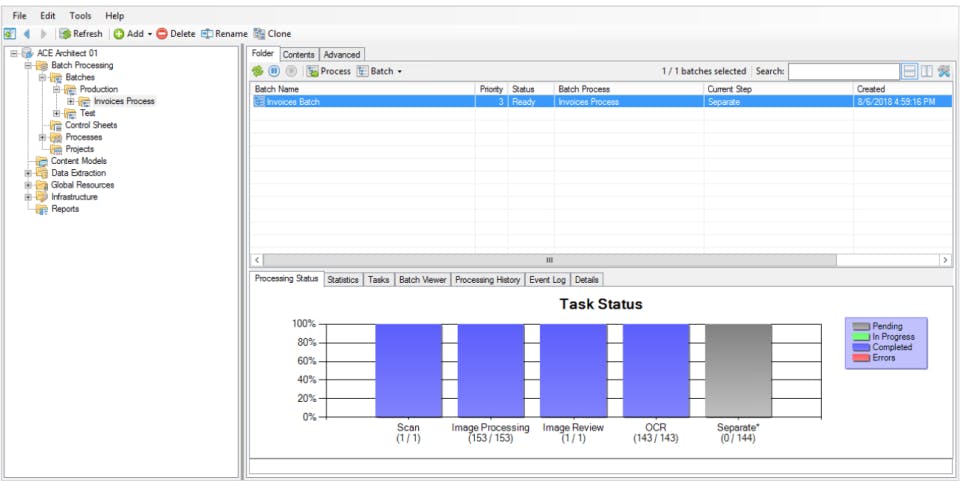
- Documents are imported from various sources: scanners (TWAIN, ISIS), network folders, email inboxes, cloud storage (Box), content management systems (SharePoint, Laserfiche), or direct integrations.
- Grooper can handle both physical (scanned) and digital documents (native PDFs, Word documents, emails).
Image Processing:
- For scanned documents or image-based PDFs, Grooper applies advanced image processing techniques. This can include de-skewing, de-speckling, border removal, halftone removal, line removal, and color conversion to create the cleanest possible image for OCR.
- The goal is to enhance OCR accuracy significantly.
Classification:
- Grooper automatically classifies documents into predefined categories (e.g., invoice, contract, medical record, HR form). This uses machine learning algorithms that learn from document layouts, keywords, and content.
- This is crucial for routing documents to the correct extraction rules.
Data Extraction:
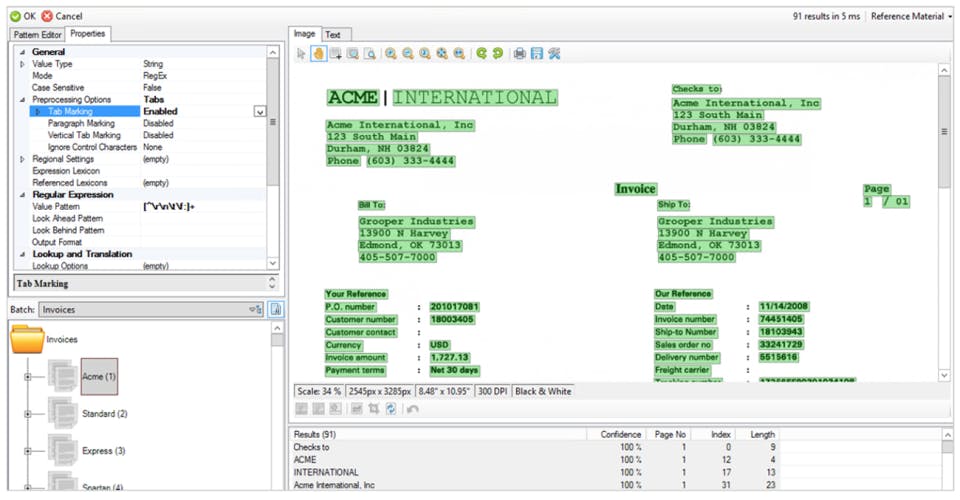
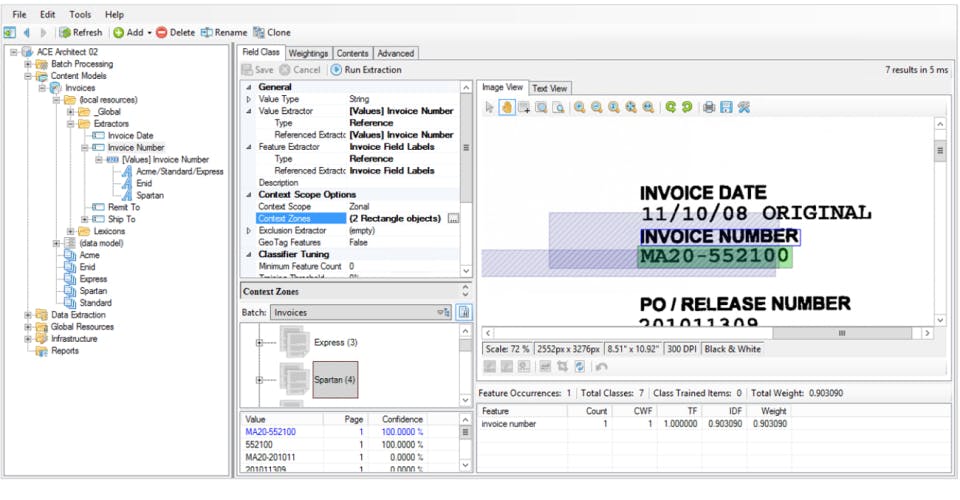
- Once classified, Grooper applies sophisticated extraction rules. This is where OCR, NLP, machine learning models, and computer vision work together.
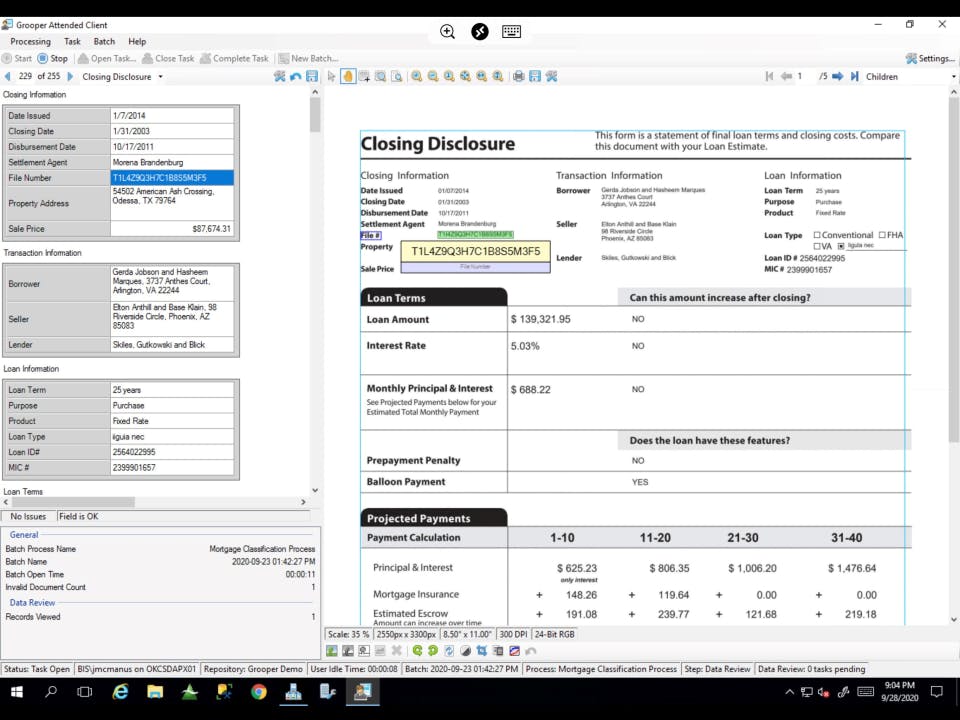
- It extracts specific data fields (e.g., invoice number, vendor name, total amount, date, customer address, line items from tables, clauses from contracts) based on the document type.
- Grooper can handle "fuzzy" data and adapt to variations in document layouts without needing rigid templates.
Validation and Enrichment:
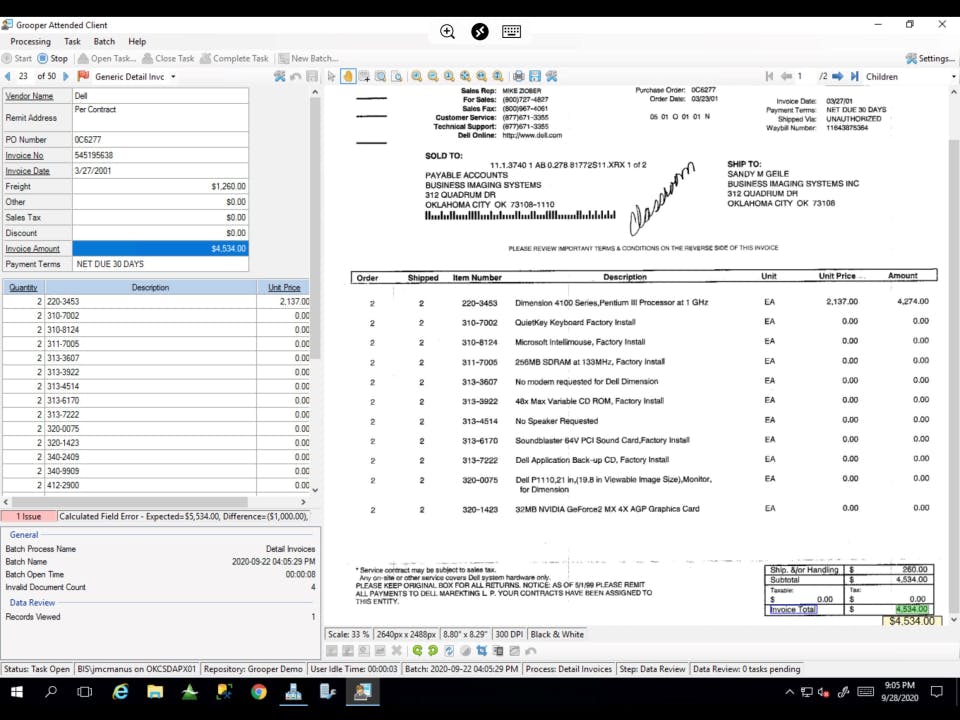
- Extracted data is validated against business rules, databases (e.g., vendor lists, customer records), or external data sources to ensure accuracy.
- Human-in-the-Loop (HITL) processes allow human operators to review and correct any data that falls below a certain confidence score, training the system in the process.
- Data can be enriched by looking up related information from external systems.
Export and Integration:
- The validated and enriched data is then exported to various target systems. This can include:
- Databases (SQL, Oracle, etc.)
- Enterprise Content Management (ECM) systems (e.g., SharePoint, Laserfiche, Hyland OnBase)
- Business Process Management (BPM) systems
- Enterprise Resource Planning (ERP) systems (e.g., SAP, Oracle EBS)
- CRM systems (e.g., Salesforce)
- Cloud storage, or custom applications via APIs.
- The validated and enriched data is then exported to various target systems. This can include:
Features of Grooper
Grooper's comprehensive feature set covers the entire IDP lifecycle:
- Advanced Image Processing: Over 70 image enhancement commands, including patented halftone and border removal, intelligent line detection, and inpainting for damaged areas.
- Multi-Engine OCR: Utilizes multiple OCR engines and combines their results for superior accuracy, particularly for challenging documents or diverse languages.
- Intelligent Document Classification: AI-driven classification to automatically categorize documents based on content and layout, even with significant variations.
- Automated Data Extraction:
- Machine Learning (ML) & Natural Language Processing (NLP): For extracting data from unstructured and semi-structured documents without relying on fixed templates.
- Computer Vision: To locate fields, tables, checkboxes, and other visual elements.
- Contextual Extraction: Understanding the meaning of data rather than just its position.
- Table Extraction: Robust capabilities for accurately extracting data from complex tables.
- No-Code/Low-Code Environment: Empowers business users to build and deploy automation workflows with minimal or no coding, though deeper customization can involve scripting.
- Human-in-the-Loop (HITL): Workflow for human review and validation of extracted data, which also serves to train the AI models.
- Data Validation and Business Rules: Define and enforce business rules to validate extracted data against external databases or predefined criteria.
- Data Transformation and Normalization: Transform and normalize extracted data to fit target system requirements.
- Workflow Automation: Design and automate end-to-end document processing workflows.
- Integration Capabilities:
- Extensive connectors to databases, ECM systems, cloud storage, and business applications.
- REST API for custom integrations.
- CMIS compatibility.
- Audit Trails and Reporting: Comprehensive logging of all processing steps for auditing and analysis.
- Scalable Architecture: Designed for high-volume, enterprise-level document processing.
- AI Search (Grooper 2024): Integration with LLMs and AI search services (like Azure AI Search) to provide Google-like search capabilities over processed document data, enabling natural language queries and context-aware answers.
- AI Assistants (RAG-Enabled): Ability to deploy AI assistants grounded in internal data sources (using Retrieval-Augmented Generation - RAG) for use cases like customer service or HR support.
No reviews yet. Be the first to review!
Grooper offers 1 pricing plan(s):
- Basic — USD1.00 Per Year
Grooper does not currently offer a free trial.
Grooper provides Phone,Email,Live Chat support.
Grooper is Cloud Hosted,Hybrid,On Premise,Any software.
Grooper provides Help Guides,Video Guides,Blogs,Webinars,On-Site Training for training.


