

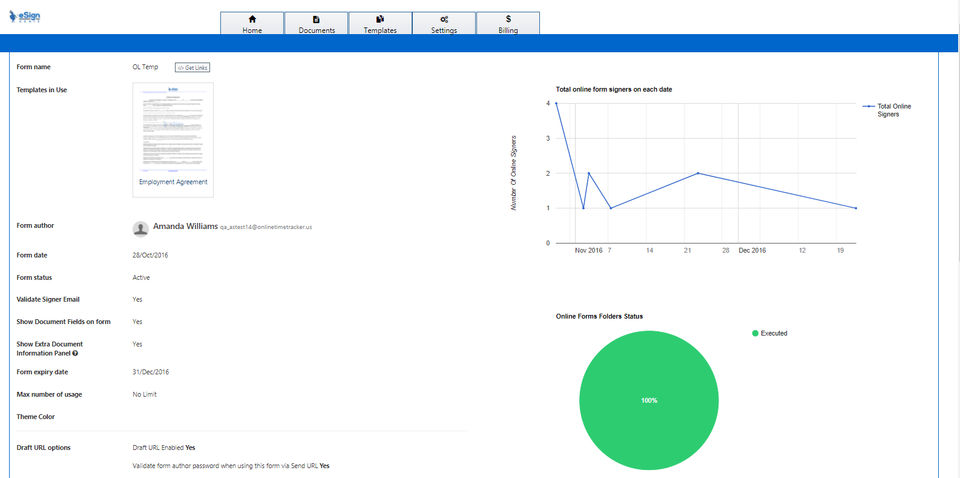
- ✓ Document Analytics
- ✓ Regulatory Compliance
- ✓ Timestamp
- ✓ Document Expiry
- ✓ Multi-user Signing
- ✓ Sequential Signing
- ✓ Document Audit Trail
- ✓ Bank Level Security
- ✓ Multi-factor Authentication
- ✓ Progress Tracking
- ✓ Customizable Branding
- ✓ Reminders
- ✓ Access Control
- 20 Documents Per Month
- 10 Templates Per Month
- SMS Available w/Annual Plan
- PDF and Word upload
- Google Doc Upload
- Online Document Builder
- Integrated with Google Drive & Dropbox
- Upload PDFs to Google Drive and Dropbox
- Status Notifications
- Signer Delegation
- Audit Trail
- Digitally Certified PDFs
- Attachment
- Excel Report
- Email Bounced Notification
- Signing in 11 Languages
- Secure Fields (Min 2 Users)
- Conditional Logic (Min 2 Users)
- In-Person Signing (Min 2 Users)
- Automatic Reminders (Min 3 users)
- Automati
- 40 Documents Per Month
- 20 Templates Per Month
- 2FA Available w/Annual Plan
- Professional Features Plus
- In-Person Signing
- Custom branding
- HIPAA Compliance
- Branding with Personalized Sending
- Embed on website/application
- Online URL/Link
- Kiosk Mode
- Dynamic URL
- Email and SMS Link
- 2FA via Email
- 2FA via SMS
- 2FA via Phone
- 2FA via Authy
- Zapier Integrations with over 3000 apps
- WordPress WPForm
- Mailchimp
- Topaz ePad Devices
- 24-Hour Phone Support
- Live Chat
- Fast Email Support
- Support Tickets
- 40 Documents Per Mo
- Volume-based Documents
- Volume-based Templates
- Volume-based 2FA
- Business Premium Features Plus
- Document Libraries
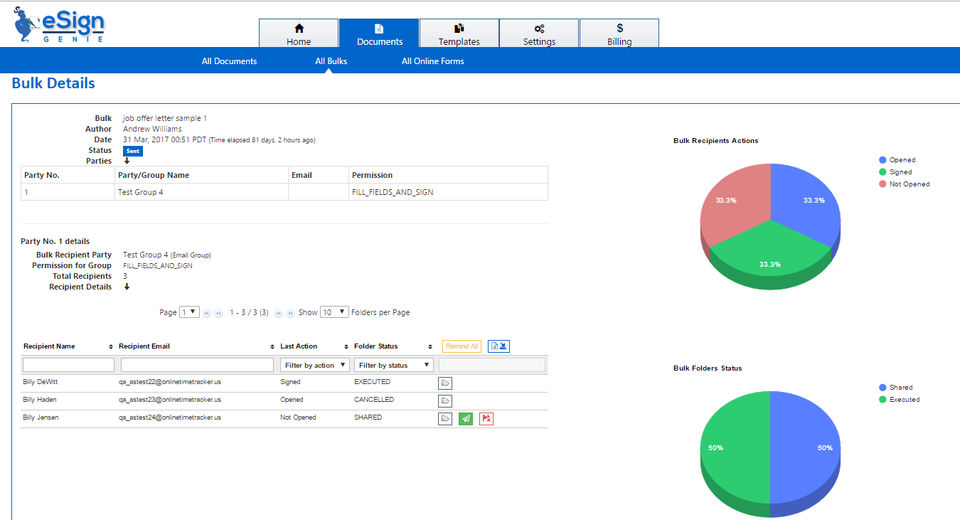
- Bulk or Mass Signatures
- API
- Custom Integrations
- CFR21 Part11 Compliance
- Signing in 11 Languages
- All Business Premium Integrations included
- Knowledge-based Authentication (KBA)
- User-defined Access Code
- All Business Premium Integrations included
- Salesforce CRM Integration
- AccountSight Invoicing Integration
- **Custom Installation on Client’s Cloud Servers
- **Custom installation pricing dif
What do you like best? eSign simplifies the multiple forms we have to send to 500+ clients and includes an address book to send several files to one person. It allows you to create folders for your files. I like the reminder feature for documents s...
What do you like best? The price and the willingness of the staff to help us meet our business needs. Our former company was pretty much OOB and would not really help us at all. Drag and Drop Feature for uploading of documents added in May...
What do you like best? I like the ease of the drag and drop to configure templates. What do you dislike? I wish we could tailor the completed document verbiage per document. eSignGenie calls it the Folder Executed verbiage. Right now I h...
What do you like best? Ease of use. Pricing plans. Good support. What do you dislike? Nothing so far. Onboarding process was fairly intuitive. as well. Recommendations to others considering the product: Pricing ...
What do you like best? Simple to use, need no much of IT knowledge, click hold and drop feature is good for me. What do you dislike? Not sure of the setting up of email template for my company. This is because I do not have IT background...
Foxit eSign offers 3 pricing plan(s):
- Professional — USD10.00 /User/Month
- Business Premium — USD35.00 /User/Month
- Enterprise — USD0.00
Foxit eSign is a Electronic Signature Software solution. Top features include:
- Document Analytics
- Regulatory Compliance
- Timestamp
- Document Expiry
- Multi-user Signing
Yes, Foxit eSign offers a 0-day free trial.
Foxit eSign provides Phone,Business Hours,Online (Ticket) support.
Foxit eSign is Cloud Hosted software.
Foxit eSign provides Help Guides,Blogs,Video Guides for training.


