

- ✓ Recurring Tasks
- ✓ To-do List
- ✓ Calendar Notification
- ✓ File Sharing
- ✓ Real-time Collaboration
- ✓ Task Tracking
- ✓ Templates
- ✓ Meetings
- ✓ Version Control
- ✓ Share Link
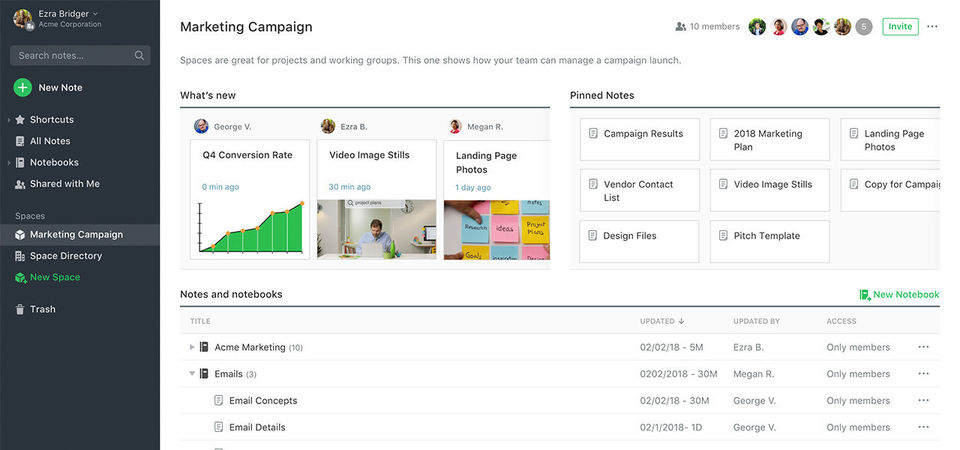
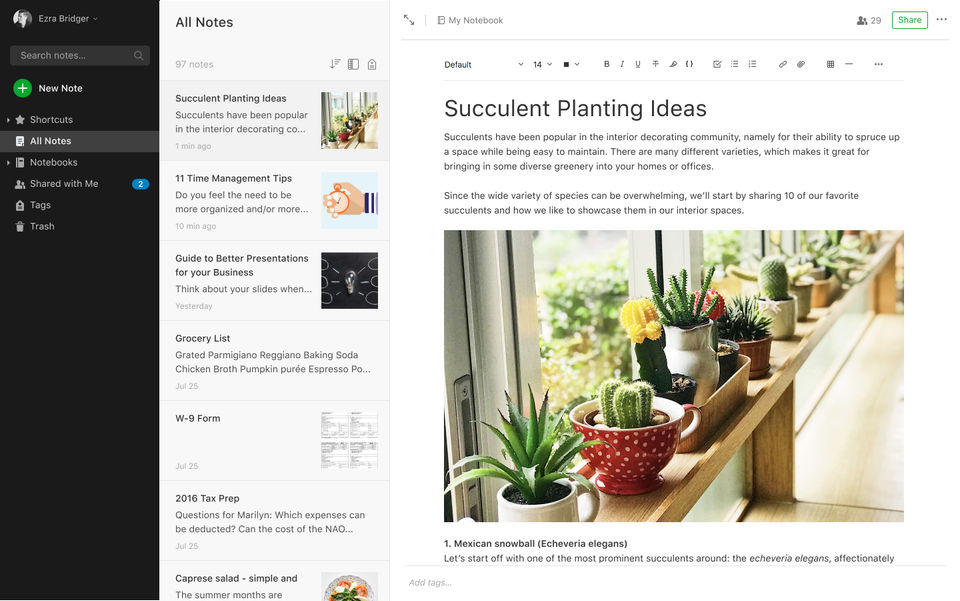
- Take great notes
- Sync up to 2 devices
- 60 MB monthly uploads
- 25 MB max. note size
- Get organized with Home dashboard and 3 widgets
- Stay on top of it all with in-note tasks
- Find things fast with search and tags
- Clip web pages
- Attach PDFs
- receipts
- files
- photos
- images
- and documents
- Take great notes
- Sync up to 2 devices
- 60 MB monthly uploads
- 25 MB max. note size
- Get organized with Home dashboard and 3 widgets
- Stay on top of it all with in-note tasks
- Find things fast with search and tags
- Clip web
- EVERYTHING IN FREE
- PLUS:
- Sync unlimited devices
- 10 GB monthly uploads
- 200 MB max. note size
- Customize Home dashboard and access extra widgets
- Connect primary Google Calendar account
- Add due dates
- reminders
- and notifications to your tasks
- Manage tasks in one place
- Get offline access on mobile and desktop
- Search text inside images
- docs
- and PDFs
- Create custom templates
- Mark up images and PDFs
- EVERYTHING IN FREE
- PLUS:
- Sync unlimited devices
- 10 GB monthly uploads
- 200 MB max. note size
- Customize
- EVERYTHING IN PERSONAL
- PLUS:
- Save 2x more content with 20 GB monthly uploads
- Access to all widgets and customization for Home
- Connect both personal and workplace Google Calendar accounts
- Create
- manage
- and assign tasks to others
- and easily track their progress
- Use Boolean terms to refine search results
- Find content by location with geographic search
- Export notebooks as PDF files
- Integrate with Slack
- Salesforce
- Microsoft Teams
- and others
- EVERYTHING IN PERSONAL
- PLUS:
- Save 2x more content wi
PROS & CONS What are the best aspects of this product? Since it is compatible with all devices, it makes it easy to synchronize notes and files in those devices. It also means that you can track meetings, notes and have to do lists. You can brai...
PROS & CONS What are the best aspects of this product? It helps you to be better organized in terms of the notes. You can access the notes on your phone with ease, share them with multiple users and collaborate with ease. In short, you have a pa...
PROS & CONS What are the best aspects of this product? I do not have to keep all my business cards in their hard copy. It can be difficult to keep track of your business cards, if you want to use them in years to come. Luckily, I can use Evernot...
PROS & CONS What are the best aspects of this product? It performs multiple functions as compared to other apps which may offer one or two functions Evernote has. The clipper feature is compatible with Firefox and thus easy to research and save ...
PROS & CONS What are the best aspects of this product? It is designed for everyone regardless of the size of your workflow; be it you have 10 files to store and organize or 10,000, it works for all. Although it takes time to explore its full fea...
Evernote offers 3 pricing plan(s):
- Free — USD0.00
- Personal — USD9.99 /Month
- Professional — USD12.49 /Month
Evernote is a Note Taking Software solution. Top features include:
- Recurring Tasks
- To-do List
- Calendar Notification
- File Sharing
- Real-time Collaboration
Yes, Evernote offers a 0-day free trial.
Evernote provides Online (Ticket) support.
Evernote is Cloud Hosted software.
Evernote provides Help Guides,Video Guides,Blogs for training.


