

What is Data Central?
Cloud-based data management and analytics platform
Designed for multi-location businesses (e.g., restaurants, hospitality)
Centralizes POS, inventory, accounting, and payroll data
Offers real-time reporting and performance tracking
Streamlines decision-making and reduces manual work
Improves consistency, compliance, and profitability across units
Why Choose Data Central?
Eliminates data silos by integrating all key business systems
Offers real-time insights into sales, labor, and costs
Simplifies multi-location oversight and performance comparisons
Reduces manual reporting with automation
User-friendly dashboards and report customization
Scalable for both small chains and enterprise operations
Enables proactive business management and strategic planning
Benefits of Data Central
Centralized, accurate data reduces manual errors
Real-time dashboards enable fast decision-making
Custom reports allow focused KPI tracking
Saves time through automation of recurring tasks
Enhances collaboration with secure role-based access
Supports consistency and standardization across locations
Helps identify cost-saving and performance-improvement opportunities
How to Use Data Central
Connect POS, accounting, inventory, and payroll systems
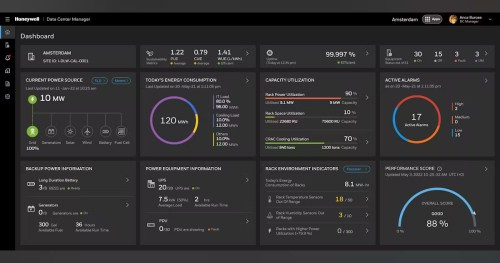
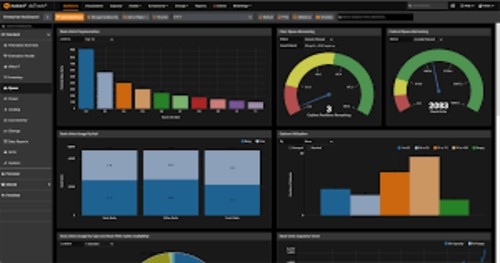
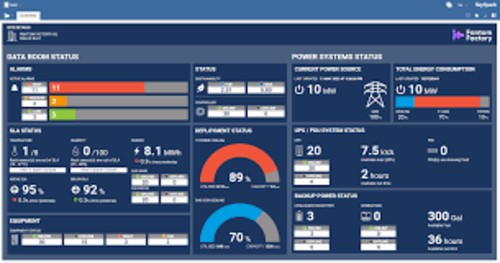
Access the central dashboard for real-time analytics
Customize dashboards and reports for different roles
Automate routine tasks like reporting and alerts
Drill into specific data sets for deeper insights
Use mobile access to manage operations from anywhere
Benefit from guided onboarding and training support
Features of Data Central
Centralized integration of all business data
Real-time dashboards and performance tracking
Automated, customizable reporting
Multi-unit comparison and oversight
Custom report builder for tailored insights
Role-based access control for data security
Mobile-friendly access on any device
Seamless third-party system integration
Audit trails for compliance and accountability
What Makes Data Central Different?
Purpose-built for multi-location operations
Specialized for restaurant and hospitality industries
Real-time actionable insights, not just raw data
Seamless POS, accounting, and payroll integrations
Easy-to-use interface with advanced reporting options
Scalable for businesses of any size
Automation and alerts that drive operational efficiency
Empowers all roles—from floor staff to executives
Who Can Benefit from Data Central?
Restaurant chains and hospitality groups
Franchise owners and operators
Store-level managers needing performance visibility
Finance teams requiring accurate and timely data
Executives looking to scale operations with consistency
Businesses managing 5 to 100+ locations
Independent operators planning to grow
Teams focused on compliance, accuracy, and cost control
Is Data Central Easy to Use?
Clean, intuitive interface for all user levels
Minimal training required for core tasks
Customizable dashboards and drag-and-drop tools
Automated alerts and workflows save time
Cloud access from any device or location
Guided onboarding and robust knowledge base
Designed for both technical and non-technical users
What Support Does Data Central Offer?
Personalized onboarding and integration support
Dedicated customer success team (phone, email, chat)
In-depth knowledge base with guides and tutorials
Regular webinars, updates, and best practice sharing
User community forums for support and collaboration
Premium support options with faster response times
Strategic consulting available for business growth
.jpg)
Contact us to get detailed pricing as per your requirements.
No reviews yet. Be the first to review!
Yes, Data Central offers a 7-day free trial.
Data Central provides Email support.
Data Central is On Premise,Any software.


