
Comindware Tracker

Low-code Workflow Optimization Software
Why Choose Comindware Tracker
Organizations choose Comindware Tracker for its no-code workflow builder, quick implementation, and seamless integration with third-party systems. It is ideal for businesses looking to reduce manual tasks and improve collaboration. Many companies start by evaluating the Comindware Tracker Demo, checking Comindware Tracker Pricing, and reading Comindware Tracker Reviews to ensure it meets their workflow requirements.
Benefits of Comindware Tracker
Automates repetitive and manual business processes
Improves team collaboration and task visibility
Speeds up task approvals and decision-making
Allows non-technical users to create workflows easily
Reduces operational costs and increases efficiency
These benefits are commonly cited in Comindware Tracker Reviews and are demonstrated clearly in the Comindware Tracker Demo and supported by robust Comindware Tracker Features.
How to use Comindware Tracker
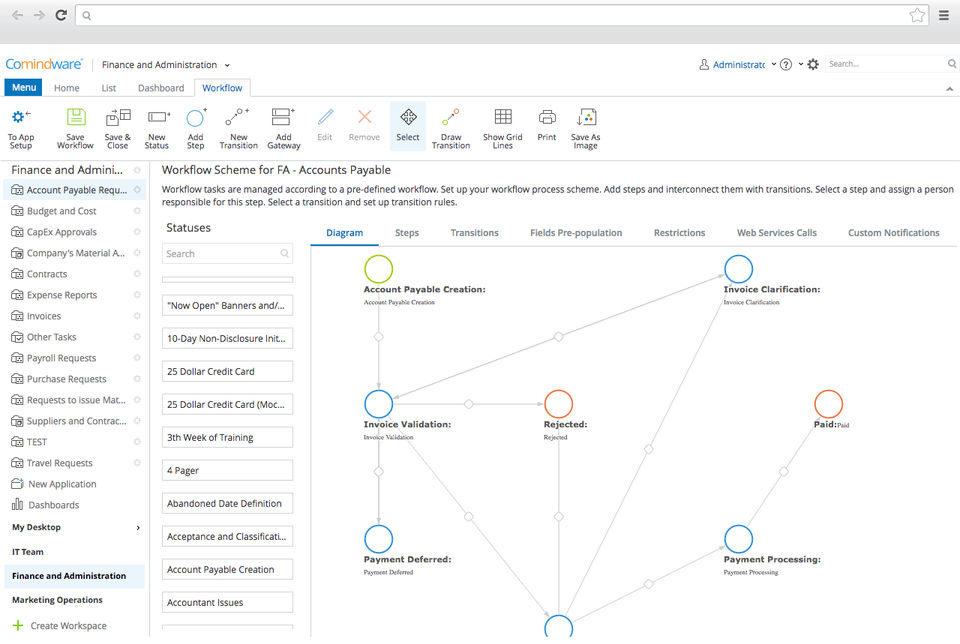
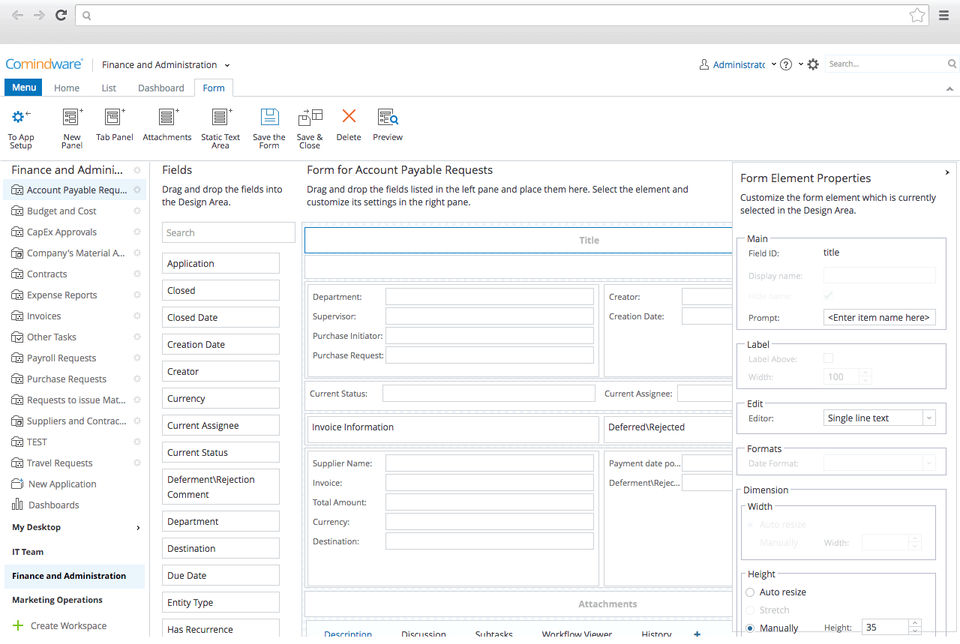
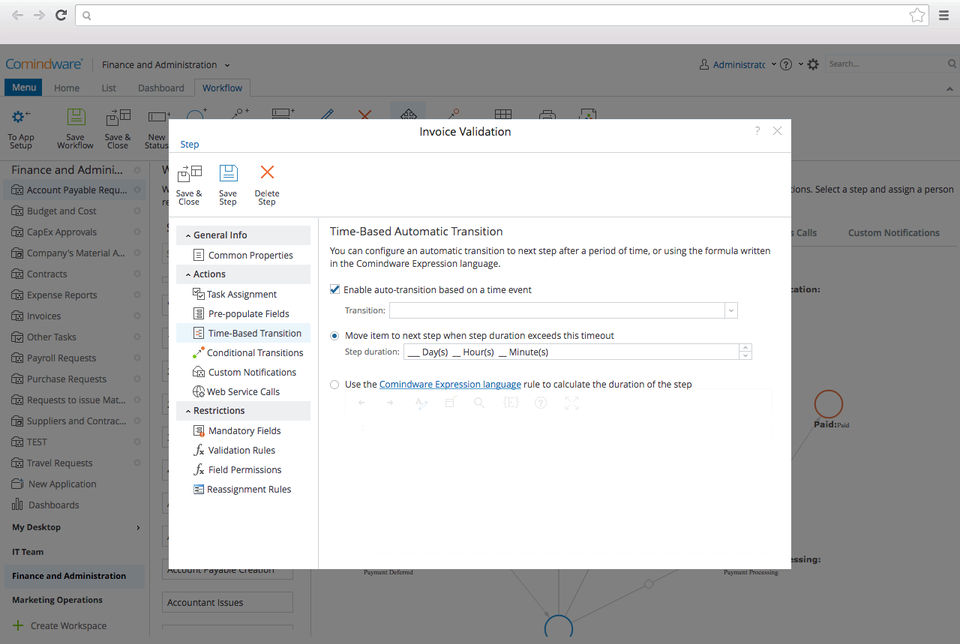
To use Comindware Tracker, begin by setting up a workflow using its intuitive drag-and-drop interface. Define tasks, roles, and rules without needing any coding skills. Track progress in real time and make changes as needed. Most users first explore the Comindware Tracker Demo, compare Comindware Tracker Pricing plans, and explore available Comindware Tracker Features before full deployment. Businesses also often compare it with other workflow automation tools to ensure they choose the most efficient solution for their operations.
Features of Comindware Tracker
Visual workflow designer with drag-and-drop interface
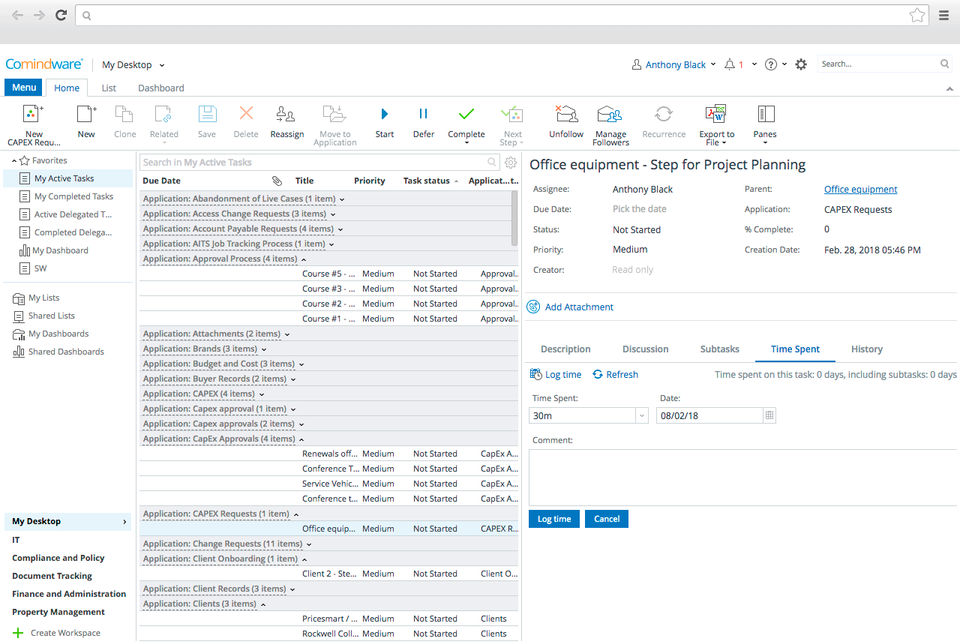
Role-based task assignment and tracking
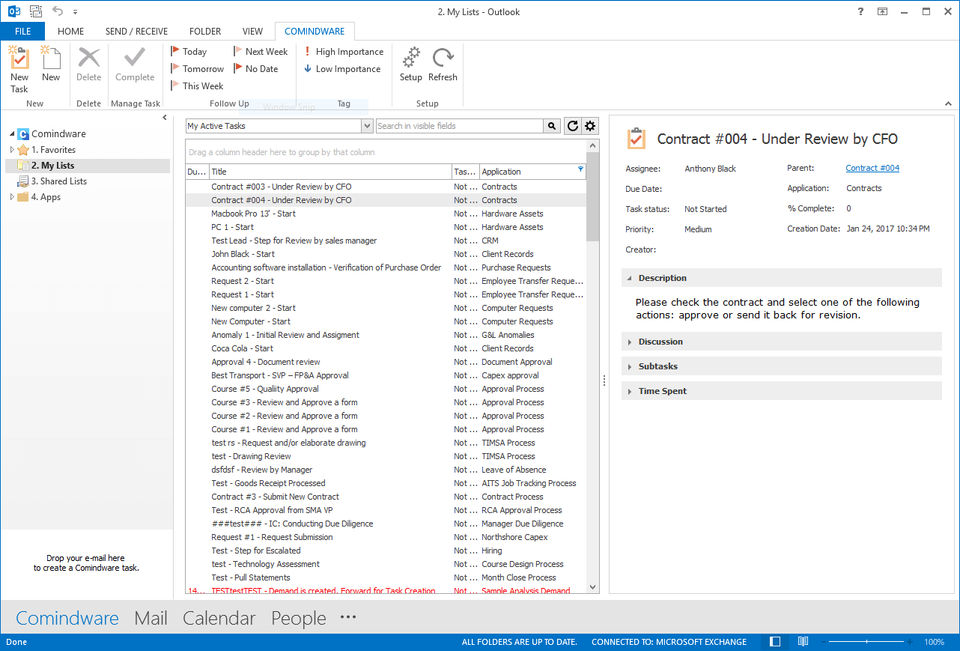
Integration with Outlook, SharePoint, and other systems
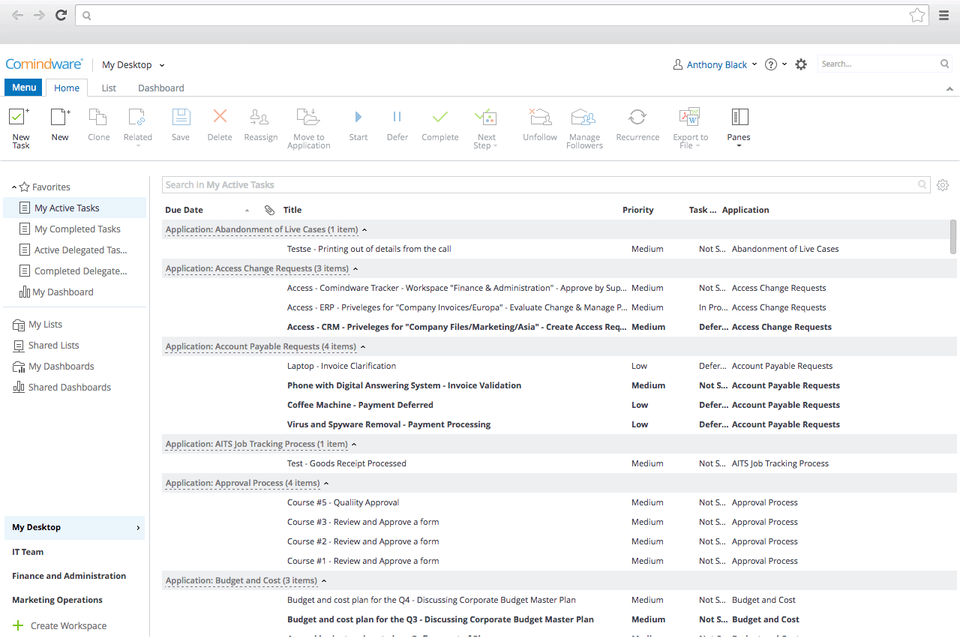
Real-time reporting and customizable dashboards
Mobile access for on-the-go task management
These Comindware Tracker Features are highlighted in Comindware Tracker Reviews and showcased in the Comindware Tracker Demo, making it a practical solution for process automation.
Contact us to get detailed pricing as per your requirements.
PROS & CONS What are the best aspects of this product? This software is perfect for me to track workflow time or to provide access to breakdowns of workflow tasks. Setup costs on the market are reasonable and average. They offer simple licensi...
What do you like best? - You don't need technical skills to develop, maintain and update workflows. - The user interface looks great and navigation around it is simple. - It's very useful for us to track the scenario between Purchase team a...
What do you like best? - You don't need technical skills to develop, maintain and update workflows. - The user interface looks great and navigation around it is simple. - It's very useful for us to track the scenario between Purchase team a...
PROS & CONS What are the best aspects of this product? - You don't need technical skills to develop, maintain and update workflows. - The user interface looks great and navigation around it is simple. - It facilitates the creation of web forms...
PROS & CONS What are the best aspects of this product? Great for keeping everyone in the loop. Comindware Tracker is integrated with Active Directory, so user management is snap. Comindware Tracker sales would have to contact engineering to se...
Yes, Comindware Tracker offers a 0-day free trial.
Comindware Tracker provides Online (Ticket) support.
Comindware Tracker is Cloud Hosted software.
Comindware Tracker provides Help Guides,Video Guides,Blogs for training.


.jpg)


