
CKEditor 5

Create the perfect custom editing experience with leading-edge, innovative features including real-time and asynchronous collaboration, document conversion, productivity tools and more.
CKEditor 5, the most advanced rich text editing product available, revolutionizes content creation and collaboration. Offering hundreds of features and flexibility-as-a-feature, you can build the exact editor for even the most complex functional and visual requirements.
Supporting 38 professionally translated languages and natively accommodating right-to-left (RTL) languages, it guarantees an intuitive and seamless editing experience. Users can effortlessly import, embed, and transform content across various business formats, while a single click transforms in-editor content into polished PDF or Word documents. This dramatically reduces the manual effort typically involved in content preparation.
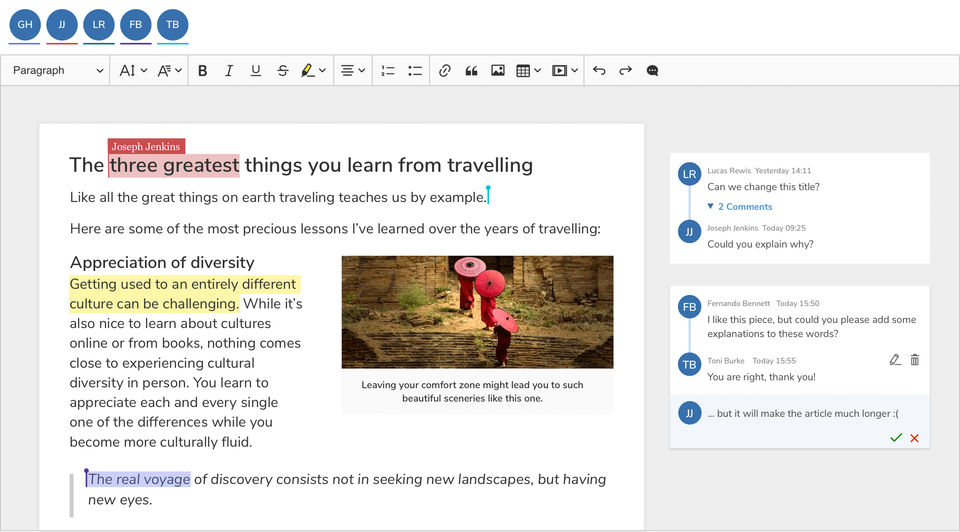
Offer your users the Google Docs-like writing experience they expect so they can centralize their content creation and review process, both asynchronously and in real time. Features like comments, track changes, revision history, support collaborative content workflows for even the most distributed teams.
Productivity features like dynamic Table of Contents insertion, robust plugin architecture, and enhanced paste functionalities streamline document editing, making it more efficient and user-friendly. The editor maintains original styling, comments, and annotations, ensuring content integrity and consistency. These high-speed tools automate repetitive tasks and simplify the management of complex documents, offering an unparalleled user experience.
- ✓ Sentence Rephraser
- ✓ Engagement Metrics
- ✓ Sentence formatting
- ✓ Tone checker
- ✓ Grammar Check
- ✓ Autocorrect
- ✓ Style Editor
- ✓ Plagiarism check
Contact us to get detailed pricing as per your requirements.
No reviews yet. Be the first to review!
CKEditor 5 is a AI Writing Assistant Software solution. Top features include:
- Sentence Rephraser
- Engagement Metrics
- Sentence formatting
- Tone checker
- Grammar Check
CKEditor 5 does not currently offer a free trial.
CKEditor 5 provides Online (Ticket),Business Hours support.
CKEditor 5 is Cloud Hosted,On Premise software.
CKEditor 5 provides Help Guides,Video Guides,Blogs,Webinars,Case Studies,Whitepapers for training.


