
Investment Portfolio Management Software
Yearly
About
BrowseControl web filtering software blocks websites based on URLs and categories. Granular internet restriction policies can be customized for each user, department, or organizational unit. Other device restriction features include an app blocker, port filter, and internet restriction scheduler.
Web filtering software. Blocks websites based on URLs and categories. Restrictions can be customized based on user, computer, or OU.
Screenshots
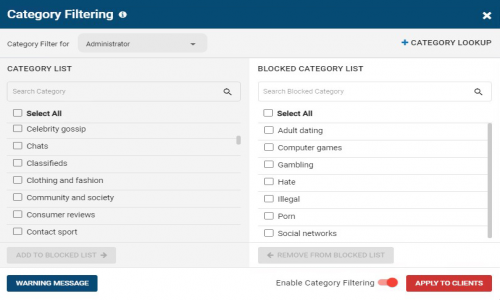
Screenshot 1
Pricing
10-99 Users
USD
4
User/Month
- URL Filter
- Web Content Category Filter
- Port Filter
- Application Blocker
- Custom Warning Message
- Request Access to Blocked Sites
User Reviews
+ Write a Review
No reviews yet. Be the first to review!
Frequently Asked Questions
How much does BrowseControl cost?
▼
BrowseControl offers 1 pricing plan(s):
- 10-99 Users — USD3.99 User/Month
Does BrowseControl offer a free trial?
▼
Yes, BrowseControl offers a 14-day free trial.
What support does BrowseControl provide?
▼
BrowseControl provides Phone,Email,Live Chat,Online (Ticket) support.
Is BrowseControl cloud-based or on-premise?
▼
BrowseControl is On Premise software.
What training resources does BrowseControl offer?
▼
BrowseControl provides Help Guides,Video Guides,Blogs,Webinars,Case Studies for training.


