

Who Uses AgencyAnalytics?
AgencyAnalytics is mainly used by:
-
Digital marketing agencies
-
SEO agencies
-
PPC and Google Ads specialists
-
Social media managers
-
Freelance marketers handling multiple clients
-
Agencies needing automated reporting similar to CRM software tools
Why Choose AgencyAnalytics?
Businesses choose AgencyAnalytics because it removes repetitive reporting tasks and makes it easier to deliver professional client dashboards. It also offers flexible integrations and visually rich dashboards compared to any basic agency analytics alternative. The platform is easy to set up, making it suitable even for small agencies.
Benefits of AgencyAnalytics
-
Automates 90% of client reporting
-
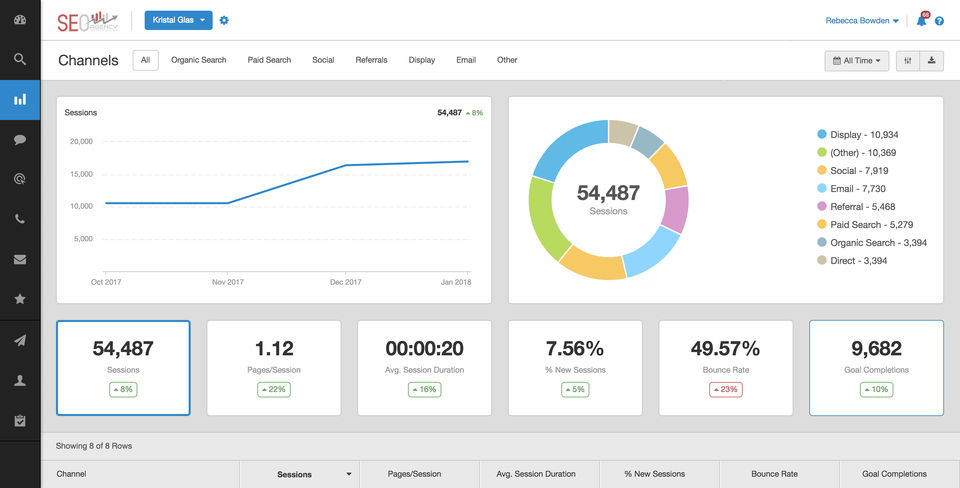
Saves time by combining SEO, PPC, social, and web analytics in one place
-
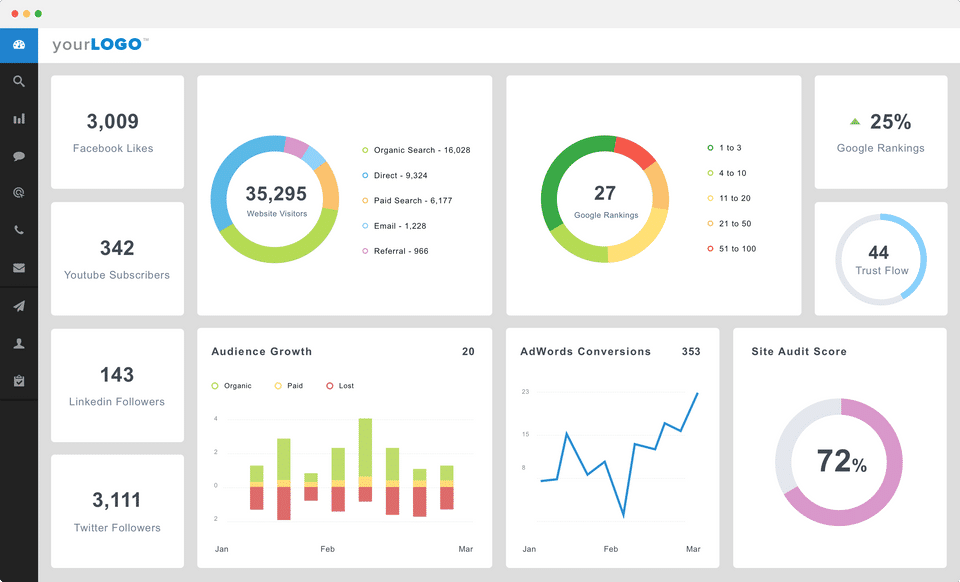
Enhances client communication with custom dashboards
-
Reduces manual data entry errors
-
Offers white-label reporting for agency branding
-
Supports scalability as the number of clients grows
-
Helps track performance across all channels from a single panel
Features of AgencyAnalytics
-
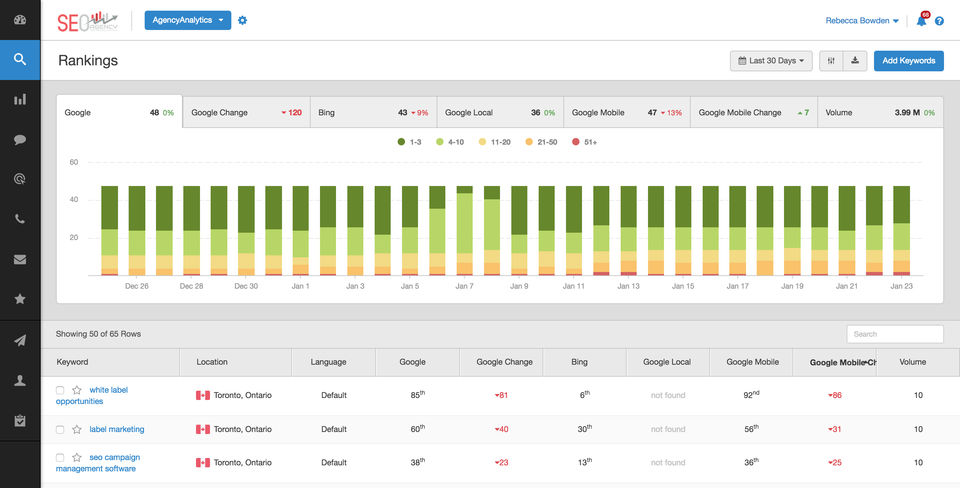
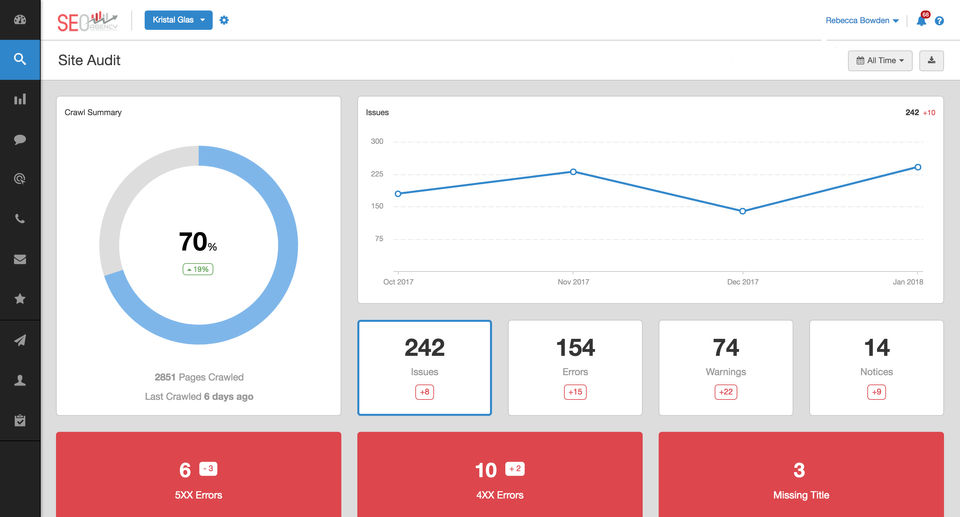
SEO Tools: Keyword tracking, backlink monitoring, site audits
-
PPC Reporting: Google Ads, Facebook Ads, Bing Ads insights
-
Social Media Analytics: Instagram, LinkedIn, Facebook, and more
-
Automated Reports: Schedule and generate reports instantly
-
White-Label Dashboards: Add branding, domains, and custom themes
-
Client Access Control: Manage permissions and user access
-
Multi-Channel Integrations: 80+ marketing and advertising integrations
-
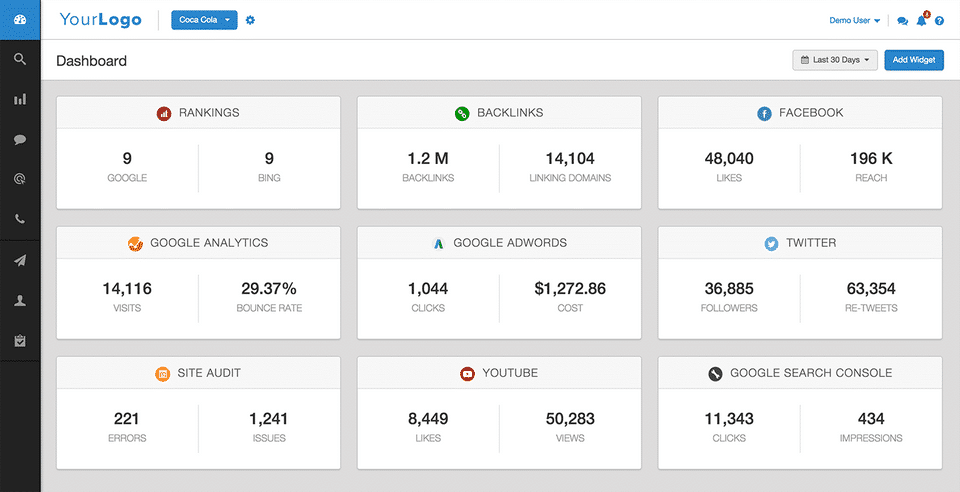
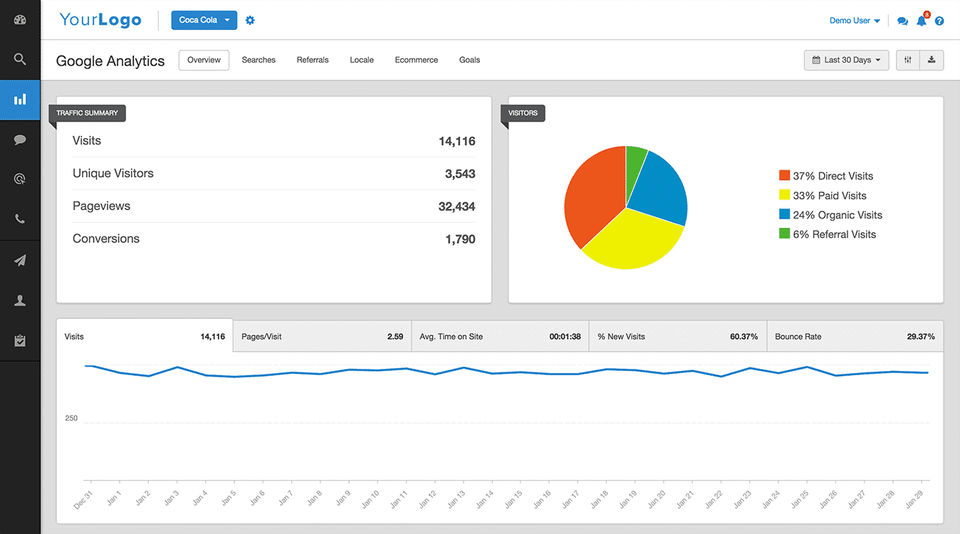
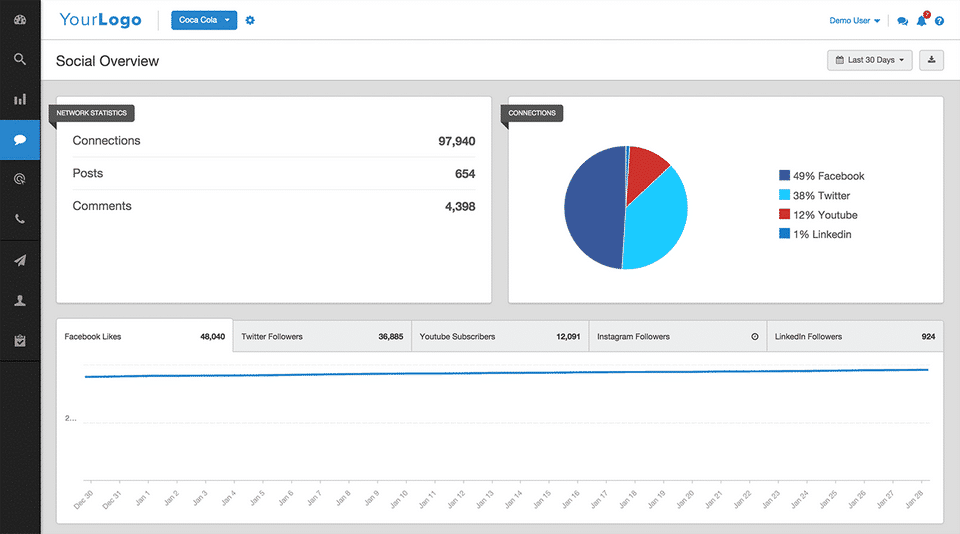
Agency Analytics Dashboard for unified performance tracking
How to Use AgencyAnalytics?
-
Sign in and set up your agency workspace
-
Add client accounts and connect their marketing channels
-
Create dashboards using pre-built widgets
-
Set up automated reports and customize branding
-
Share dashboards with clients via login access
-
Monitor performance daily using real-time data visualization
AgencyAnalytics Demo
The platform offers an interactive dashboard walkthrough that helps agencies understand how to configure SEO, PPC, and social media reporting. The demo highlights how automation works, how dashboards look to clients, and how white-label designs can be applied.
AgencyAnalytics Pricing
Users often search for agencyanalytics pricing, agency analytics plans, or agency analytics cost to compare subscription options. Pricing typically depends on the number of clients and features. Plans include:
-
Essential plans for smaller agencies
-
Pro and higher-tier plans for scaling teams
These allow access to additional dashboards, white-labeling, and more integrations.
AgencyAnalytics Review
AgencyAnalytics reviews often highlight how simple it is to manage multiple client dashboards from one place. Users appreciate the automation features and the number of integrations available. The platform is praised for reducing reporting time and improving client transparency. It is known as a reliable reporting tool with strong customization options.
- ✓ User Management
- ✓ Revenue Management
- ✓ Rank Tracking
- ✓ Mobile Search Tracking
- ✓ Link Management
- ✓ Keyword Tracking
- ✓ Google Analytics Integration
- ✓ Content Management
- ✓ Competitor Analysis
- ✓ Auditing
- ✓ A/B Testing
- ✓ Dashboard
- ✓ Website Visitor Tracking
- ✓ Lead Management
- ✓ Email Drip Campaigns
- ✓ Channel Management
- ✓ Campaign Segmentation
- ✓ Analytics (ROI Tracking)
- ✓ Lead Nurturing
- ✓ Landing Pages
- ✓ Multivariate Testing
- ✓ Lead Scoring
- ✓ Widgets
- ✓ Visual Analytics
- ✓ Public Dashboard
- ✓ Private Dashboard
- ✓ Interactive Dashboard
- ✓ Data Integration
- ✓ Key Performance Indicators
- ✓ Predefined Templates
- ✓ OLAP
- ✓ Data Security
- ✓ Spam Check
- ✓ Mailing List Management
- ✓ Drip Campaigns
- ✓ Click-through Tracking
- ✓ Instagram Ads
- ✓ Facebook Ads
- ✓ Google Remarketing Ads
- ✓ Abandoned Cart Email
- ✓ Mobile App
- ✓ Delivery by Time Zone
- ✓ Send Time Optimization
- ✓ Sign Up Forms
- ✓ Free Stock Photos
- ✓ RSS to Email
- ✓ Predesigned Email Templates
- ✓ Email Scheduling
- ✓ Contact List Import
- ✓ Click Map
- ✓ Real-time Email Editor
- ✓ Document Library
- ✓ List Segmentation
- ✓ Drag and Drop Editor
- ✓ Template Management
- ✓ Event Triggered Email
- ✓ Auto-Responders
- ✓ Contact Management
- ✓ Multiple Site Management
- ✓ Time on site Tracking
- ✓ User Interaction Tracking
- ✓ Goal Tracking
- ✓ Conversion Tracking
- ✓ Campaign Management
- ✓ Alert Notifications
- ✓ Report Generation
- ✓ Event Tracking
- ✓ Heatmaps
- ✓ Social Media Monitoring
- ✓ Multi-Account Management
- ✓ Customer Engagement
- ✓ Brand Tracking
- ✓ Analytics (Social Media)
- ✓ Posts Scheduling
- ✓ Multi-User Collaboration
- ✓ Auto Publishing
- 5 Campaigns
- 500 Keyword Rankings
- 100000 Site Audit Pages
- Unlimited Branded Reports
- Unlimited Staff and Client
- White Label Dashboard
- Access to 50 plus Integrations
- Daily Rank Tracking
- Scheduled Site Audits
- 5 Campaigns
- 500 Keyword Rankings
- 100000 Site Audit Pages
- Unlimited Branded Reports
- Unlimited Staff and Client
- White Label Dashboard
- Access to 50 plus Integrations
- Daily Rank Tracking
- Scheduled Site Audits
- 15 Campaigns
- 1
- 500 Keyword Rankings
- 30
- 000 Site Audit Page
- All Freelancer Features
- Custom Domain & Email
- Client Messaging
- Tasks
- Custom User Permissions
- Multiple Ranking Locations & Languages
- 15 Campaigns
- 1
- 500 Keyword Rankings
- 30
- 000 Site Audit Page
- All Freelancer Features
- Custom Domain & Email
- Client Messaging
- Tasks
- Custom User Permissions
- Multiple Ranking Locations & Languages
- 50+ Campaigns
- 4
- 000+ Keyword Rankings
- 100
- 000+ Site Audit Pages
- All Agency Features
- Multiple White Label
- Multiple Dashboards
- PPC Markup
- API Access
- White-Glove Onboarding
- 50+ Campaigns
- 4
- 000+ Keyword Rankings
- 100
- 000+ Site Audit Pages
- All Agency Features
- Multiple White Label
- Multiple Dashboards
- PPC Markup
- API Access
- White-Glove Onboarding
What do you like best? Makes getting information for weekly updates very easy What do you dislike? Set up takes time and seems to disconnect from accounts easily What business problems are you solving with the product? What benefits have you r...
What do you like best? Agency Analytics is excellent, authentic, practical and easy to use. It's great as I am able to do everything I need to run reports successfully and track my clients' classifications in one place; I like the control panel, since w...
What do you like best? It is a tool that will allow you to do everything you need to run reports and track customer ratings in one place, this is done in a very successful way, meeting your expectations. It is a tool with great precision when infor...
What do you like best? The fact that it not only covers rankings, ppc, call tracking and social reports, the lot! What do you dislike? Could have be more extensive when it comes to the tasks side of things. Would help to kill off another app and ...
What do you like best? The keyword rankings dashboard and the ability to create monthly client reports allow me to satisfy my clients' goals and objectives and display their SEO/GMB/Google Analytics data in separate and easy to read reports with graphs ...
AgencyAnalytics offers 3 pricing plan(s):
- Freelancer — USD49.00 /Month
- Agency — USD149.00 /Month
- Enterprise — USD399.00 /Month
AgencyAnalytics is a SEO Software solution. Top features include:
- User Management
- Revenue Management
- Rank Tracking
- Mobile Search Tracking
- Link Management
Yes, AgencyAnalytics offers a 0-day free trial.
AgencyAnalytics provides Business Hours support.
AgencyAnalytics is Cloud Hosted software.
AgencyAnalytics provides Help Guides,Video Guides,Blogs for training.


